

Multi-location menu management means running every store's menu from one central system instead of editing each location by hand. The right approach is a single item master that pushes updates to POS terminals, kiosks, first-party ordering, and delivery apps at once, with location-level overrides for pricing and availability. Some platforms build this centralized control directly into their restaurant operations dashboard.
***
TL;DR:
>
- Maintaining a single item master for all locations ensures consistent pricing, availability, and menu descriptions across every sales and ordering channel. - Cross-channel menu updates should propagate within minutes, not hours, to prevent order errors and guest complaints caused by outdated information. - Effective centralized management requires role-based permissions, audit trails, and staged rollouts with testing and rollback plans to avoid operational disruptions. - Larger or growing chains often experience menu fragmentation after three to five locations, risking inaccuracies that lead to refunds and reduced guest satisfaction. - Lowering menu management effort by up to 90% with centralized control can significantly improve delivery accuracy and reduce out-of-stock issues within weeks.
***
Table of Contents
- What Is Multi-Location Menu Management and Why Does It Matter?
- What Should a Centralized Menu System Actually Do?
- How Do You Roll Out Menu Changes Without Breaking Something?
- What Results Should You See After Centralizing Your Menu?
- What Mistakes Do Multi-Location Operators Make?
- How RESTOBOT Handles Centralized Menu Control
- Ready to Centralize Your Own Menu?
- Sources
- FAQ
What Is Multi-Location Menu Management and Why Does It Matter?
An item master is the master record for every dish, modifier, and combo your brand sells, with one unique ID per item across every system that touches it. Once that record exists, a single edit (a price change, a new photo, a "sold out" flag) should propagate to your point-of-sale, self-order kiosks, your website or app, and every third-party delivery platform you use without anyone re-entering the same information six times.
Fragmentation shows up fast once you cross a handful of locations or add a delivery channel. A centralized item master lets one edit push everywhere, which matters more than it sounds like on paper, because operators without one often maintain the same menu across multiple disconnected systems. Every duplicate build is another place a price can drift, an allergen note can go stale, or a discontinued item can keep taking orders, increasing operational error risks.
The tipping point usually arrives around three to five locations, or the moment you add a second ordering channel beyond dine-in. A few signs you've crossed it, such as handling menus that include items like seitan döner, are:
- Store managers are editing prices in the POS without telling anyone at headquarters.
- The same burger costs a different amount on Uber Eats than it does at the counter.
- A seasonal item gets pulled from one location's kiosk menu but stays live on its delivery listing.
- Nobody can say, without checking five systems, whether every store currently sells the same thing.
Each of those gaps translates into order errors, refund requests, and guest complaints that a single source of truth would have caught before it ever reached a customer.
What Should a Centralized Menu System Actually Do?
A menu platform earns the "centralized" label only if it handles a specific set of jobs, not just menu display. Here's the checklist worth holding vendors to:
- Single item database with unique IDs. Every dish, modifier, and combo exists once, with nested modifier groups (sauces, sizes, add-ons) attached to the parent item rather than rebuilt per location.
- Channel-specific rule sets. Dayparts, delivery-only pricing, combo eligibility, and stock availability need their own logic layer, since a lunch special shouldn't show up on a 10 PM delivery app.
- Location groups with overrides. Stores inherit the master menu by default, then apply their own price or availability exceptions, a pattern that lets local stores adapt within HQ-set guardrails instead of forcing every market to match one price point.
- Role-based permissions and audit trails. Someone at HQ drafts and approves; store managers get narrower rights, like toggling "86'd" items, not changing base prices.
- Reliable sync with POS and delivery integrations. Ask vendors what "real-time" actually means in minutes, not marketing language, since a 15-minute lag on price updates is very different from a five-second one.
Pro Tip: *Before you sign with any menu platform, ask for their average propagation time from a single edit to it appearing live on a third-party delivery app. If they can't give you a number, assume it's slower than you need.*
How Do You Roll Out Menu Changes Without Breaking Something?
Governance is the part most operators skip, and it's the part that actually prevents disasters. Treating the move to centralized menus as an operating change, not just a software purchase, is the core lesson from multi-unit scaling guidance, since new tools without new process just relocate the same chaos.
- Set the taxonomy first. Decide category structure, naming conventions, and modifier logic before you migrate a single item. Retrofitting taxonomy after launch is far more painful than doing it up front.
- Define who can do what. Draft, approval, publish, and rollback should be four distinct permissions, often four distinct people, so no single click can push an untested price change chainwide.
- Stage the rollout in three waves. Push changes to a dev/test environment first, then a pilot cluster of two or three real stores, then the full network once the pilot clears 48 to 72 hours clean.
- Run a fixed testing checklist on every edit. Confirm prices display correctly on each channel, allergen labels carry over, daypart transitions trigger on schedule, and the delivery-app preview matches what guests will actually see before checkout.
- Build a rollback plan before you need one. Know exactly how to revert a bad price push or emergency 86 an item across every channel within minutes, not hours, and assign someone the job of watching order volume for anomalies right after every push.
An onboarding checklist built around these stages, like the structured rollout templates managers use in their first 90 days, gives new locations a repeatable path instead of improvising governance store by store.
What Results Should You See After Centralizing Your Menu?
The payoff is measurable within weeks, not quarters, if you're tracking the right numbers. Vendor case data shows centralization can cut menu management effort by as much as 90% for some operators, turning what used to be a multi-day update cycle across stores into a single afternoon push.
The metric that matters most: track delivery order accuracy and out-of-stock order rates separately from dine-in numbers. Off-premises orders now make up nearly 75% of restaurant traffic at many brands, so a menu sync gap that only affects delivery still hits the majority of your volume.
Beyond raw time savings, watch four numbers monthly:
- Time to publish a limited-time offer across every channel, from decision to live menu.
- Refund incidence tied to menu errors (wrong price, sold-out item still orderable, missing modifier).
- Cross-channel consistency, meaning how often the same item shows the same price and description everywhere it's sold.
- Guest-facing complaint volume specifically about incorrect orders, which should trend down within one full billing cycle of centralizing.
If those numbers aren't improving within 60 days of going centralized, the system isn't configured correctly, or the governance workflow around it has holes.
What Mistakes Do Multi-Location Operators Make?
The most common failure isn't a software gap. It's treating "centralized" as a synonym for "locked down," which breeds workarounds that defeat the whole point.
- Over-restricting local flexibility. If store managers can't adjust for local supply issues or regional pricing at all, they'll find manual workarounds outside the system, recreating the fragmentation you were trying to fix.
- Letting the item master get messy. Duplicate items with slightly different names ("Cheeseburger" vs. "Classic Cheeseburger") multiply fast if nobody owns data hygiene, and cleanup gets exponentially harder the longer you wait.
- Skipping end-to-end integration tests. Each delivery partner and POS vendor has its own quirks; platform documentation on menu versioning and UI limitations makes clear that assuming every system inherits changes identically is a mistake worth avoiding before launch, not after.
- Under-training on permissions. An accidental publish from someone who shouldn't have access is the single most common cause of a chainwide pricing error.
Pro Tip: *Run a quarterly audit of who has publish rights on your menu system. Turnover means access lists go stale fast, and a former manager with lingering admin rights is a liability nobody catches until something breaks.*
*— ADMIN*
How RESTOBOT Handles Centralized Menu Control
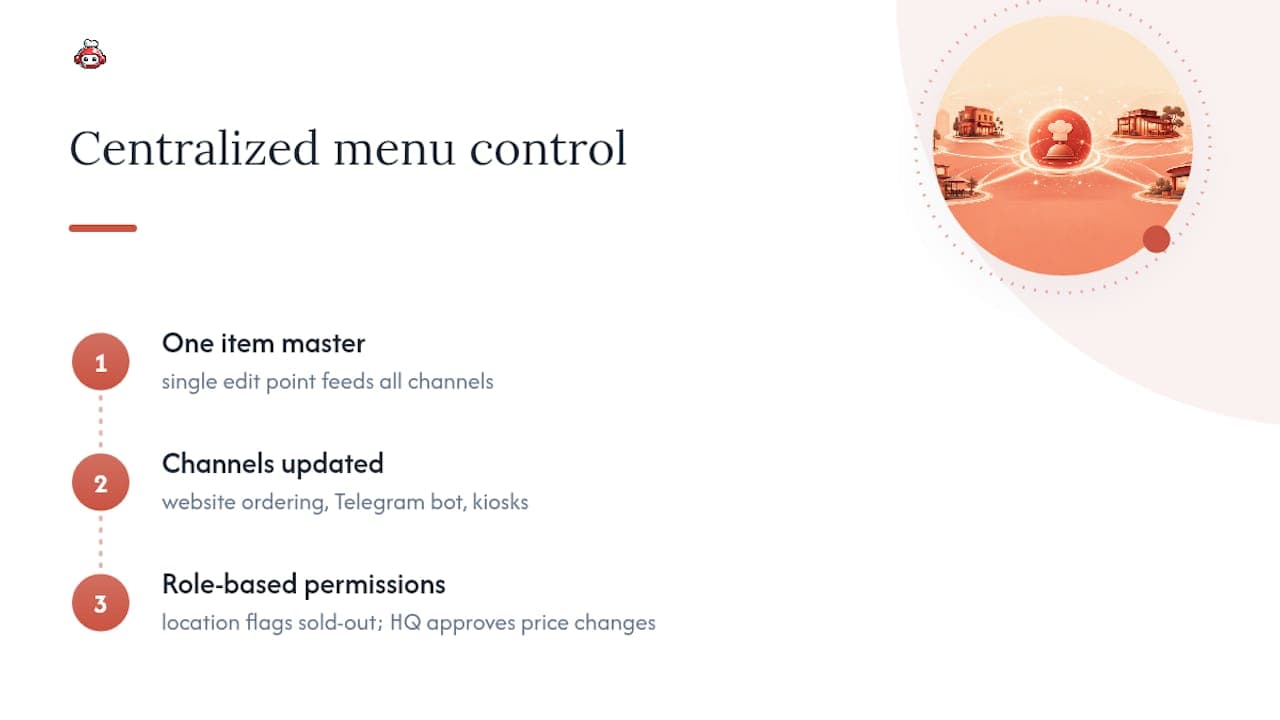
RESTOBOT builds its menu system around one item master that feeds your website ordering, Telegram bot, and connected kiosks from a single edit point, so a price change or new item goes live everywhere at once instead of waiting on separate updates per channel. Role-based permissions in the management dashboard mean a location manager can flag an item as out of stock without touching a base price, while approval control for bigger changes stays with whoever runs the account at headquarters.
Because website creation on some platforms happens automatically upon application confirmation, a new location can be live with its own branded ordering page, embedded menu, and reservation setup within a very short time rather than waiting on a development queue. That speed matters when you're onboarding location five or location fifty and can't afford a multi-week setup cycle per store.
Some platforms offer a zero-commission order model that removes a hidden cost most centralized systems don't touch: you do not pay a percentage on every order just to keep menus synced across channels, which changes the math on adding delivery without losing margin on volume. For dayparts, pricing overrides by location group, and emergency item removal across every connected channel, the same dashboard that manages your menu handles real-time order visibility, so a bad update gets caught the moment orders start looking off, not the next morning.
Ready to Centralize Your Own Menu?
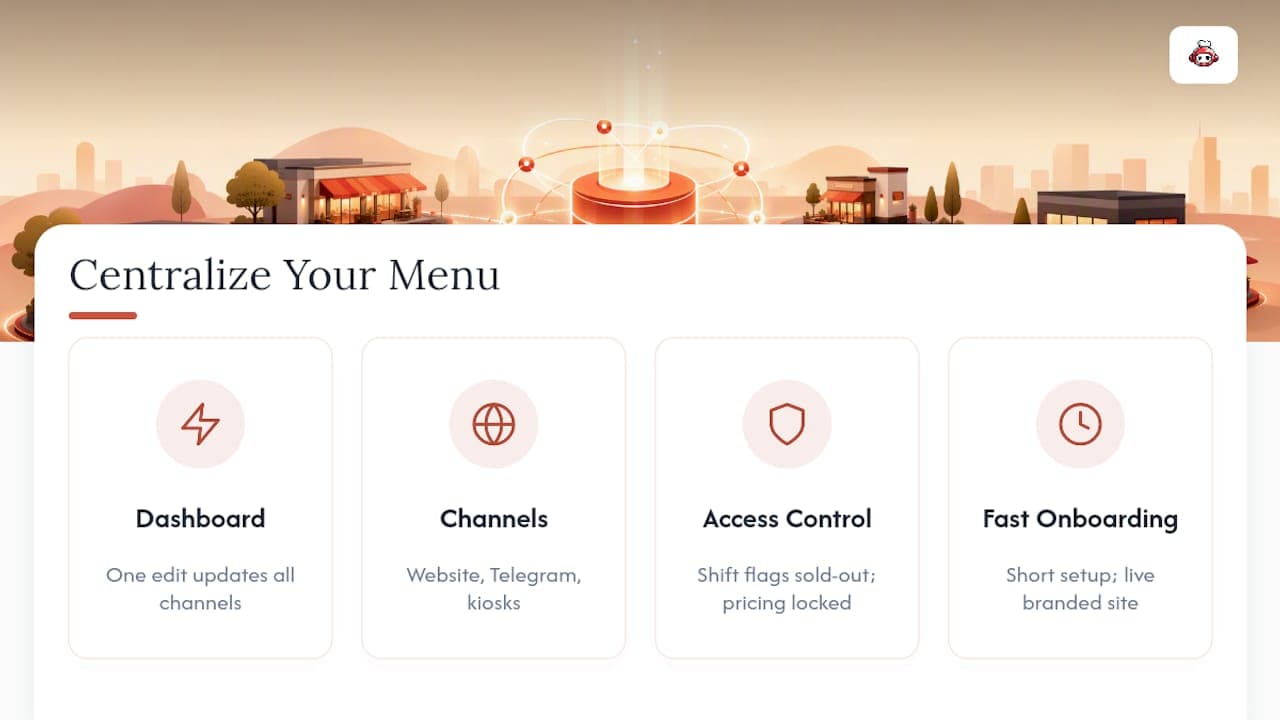
If you're running the same menu across three, ten, or fifty locations by hand right now, the fix isn't more spreadsheets. It's one dashboard where a single edit reaches your website, your Telegram ordering bot, and your kiosks the moment you publish it, with no per-order commission eating into the margin you just fought to protect. Some platforms give multi-location operators a single item master along with role-based access, so a shift manager can flag a sold-out item while pricing changes stay locked to whoever owns the account.
Setup on some platforms does not require a development queue. A confirmed application can result in a live, branded ordering site within a short time, allowing new locations to be taking orders on the centralized menu quickly. If your current menu process depends on someone remembering to update six different systems every time a price changes, start a RESTOBOT setup and see what one item master feeding every channel actually looks like in practice.
Sources
For the technical weeds behind menu propagation, read Toast's own documentation on multi-location menu versioning and Square's step-by-step menu setup guide, both of which cover platform-specific quirks worth knowing before you migrate. For how menu sync connects to courier and delivery logistics specifically, see this breakdown of delivery management software built for multi-location restaurants.
FAQ
What Is the 30/30/30 Rule for Restaurants?
The 30/30/30 rule commonly refers to keeping food cost, labor cost, and overhead each around 30% of revenue, leaving roughly 10% as margin. It's a budgeting benchmark, not a menu management rule, though a centralized menu system helps protect food-cost percentages by keeping prices and portions consistent across every location.
What Is the Best Software for Managing Restaurant Menus Across Multiple Locations?
The best fit depends on how many channels you run, but the strongest options share the same traits: a single item master, location-level overrides, and real-time sync to POS and delivery apps. Platforms like RESTOBOT combine that centralized menu control with zero-commission ordering, which matters if delivery makes up a large share of your volume.
What POS System Does Chick-fil-A Use?
Chick-fil-A's specific POS vendor isn't publicly disclosed in detail, and it varies by system generation across its franchise network. What's publicly known is that large chains like this rely on centralized menu architecture to keep thousands of locations synchronized on pricing and promotions.
What Is It Called When a Restaurant Has Multiple Locations?
A restaurant operating more than one site under the same brand is typically called a multi-unit or multi-location operation, and larger versions are often referred to as chains or restaurant groups. The operational discipline needed to run them consistently is usually described as multi-unit management or multi-location restaurant strategy.
How Often Should Menu Updates Sync Across Channels?
Real-time or near-real-time sync, meaning changes appear across POS, kiosks, and delivery platforms within minutes, is the standard to hold vendors to. Anything slower than that creates a window where guests can order items at the wrong price or order something that's already sold out.