

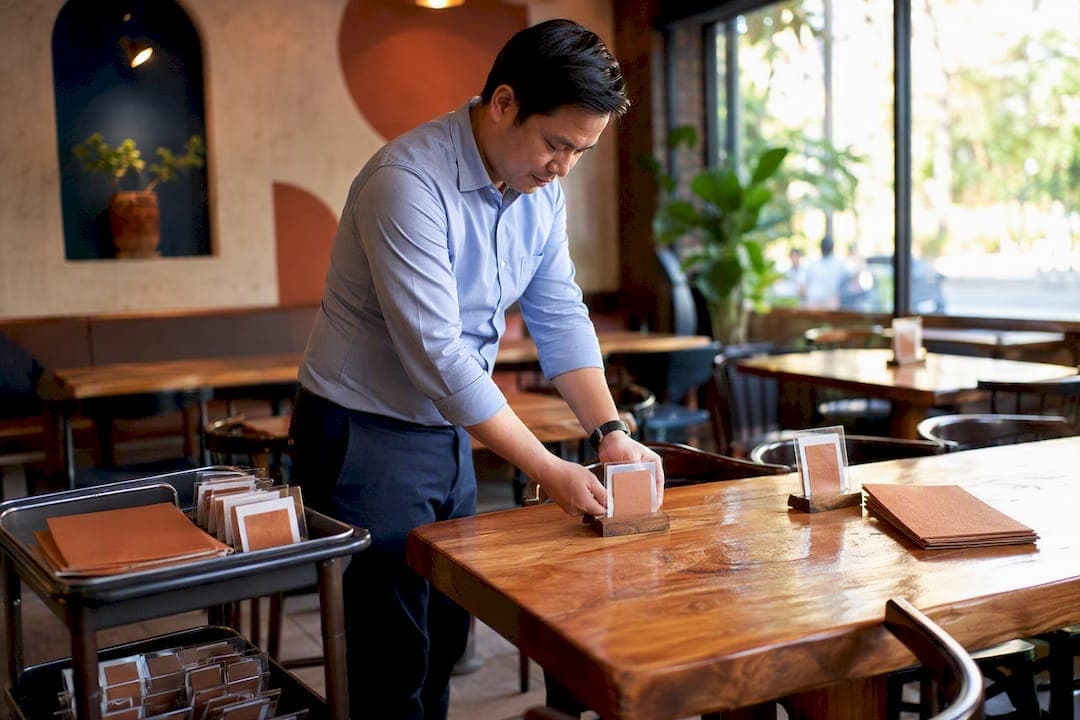
Yes, table ordering QR systems work: scan a code at the table, order and pay from a phone, and the ticket lands in your kitchen without a server walking a notepad across the room. You can get the basics live this week. Start with these:
- Activate an ordering page or vendor account tied to your menu and POS
- Generate a unique QR code for every table and print it before your next shift
- Map each code to a specific table number in your system, not a generic "dining room" zone
Do this correctly and you'll see faster table turns, fewer misheard orders, and the option to let guests pay at the table without waiting on a check.
***
TL;DR:
>
- Proper table-to-QR code mapping is essential to ensure accurate kitchen ticket routing and prevent orders from being sent to the wrong table. - Testing the full order flow during a live shift with staff present helps identify printer or connectivity issues before guests arrive. - Running a phased rollout, such as starting with browse-only mode or a limited zone, reduces risk and adapts operations smoothly. - Confirm that your POS supports online order routing, uses secure payment gateways, and flags alcohol orders for staff age verification to stay compliant. - A flat, no-commission platform like RESTOBOT can significantly improve margins by eliminating extra fees and streamlining setup.
***
Table of Contents
- How Table Ordering QR Codes Get Orders to Your Kitchen
- What Technical Setup Does QR Table Ordering Require?
- How Should Your Mobile Menu Be Designed for Ordering?
- Where Should You Place QR Codes for Maximum Scans?
- How Do You Train Staff to Support QR Ordering?
- What Payment and Security Steps Do You Need to Confirm?
- What Are the Most Common QR Ordering Setup Failures?
- How RESTOBOT Handles QR Table Ordering End to End
- Do You Need Age Verification for Alcohol Orders Through a QR Menu?
- How Long Does a QR Table Ordering Rollout Actually Take?
- What Does QR Table Ordering Cost to Set Up and Maintain?
- When Does QR Table Ordering Actually Pay Off?
- Get Table Ordering Running Without Losing Money to Commissions
- Key Takeaways
- Sources
- FAQ
How Table Ordering QR Codes Get Orders to Your Kitchen
The guest experience looks simple: scan, browse, order, pay. The backend does more work than it looks like from the dining room floor.
- A guest scans the code and opens a mobile menu in their browser, no app download required.
- They build an order, choose modifiers, and either pay immediately or open a tab tied to that table.
- The order transmits to your POS, which routes it to the correct kitchen station or printer.
- A ticket fires at the line tagged with the table number your code was mapped to.
That table mapping step is the one operators underestimate. Deliverect's table ordering system links each QR code to a specific table number so the kitchen always knows where a ticket belongs, and a mismatch here means food landing at the wrong table or, worse, an order that never prints at all.
You also get to choose how much autonomy to hand guests. Some restaurants run "browse-only" mode, where the QR just pulls up the menu and a server still takes the order, useful for full-service rooms easing into digital tools. Others run full order-and-pay, where guests handle everything themselves. Square's QR ordering flow supports both, which lets you phase in autonomy zone by zone instead of flipping every table at once.
Pro Tip: *Run browse-only mode during your first week live. Watch how guests actually interact with the menu before you turn on full payment, then flip the switch once your staff has seen the flow under real service pressure.*
What Technical Setup Does QR Table Ordering Require?
Your POS needs to support order routing and auto-firing, meaning tickets print at the right station without a staff member manually pushing them through. Confirm this with your provider before you commit to a launch date, not after.
- Verify your POS has an API or direct integration path for online orders, not just a manual entry workaround
- Keep kitchen printers on a stable LAN connection; don't rely on Wi-Fi for ticket printers if you can run ethernet
- Give guests a dedicated guest Wi-Fi network or plan for cellular data. A crowded router that also runs your POS is a bottleneck waiting to happen
- Test actual ticket printing at every station before opening, not just a sample order on a tablet at the counter
- Watch table names for special characters. Toast's setup documentation flags that table names get encoded into the QR code's URL, so a table labeled "Patio #3" can break the link. Stick to plain alphanumeric names
Test the full flow on both iPhone and Android before your first live shift. Vendor support pages consistently recommend checking common devices ahead of launch, since browser quirks show up more often than you'd expect.
How Should Your Mobile Menu Be Designed for Ordering?
A slow menu costs you orders. Every extra second of load time or extra tap between browsing and paying gives a guest a reason to set the phone down and flag a server instead.
- Compress photos so pages load in under two seconds on a typical cellular connection
- Put your highest-margin items above the fold, not buried three categories deep
- Keep modifiers simple. A burger with 12 sauce options slows everyone down
- Tag allergens clearly. EU restaurants are legally required to expose allergen information under Regulation 1169/2011 when applicable, and doing it well reduces both service friction and liability everywhere else too
Your choice between pay-as-you-go and open tabs changes your staffing needs. Pay-as-you-go suits fast-casual spots where guests order once and leave. Open tabs suit bars and longer sit-down meals, and they need a tip prompt built into the final payment screen or you'll lose gratuities guests would have otherwise left in cash.
Pro Tip: *Put your three best-selling appetizers as the first thing a guest sees after scanning. Menu position drives orders more than most owners assume.*
Where Should You Place QR Codes for Maximum Scans?
- Decide between one code per table or one per zone. Per-table is more accurate for kitchen routing; per-zone works for bars where seating shifts constantly.
- Print codes at a minimum of 2 inches square, high contrast, black on white. Anything smaller struggles under dim restaurant lighting.
- Laminate table cards or use acrylic stands. Spilled drinks kill paper codes fast.
- Place the code away from candles, sauce bottles, and the edge where elbows land, and avoid glossy finishes that catch overhead light and block a scan.
- Version your codes if your ordering URL ever changes. A code printed a year ago pointing to a dead link is worse than no code at all.
How Do You Train Staff to Support QR Ordering?
Your servers don't disappear from the floor. Their job shifts from order-taking to hospitality and troubleshooting.
- Train a simple greeting: "You can scan the code on the table to order whenever you're ready, or I'm happy to take your order now."
- Assign one person per shift to watch the incoming order dashboard and flag anything that hasn't fired within a few minutes
- Consolidate multiple orders from the same table into one ticket sequence so the kitchen isn't firing five separate tickets for one four-top
- Run one full live test shift before opening it to the public, with a manager stationed to catch printer or connectivity issues in real time
- Set up tip allocation in your POS before launch, not during service, so gratuities route to the right server automatically
Pro Tip: *Assign a "QR ambassador" on your busiest shift for the first two weeks. Someone whose only job is walking tables, answering questions, and catching problems before a guest gets frustrated.*
What Payment and Security Steps Do You Need to Confirm?
Guests expect the payment options they already use everywhere else: Apple Pay, Google Pay, and standard card entry. If your ordering page only takes typed-in card numbers, expect drop-off at checkout.
- Confirm your gateway supports mobile wallets, not just card fields
- Decide whether tipping happens inside the ordering flow (a percentage prompt before payment) or through a separate mechanism, since bars with open tabs often prefer the in-session prompt
- Confirm your provider handles PCI compliance and tokenizes card data. You should never be storing raw card numbers on your own servers
- Check that your ordering page runs on HTTPS everywhere, not just the payment screen
Faster table turns are one of the most consistently cited benefits of QR ordering. Deliverect reports operators shaving time off table turn times once ordering and payment move to the guest's phone, which adds up fast across a full dinner service. For anything beyond the basics, especially cryptocurrency payments or multi-country tax handling, loop in your payment gateway or legal counsel rather than guessing.
What Are the Most Common QR Ordering Setup Failures?
- Check printer auto-fire settings first. A ticket that reaches the POS but never prints at the line is the single most common launch-day failure.
- Look for duplicate table names or special characters breaking the QR-to-table link, a documented issue in Toast's own setup guide.
- Test menu load speed on a real phone on your restaurant's actual Wi-Fi, not your office broadband.
- Run a full test transaction and review your gateway's error logs before opening, not after a guest's card fails at 7 p.m. on a Friday.
How RESTOBOT Handles QR Table Ordering End to End
Every checklist item above maps to something RESTOBOT builds in from day one. Your restaurant gets an instant website with an embedded ordering menu, QR pay-at-table functionality, and POS integration, without stitching together separate vendors for each piece.
- Website and ordering page go live automatically once your application is confirmed, typically within a day
- QR codes generate directly tied to your menu and table map
- The built-in Tips feature lets individual staff collect gratuities via their own QR code, with funds going straight to the worker and zero commission taken by RESTOBOT
- No per-order commission, ever. RESTOBOT runs on a flat subscription, unlike marketplace platforms that can take close to 40% of an order once fees and VAT are included
Onboarding follows a straight line: submit your application, get your site and ordering page live, import your menu, generate and print your table QR codes, then run one staff test shift before opening to guests.
Marketplace commissions can significantly eat into margins order by order. A flat monthly subscription with no per-order cut changes the math entirely for a restaurant doing real volume.
You can review the growing library of restaurant operations guides for more on what changes once ordering moves to the table.
Do You Need Age Verification for Alcohol Orders Through a QR Menu?
Letting guests order a beer or cocktail from their phone doesn't remove your legal responsibility to verify age. Whatever jurisdiction you operate in, the obligation to confirm a guest is of legal drinking age sits with the establishment and its staff, not with the ordering technology.
Most restaurants handle this by requiring a staff member to visually confirm age and deliver alcohol orders in person, even when the order itself was placed digitally. Some POS systems let you flag alcohol items so they route to a staff member for manual approval before the kitchen or bar fires them, rather than auto-completing like a plate of fries. That extra step matters: an unattended QR order for a bottle of wine at a table with no visible ID check is a liability problem waiting to happen, not just a technology oversight.
If you're in a region with specific digital ordering rules for alcohol, and several jurisdictions are actively updating these as mobile ordering grows, check with your local licensing authority before launch. Don't assume your POS vendor's default settings are compliant for your market. A quick call to whoever issued your liquor license is worth more than guessing based on a competitor's setup.
Build this into your staff training from day one. A server should know that a QR-ordered cocktail still requires the same ID check as one ordered verbally, and your system should make it easy to hold that order until a staff member confirms it in person.
How Long Does a QR Table Ordering Rollout Actually Take?
Most restaurants can move from decision to live tables in one to three weeks, depending on how much POS integration work is involved. A phased approach beats a single all-at-once flip.
Week one covers setup: confirm your POS supports order routing, get your ordering page built or activated, and import your menu with photos, modifiers, and allergen tags in place.
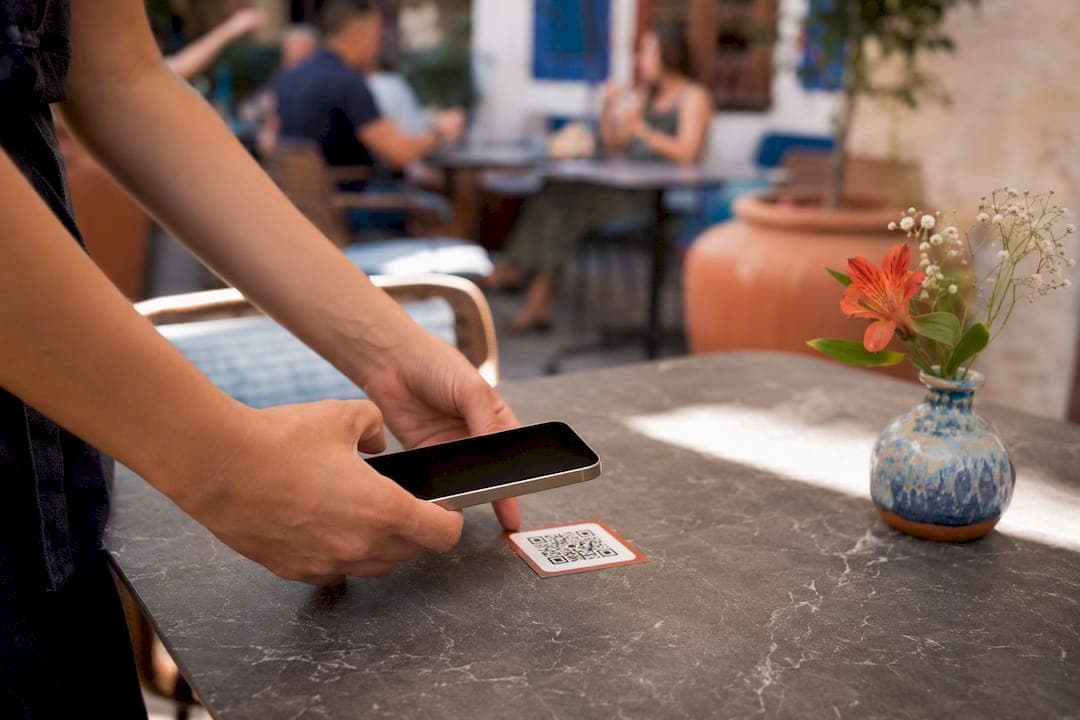
Week two is testing. Generate your QR codes, map them to tables, and run at least one full live test shift with a manager present to catch printer or connectivity issues before real guests hit the system. This is also when you decide between browse-only and full order-and-pay for your opening mode.
Week three, if you need it, is staff onboarding and a soft launch in a single section or zone rather than the whole dining room. The National Restaurant Association's technology landscape report points to staff resourcing and training gaps as one of the more common barriers restaurants hit when rolling out new tech, which is exactly why a contained pilot beats flipping every table on the same night.
Give yourself a buffer week before a major event or holiday rush. Launching table ordering for the first time on your busiest night of the year is how good systems get blamed for bad timing.
What Does QR Table Ordering Cost to Set Up and Maintain?
Your costs break into three buckets: software, hardware, and ongoing maintenance.
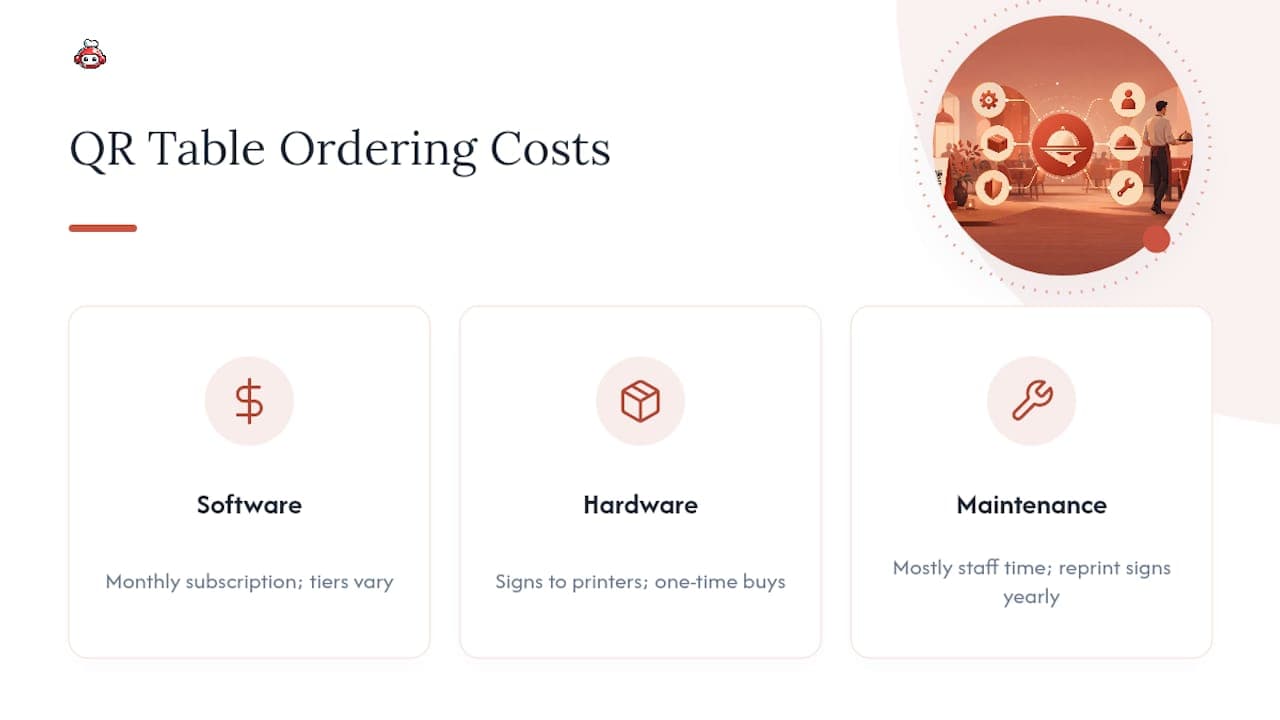
Software is usually a monthly subscription, and the range varies widely by vendor and feature tier, from basic QR menu tools to full platforms bundling ordering, loyalty, and reservations. Ask any vendor directly what's included at each tier rather than assuming a headline price covers POS integration.
Hardware costs depend on what you already own. If your kitchen printers and POS terminals can handle order routing already, your only real expense might be printing and laminating table signs, which costs very little per table. If you need new receipt printers or a kitchen display system, that's a larger one-time investment worth checking against funding options. Restaurants investing in POS upgrades sometimes qualify for productivity or equipment grant programs depending on their region, which can offset hardware costs meaningfully.
Maintenance is mostly time, not money: updating menu items, refreshing QR codes if URLs change, and replacing worn table signs. Budget for reprinting signs at least once a year, since lamination degrades under regular cleaning and sun exposure near windows.
The commission structure matters more than any of these line items over time. A flat subscription with no per-order cut, RESTOBOT's model, protects your margin as volume grows in a way a percentage-based marketplace fee never will.
When Does QR Table Ordering Actually Pay Off?
Fast-casual spots, bars, and high-turn pubs see the clearest wins here. Guests want speed, tables want to flip, and self-service removes friction rather than replacing hospitality. Formal fine dining is a different story. A tasting menu built around a server's narration doesn't want to compete with a phone screen.
If you're on the fence, run a two-week pilot in one section with a couple of staff ambassadors trained to help hesitant guests. Track table-turn time, order accuracy, and guest satisfaction before deciding whether to expand it. The data will tell you more than any vendor pitch.
*— ADMIN*
Get Table Ordering Running Without Losing Money to Commissions
Most QR ordering vendors charge you a subscription and still route delivery orders through commission-heavy marketplaces on the side. RESTOBOT skips that entirely: one platform handles your website, ordering menu, QR pay-at-table, reservations, and staff tipping, with zero commission taken on orders or tips, ever. Setup runs through a simple application, and your site and ordering page go live automatically once approved, often within a day, so you're not waiting weeks for a developer to build what a subscription should already include. If you're comparing this against a patchwork of separate tools, the math tends to favor consolidating into one no-commission system fast. Start your RESTOBOT application today and get your table QR ordering page live before your next shift.
Key Takeaways
QR table ordering speeds up service and cuts labor when the QR-to-table mapping, POS routing, and staff training are all set up correctly before launch.
| Point | Details |
|---|---|
| Map codes to tables first | Unique QR-to-table links prevent misrouted kitchen tickets and confused servers. |
| Test before you launch | Run one full live shift with a manager present to catch printer and connectivity failures. |
| Phase in autonomy | Use browse-only mode or a single-zone pilot before flipping full order-and-pay everywhere. |
| Verify payment and age checks | Confirm PCI-compliant tokenized payments and hold alcohol orders for in-person ID verification. |
| Choose a no-commission platform | RESTOBOT bundles ordering, QR pay-at-table, and staff tipping on a flat subscription with no per-order fees. |
Sources
FAQ
Do Guests Need to Download an App to Order?
No. QR table ordering opens in a guest's mobile browser, and vendor documentation confirms no app download is required for nearly any smartphone.
Can One QR Code Cover Multiple Tables?
Yes, but it's not recommended for kitchen accuracy. Per-table codes route tickets correctly every time, while zone-based codes work better for bar seating where guests move around.
Does RESTOBOT Charge a Commission on QR Table Orders?
No.
How Do I Handle Alcohol Orders Placed Through a QR Menu?
Route alcohol items to a staff member for manual approval and in-person age verification before fulfilling the order, since the legal responsibility for age checks doesn't transfer to the ordering technology.
What's the Biggest Setup Mistake Restaurants Make?
Skipping the live test shift. Printer auto-fire failures and duplicate table names both surface during real service, not during a quiet afternoon walkthrough.