

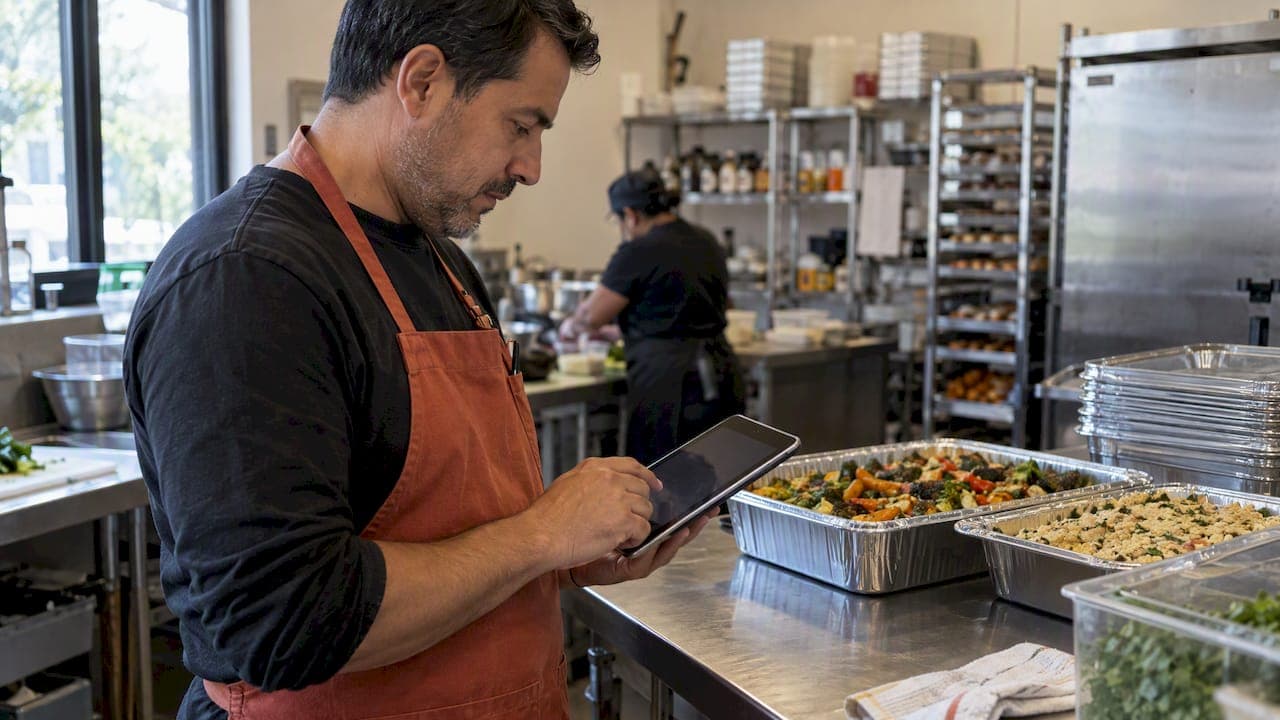
The fastest, lowest-risk way to take catering orders online is through an integrated restaurant ordering platform built for scheduled, large-quantity orders, one that handles payment, delivery coordination, and kitchen routing in a single system. One direct option built for this offers zero commission on orders, deployment within a day, and ordering channels that run through both a website and a Telegram bot.
***
TL;DR:
>
- Make headcount and delivery window required checkout fields, and set order specific lead times of 24 to 72 hours with a firm change cutoff. - For large or custom orders, collect a deposit or partial prepayment; restaurants commonly set deposits at 25% to 50% of the total. - Many marketplaces charge around 30% per order, so compare that cost with a fixed subscription before setting prices for large catering jobs. - Delivery fees are typically added at checkout and paid by the customer, rather than deducted from the restaurant’s food revenue. - Test both ordering channels and the full checkout before launch, then train staff to batch tickets and complete a mock catering order.
***
Table of Contents
- Essential features a catering-ready online-ordering solution must have
- How a catering order flows from the customer to your kitchen and delivery
- Setup checklist: go-live steps to accept catering orders online quickly
- Pricing, commissions, and money flow: how to model catering order profitability
- Operational tactics for executing catering orders without disrupting regular service
- Our perspective: why integrated, restaurant-first platforms reduce risk for catering sales
- How RESTOBOT maps to the needs above
- FAQ
- Quick links: RESTOBOT pages and partner context to get started
- Sources
Essential features a catering-ready online-ordering solution must have
Not every ordering tool is built for catering. A system designed for single-plate delivery often breaks down once orders involve advance scheduling, bulk pricing, or custom menus for twenty guests instead of two. Before you commit to a platform, check that it covers the features that actually affect your margin and your kitchen's ability to deliver on time.
- Scheduled orders: Lets guests pick a future date and time instead of "as soon as possible."
- Quantity-based pricing: Adjusts totals automatically for trays, platters, or per-head counts.
- Menu bundling: Groups items into packages (appetizer, main, dessert) rather than forcing one-by-one selection.
- Deposits and partial prepayment: Protects revenue if a client cancels close to the event date.
- Invoicing: Generates a formal bill for corporate clients who need documentation for expense reports.
- Courier coordination: Connects the order to a delivery provider without manual phone calls.
- Order dashboard: Gives staff one place to see, confirm, and track catering orders alongside regular tickets.
- Communication and CRM tools: Keeps a record of repeat clients and their preferences.
Among these, lead time settings, deposit amounts, and minimum order values deserve the most attention during setup, since they directly determine whether your kitchen has enough notice to execute without disrupting the dining room.
How a catering order flows from the customer to your kitchen and delivery
A catering order moves through more steps than a standard delivery ticket, and each one needs a clear rule built into your system before the first order comes in.
- Capture: The guest selects a date, time window, headcount, and any dietary notes or add-ons during checkout.
- Payment: The platform collects a deposit or full prepayment, with invoicing available for corporate accounts that require one.
- Confirmation: Staff review the order on a dashboard and confirm feasibility against kitchen capacity for that day.
- Kitchen routing: The order becomes a prep ticket, batched with other catering jobs and labeled by item, quantity, and delivery time.
- Delivery or pickup handoff: The order is staged, packaged, and handed to a courier or picked up directly by the client.
- Post-order: Refunds or adjustments are processed if the order changes or is canceled within policy.
Requiring deposits or partial prepayment on large or bespoke orders significantly reduces cancellation-related revenue loss, since clients with money already committed are far less likely to walk away. The most common friction point is a mismatched headcount between what the customer entered and what the kitchen prepped, usually because the order form didn't force a guest count field.
Pro Tip: *Make guest count and delivery window required fields at checkout, not optional ones, so your kitchen never has to guess portion sizes.*
Setup checklist: go-live steps to accept catering orders online quickly
Getting a catering ordering system live doesn't need to take weeks. Once the platform is active, most of the remaining work is configuration and staff training rather than technical buildout.
- Decide which menu items you'll offer for catering, along with packaging, minimum order values, deposit percentages, and lead-time rules.
- Turn on your ordering channels, website, Telegram bot, and a phone fallback for clients who prefer to call, then place a test order on each.
- Connect your payment processor and tax settings, set invoicing rules for corporate clients, and run a full checkout test from start to finish.
- Set courier rules for delivery orders or pickup routing for self-collection, and verify that address and label fields populate correctly.
- Train staff on the order dashboard, ticket batching, and staging area, then run one complete mock catering order before going live.
A hour-by-hour cutover checklist is useful here if you're migrating from an existing system rather than starting fresh, since it walks through exactly when to switch live traffic without dropping orders mid-transition.
Pricing, commissions, and money flow: how to model catering order profitability
Marketplace platforms like Uber Eats or Glovo typically charge a percentage commission on every order, while a subscription-based platform charges a flat recurring fee regardless of order volume. The difference compounds quickly on catering orders, which tend to carry higher ticket values than a single delivery.
Many marketplaces charge around 30% commission on order value, a cut that falls hardest on exactly the large, high-value catering orders restaurants most want to protect.
Consider a $500 catering order as a worked example. Under a fixed monthly subscription with no per-order commission, the restaurant keeps the full $500 minus only the subscription fee, a difference that grows with every additional order placed that month.
- Delivery fees are typically charged to the customer at checkout, not deducted from the restaurant's revenue.
- A subscription model makes catering economics more predictable since costs don't scale with order size.
- Commission-based models can make large catering orders less profitable than smaller, routine ones.
Operational tactics for executing catering orders without disrupting regular service
Catering orders compete with your regular dinner service for kitchen time, staff attention, and walk-in cooler space. A few operational habits keep the two from colliding.
- Set conservative lead times, 24 to 72 hours depending on order size, and enforce a hard cutoff for edits or cancellations.
- Standardize portioning, packaging, and labeling so any staff member can assemble a catering order correctly, not just the person who took it.
- Assign one catering coordinator as the single point of contact for each order, handling changes and day-of logistics.
- Batch and stage catering prep during slower kitchen windows so it never competes directly with a dinner rush.
Pro Tip: *Keep a standing checklist for 24, 48, and 72-hour-out orders so confirmations, headcounts, and packaging needs get checked at consistent intervals, not just the night before.*
Our perspective: why integrated, restaurant-first platforms reduce risk for catering sales
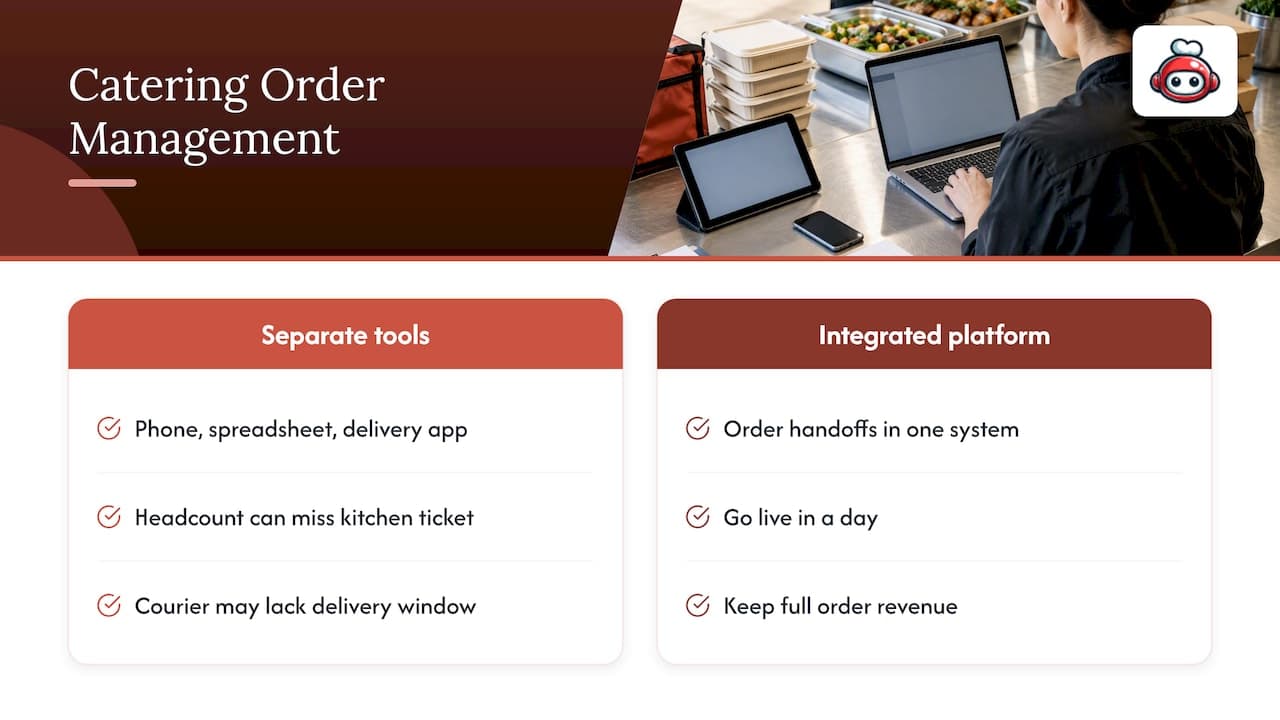
Running catering orders through separate tools, a phone for intake, a spreadsheet for tracking, a different app for delivery, multiplies the number of places an order can go wrong. We think the real risk in catering isn't underpricing or understaffing, it's fragmentation: a headcount that never made it from the phone call to the kitchen ticket, a delivery window nobody confirmed with the courier.
An integrated platform collapses those handoffs into one system, which is also why deployment speed and commission structure matter as much as feature lists. A restaurant that can go live in a day and keep its full order revenue has more room to price catering competitively.
*— ADMIN*
How RESTOBOT maps to the needs above
Everything covered so far points to one practical setup: a single platform that captures the order, takes the payment, and routes delivery without passing the job between disconnected tools. We built RESTOBOT around that idea. Once your application is confirmed, a website and ordering domain go live automatically, and customization, menu, colors, photos, announcements, comes after, on your own schedule.
- Instant website creation once your application is confirmed, with full customization available afterward.
- Omnichannel ordering through both your website and a Telegram bot, so guests can order wherever they already are.
- Zero commission on orders, meaning a $500 catering order keeps its full value minus only your subscription.
- Delivery coordination with third-party couriers for orders that need to leave the building.
- Commission-free tipping for staff, through individual profiles that work even independent of your restaurant's plan.
Review our pricing plans or check the tips feature to see what fits your operation, and get started today.
FAQ
How far in advance should customers place catering orders?
Most restaurants set lead times between 24 and 72 hours depending on order size, which gives the kitchen enough notice to prep without disrupting regular service. Larger or custom orders generally need the longer end of that window.
Do I need to charge a deposit for catering orders?
Requiring a deposit or partial prepayment on large catering orders is a common safeguard against last-minute cancellations. Many restaurants set deposits between 25% and 50% of the order total for bigger or custom events.
Who pays the delivery fee on a catering order?
When a restaurant uses a courier service like Wolt Drive for orders placed directly through its own ordering platform, the delivery fee is typically added to the order total and paid by the customer, not deducted from the restaurant's revenue. The food revenue itself goes to the restaurant.
Does RESTOBOT charge a commission on catering orders?
RESTOBOT charges no commission on orders, including catering orders, relying instead on a fixed monthly subscription across its LOYALTY, MENU, and FULL plans. Delivery costs through a courier partner are paid by the customer, not taken from the order total.
Can staff collect tips on catering orders through RESTOBOT?
Yes, individual staff members can use RESTOBOT's tips feature to collect commission-free tips via a personal QR code, even if their restaurant isn't on the platform at all. Guests can rate the staff member and choose a tip amount directly at checkout or delivery.
Quick links: RESTOBOT pages and partner context to get started
Start with our pricing plans and tips product page. For broader context on delivery logistics, see this planner's guide to catering delivery and this piece on online food ordering workflows.