

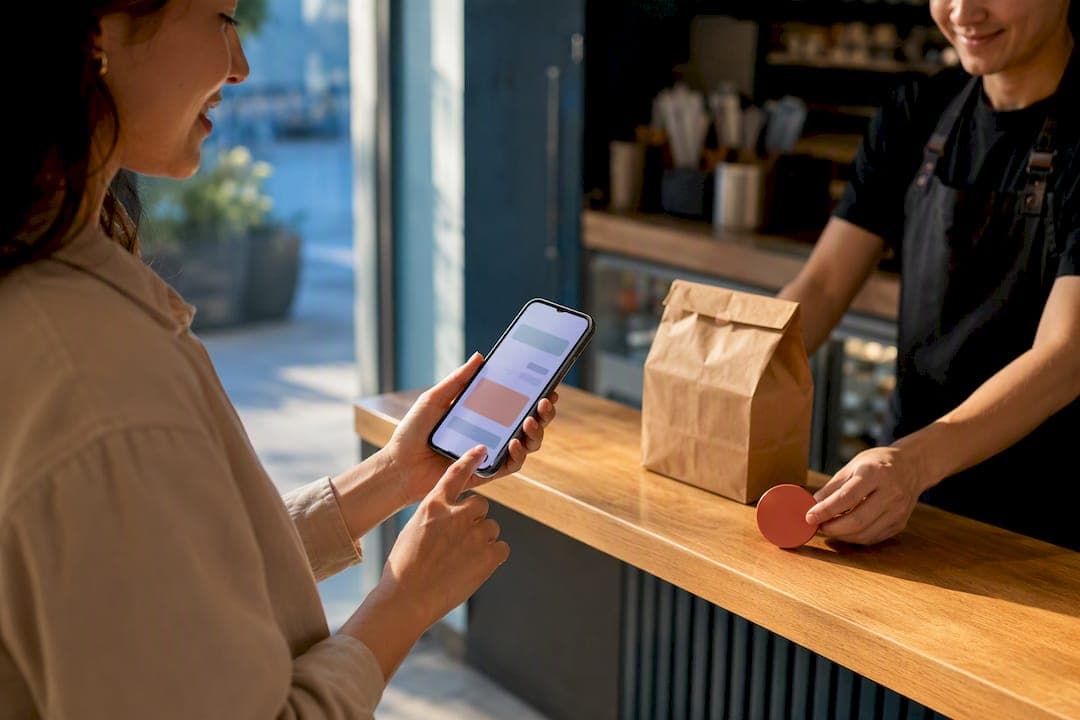
Adopt a first-party order-ahead system if your kitchen can handle the ticket flow and someone owns the setup. It pays back fast: you keep the customer data, control prep timing, and skip the commission bleed that marketplace apps take off every order. Qu's 2025 research found 40% of brands expect first-party digital ordering to drive their biggest revenue growth, and platforms are built to get that channel live quickly. Success looks like consistent order accuracy, a manageable prep-time gap, and repeat customers who never touch a marketplace app again.
***
TL;DR:
>
- Successful implementation requires aligning menu data, kitchen operations, and integration with POS and kitchen display systems to prevent order routing errors. - A well-executed order-ahead system can boost revenue by 30 to 50 percent, but only if order accuracy exceeds 97 percent and prep-time gaps stay under 10 percent. - Using a subscription-based platform like RESTOBOT avoids high marketplace commissions and enables instant site setup, with no order or tip commissions. - Proper promotion, loyalty incentives, and clear communication are critical to converting customers from marketplaces or phone orders to direct ordering channels. - Consistent soft-open testing, including handling sold-out items and complex modifiers, helps prevent common failures and ensures a smooth public launch.
***
Table of Contents
- Quick Operator Checklist Before You Launch Order-Ahead
- How Do You Choose an Order-Ahead Platform?
- Fixing the Hidden Menu and Integration Failures
- Running a Soft-Open Before You Go Live
- What Order-Ahead Does to Your Margins and KPIs
- Where RESTOBOT Fits an Operator's Checklist
- Designing an Order-Ahead Interface Customers Actually Use
- Protecting Customer Payment and Personal Data
- Handling Cancellations, Refunds, and Changed Orders
- Getting Customers to Actually Use Your Order-Ahead Channel
- Operator Point of View: The Mistakes That Sink a Launch
- Ready to Launch Your Own Order-Ahead Channel?
- Sources
- FAQ
Quick Operator Checklist Before You Launch Order-Ahead
Before you touch a menu builder or sign a contract, run through what your operation actually needs to support pre-orders without falling apart during a Friday rush.
- Decide your fulfillment mix first: pickup only, restaurant-managed delivery, or scheduled pickup windows. Trying to do all three on day one usually backfires.
- Confirm your point-of-sale and kitchen display system can talk to whatever ordering platform you pick. This is the single most common launch failure point
- Clean up menu data: item IDs, modifier groups, and availability windows need to match what's actually in your walk-in.
- Set up a physical packaging station with labeled staging space, plus a clear driver or pickup handoff zone.
- Pick two numbers to track from week one: order accuracy above 97% and a prep-time gap under 10% between promised and actual pickup times.
Pro Tip: *Run your KPI targets past your kitchen manager before launch, not after. If the prep-time gap looks unrealistic on paper, it will be worse under a lunch rush.*
How Do You Choose an Order-Ahead Platform?
The right platform depends on what your kitchen already runs, not what looks best in a demo. Start with integration requirements, because a platform that can't talk to your POS and kitchen display system will create double entry and missed tickets from day one. You also need clarity on delivery dispatch if you're using third-party drivers, plus a payment gateway that handles cards and increasingly digital wallets without friction.
Pricing shapes behavior more than owners expect. A flat monthly subscription keeps your margins predictable no matter how many orders you process, while a per-order commission model eats into revenue precisely as volume grows, the opposite of what you want. Marketplace commissions often run close to 30% of the order before tax, and once VAT applies to that commission, the real cost to the restaurant can approach 40%. Decide upfront who pays delivery fees. Under most subscription models, the customer absorbs the delivery charge at checkout, and the courier gets paid directly, leaving your food revenue untouched.
Feature requirements worth insisting on:
- Modifier support that handles substitutions and add-ons without breaking the kitchen ticket
- Scheduled and group ordering for catering-style volume
- Reporting that shows order accuracy and prep-time trends, not just sales totals
- Order throttling so a sudden rush doesn't overpromise pickup times
Custom-built platforms make sense for high-volume chains with dedicated engineering budgets. RaftLabs estimates a custom MVP running in the mid to high five-figure range, a number that only makes financial sense across dozens of locations. A single restaurant or small group is almost always better served by an all-in-one subscription platform that launches in days.
Fixing the Hidden Menu and Integration Failures
Most order-ahead breakdowns trace back to menu data, not the ordering interface itself. Restaurant News Resource identifies the menu as the real integration project: inconsistent item IDs, modifier groups, or station assignments send tickets to the wrong printer or drop modifiers entirely, and the customer never knows until they open the bag.
Work through this sequence before writing a single line of customer-facing menu copy:
- Map every item to a stable ID and assign it to a kitchen station, whether that's the grill, the fry station, or the bar.
- Group modifiers logically and mark which ones are required versus optional, since a missing "no onions" flag is a common source of remade orders.
- Set availability windows for items that only run at certain times, and build a fast sold-out toggle for when the walk-in runs dry mid-shift.
- Confirm printer and kitchen display system routing sends pickup, delivery, and dine-in tickets to the right place with a visible channel tag.
- Assign one staff member, usually a shift lead, to own fixes when something routes wrong during service.
Menu synchronization isn't a one-time setup. As OrderOut notes in its Clover POS integration guide, integration removes manual re-entry but the source menu still needs regular maintenance across every channel and location you run.
Pro Tip: *Test your sold-out toggle mid-shift, not during a slow Tuesday morning. If a server can't mark an item unavailable in under ten seconds while running food, you'll get orders for things you don't have.*
Running a Soft-Open Before You Go Live
A public launch without testing is how restaurants end up with angry reviews about cold food and wrong orders. Deelo's rollout guide recommends 20 to 30 test orders spread across different days and times before you open the channel to real customers.
Follow this sequence:
- Run internal test orders where staff place and fulfill orders themselves, checking that tickets print correctly and modifiers survive the trip from screen to kitchen.
- Invite friends and family to place real orders during a normal shift, so you see how the system behaves under actual kitchen pressure.
- Open a limited-hours public soft launch, maybe lunch only for a week, before flipping on full-day availability.
Your testing checklist needs to cover more than the checkout page. Include sold-out items, complex modifier combinations, scheduled orders placed a day ahead, payment failures, refund and chargeback flows, and what happens when three large orders land in the same five-minute window.
Two operational pieces matter as much as the software itself:
- Set up a dedicated packaging and verification station with labeled receipts, so every bag gets checked against the ticket before it leaves the kitchen.
- Write a short handoff policy for pickup and driver interactions, including where drivers wait and how staff confirm identity before releasing an order.
A brief daily shift routine, checking the packaging station and confirming the queue is clear at open and close, catches most fulfillment failures before they become a bad review.
What Order-Ahead Does to Your Margins and KPIs
The math is simple once you separate the two cost models. Marketplace commissions run near 30% before tax, closer to 40% once VAT is added on top. A subscription model swaps that variable cost for a fixed monthly fee, and delivery charges typically get paid by the customer at checkout rather than absorbed by the restaurant.
When execution is solid, Deelo's rollout guide points to a revenue uplift of 30 to 50 percent from a well-run order-ahead channel. That range assumes the operational basics are in place. Poor execution, meaning wrong orders and slow prep, erases the gain and adds refund costs on top.
A hybrid approach works for most restaurants: use marketplaces to reach new customers who wouldn't otherwise find you, then move them toward your own commission-free ordering channel with loyalty perks and first-order discounts once they've tried your food.
Track these numbers weekly:
- Order accuracy rate, targeting above 97%
- Prep-time gap between promised and actual pickup, targeting under 10%
- Percentage of repeat customers using your direct channel versus a marketplace app
Cost control comes down to three levers: throttle incoming orders when the kitchen is already backed up, set prep times based on your actual station speed rather than an optimistic guess, and price menu items to account for the packaging and staff time order-ahead adds.
Where RESTOBOT Fits an Operator's Checklist
RESTOBOT builds your ordering site automatically once your application is confirmed, usually within minutes, not days. There's no commission on orders and none on tips collected through the platform's staff tipping feature either. The setup bundles menu management, delivery coordination through couriers, and digital loyalty cards into one dashboard, which covers most of the checklist above without stitching together separate tools for ordering, payments, and reporting.
Designing an Order-Ahead Interface Customers Actually Use
The interface that wins isn't the flashiest one. It's the one where a hungry customer can find their usual order, adjust two modifiers, and pay in under a minute on a phone screen. Complicated navigation is where orders die, since a confused customer closes the tab instead of calling to ask a question.
A few things matter more than they get credit for. Menu categories should match how customers actually think about your food, not how your kitchen organizes prep stations. Modifier screens need large tap targets on mobile, because a customer trying to remove pickles on a cracked screen at a bus stop will give up if the buttons are too small. Show a running order total at all times, since surprise pricing at checkout is one of the fastest ways to lose a cart.
Pickup time estimates deserve special attention. A static ETA that doesn't account for current kitchen backlog creates a trust problem fast: if the app says 15 minutes and the actual wait is 35, customers stop believing your estimates within a week. Systems that poll kitchen completion rates every few minutes and adjust the estimate accordingly hold onto customer trust far better than a fixed number set once at menu setup.
Keep the path from menu to payment as short as possible. Every extra screen, every account creation step before checkout, and every unnecessary form field costs you completed orders. Guest checkout should always be an option, with account creation offered as a faster option for next time, not a requirement to order at all.
Protecting Customer Payment and Personal Data
Storing payment information yourself is a liability most restaurants shouldn't take on directly. Route card data through a processor that handles PCI compliance so your restaurant never touches raw card numbers on your own servers. This is standard practice across reputable ordering platforms, and it should be non-negotiable when evaluating any system.
Customer data beyond payment details, meaning names, phone numbers, order history, and addresses, still needs a clear policy. Know exactly where that data lives, who on your staff can access it, and how long you retain it after a customer's last order. A written policy, even a short one, protects you if a customer asks what information you hold on them.
Be transparent about what you collect and why. A customer who orders a sandwich doesn't expect their phone number sold to a marketing list, and platforms that quietly repurpose customer data for purposes beyond the restaurant relationship create the kind of trust problem that's hard to undo. If your platform offers loyalty programs or digital wallet integration, make sure customers understand that their order history feeds those features, ideally through a simple opt-in rather than a buried terms page nobody reads.
Two-factor login for your own management dashboard is worth the extra ten seconds it costs staff. The dashboard controlling your menu, pricing, and order queue is a more attractive target than most owners assume, since it touches both money and personal data at once.
Handling Cancellations, Refunds, and Changed Orders
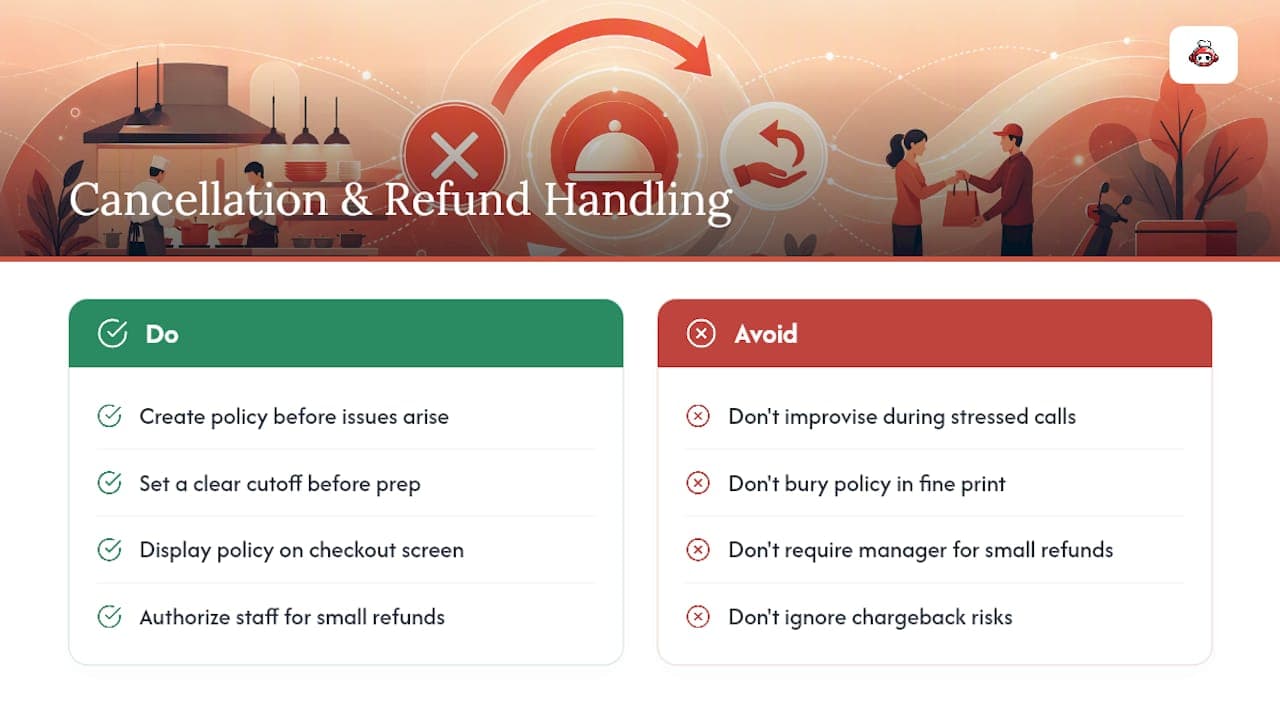
Customers will ask to cancel, modify, or get a refund on an order-ahead purchase more often than you'd expect, especially with scheduled orders placed hours in advance. Build a policy before you need one, rather than improvising during a stressed phone call from a customer whose pickup order sat too long.
Set a clear cutoff for free modifications and cancellations, commonly a window before the kitchen starts prep. Once an order enters production, changes get harder to accommodate without waste, and your policy should say so plainly on the checkout screen, not bury it in fine print.
For refunds, decide in advance which staff member has authority to approve one without needing manager sign-off for small amounts. A server who has to track down a manager for a $4 refund on a wrong drink creates unnecessary friction and a longer line at the counter. Reserve manager approval for larger disputes or chargeback situations.
Chargebacks deserve their own attention, since they cost more than a simple refund once processing fees and dispute time are factored in. Keep packaging station photos or verification notes for a short retention window, so if a customer disputes a charge claiming they never received an item, you have something to point to beyond your word against theirs.
Communicate proactively when something goes wrong on your end, whether that's an ingredient running out mid-order or a delay beyond your quoted pickup time. A quick text or app notification saying an order will run ten minutes late, with an apology and maybe a small discount code, does more for customer retention than silence followed by a cold bag at pickup.
Getting Customers to Actually Use Your Order-Ahead Channel
Building the channel is half the work. Getting regulars to use it instead of calling in or defaulting to a marketplace app is the other half, and it takes deliberate promotion, not just a link on your website.
Start at the table and the counter. Table tents, receipt footers, and a line from staff at checkout ("did you know you can order ahead for pickup next time?") reach customers who already like your food and just haven't tried the channel yet. This costs nothing beyond print materials and a script for staff to use naturally.
Loyalty incentives convert marketplace users into direct customers faster than almost anything else. A first-order discount code for your own channel, paired with a digital loyalty card that tracks visits toward a reward, gives customers a reason to switch away from a platform charging them nothing extra but costing you a 30% cut. Existing customer lists, whether from a mailing list or past phone orders, are worth a direct announcement when the channel first goes live.
Social media works best when it shows the actual product, not a generic "order online now" graphic. A short video of a popular dish being packaged for pickup, paired with a direct link, tends to outperform static promotional posts. NCRLA's off-premises research found that younger customers gravitate toward app-based ordering while older customers still prefer ordering in person, so don't assume one channel or message reaches your whole customer base. Run both a digital push and in-person prompts if your customer mix spans generations.
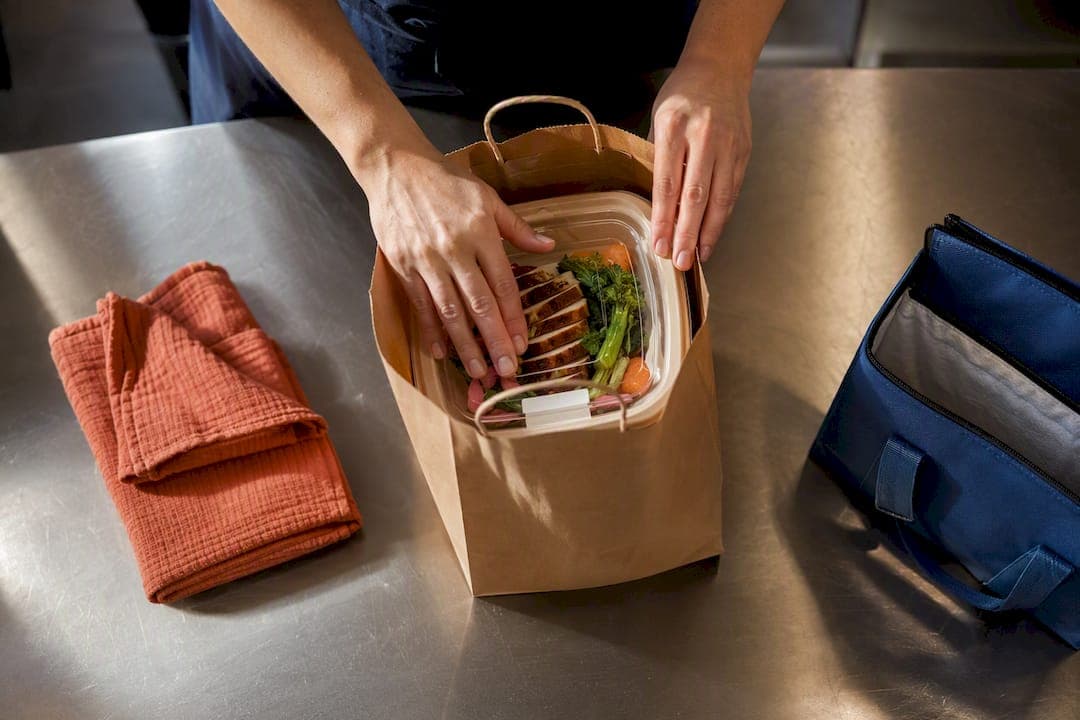
Timing your promotion around slow periods, a mid-afternoon lull or a typically quiet Tuesday, with a small discount for those hours specifically, helps fill capacity you'd otherwise waste.
Operator Point of View: The Mistakes That Sink a Launch
The failures that repeat across launches aren't exotic. Sloppy menu IDs cause misrouted tickets. Skipping the soft-open means customers find your bugs instead of your staff finding them first. Skipping a packaging station means wrong orders reach the pickup counter. Fix those three, run a 30-day post-launch review against your accuracy and prep-time targets, and most operators land in solid shape.
*— ADMIN*
Ready to Launch Your Own Order-Ahead Channel?
Building this yourself with a patchwork of tools means stitching together a menu builder, a payment processor, and a delivery dispatch system, then hoping they talk to each other correctly. RESTOBOT skips that assembly work: your site, menu, and ordering system go live automatically once your application is confirmed, and you keep 100% of every order with zero commission taken by the platform. The LOYALTY, MENU, and FULL plans cover everything from basic loyalty tools up to full delivery coordination and staff tipping, so you pick the tier that matches where your operation actually is today. If your staff wants commission-free tips collected directly through a QR code, that runs through the online tips feature independently of your restaurant's plan. Start with the checklist above, confirm your menu data is clean, then request a soft-open on RESTOBOT before flipping the channel on for the public.
Sources
FAQ
What Is an Order Ahead Restaurant System?
It's the restaurant-facing setup that lets a venue accept, schedule, and manage pre-orders for pickup or delivery, wired into the restaurant's own website, POS, and kitchen workflow rather than a third-party marketplace app. Platforms like RESTOBOT build this directly into a restaurant's site and dashboard.
How Long Does It Take to Launch Order-Ahead?
The website and ordering setup can be created automatically once an application is confirmed, though the full rollout including menu cleanup and a soft-open test period typically takes one to two weeks. Deelo's guide recommends 20 to 30 test orders across different days before a public launch.
Does RESTOBOT Charge a Commission on Orders?
No. RESTOBOT charges no commission on orders or on tips collected through its staff tipping feature, monetizing instead through a fixed monthly subscription across its LOYALTY, MENU, and FULL plans. Marketplace platforms, by comparison, often take close to 30% of an order before tax.
Who Pays the Delivery Fee on a First-Party Order?
Under a subscription model, the delivery charge is added to the order total and paid by the customer at checkout, with that fee going to the courier service handling the drop-off. The restaurant keeps the full food revenue on that order.
What Revenue Increase Can I Expect From Order-Ahead?
Operators executing well can see a 30 to 50 percent revenue lift from a properly run order-ahead channel, though that range assumes solid order accuracy and realistic prep times. Poor execution, meaning frequent wrong orders or missed pickup windows, erodes that gain quickly.