

Yes, modern restaurant chatbots can handle ordering and reservations around the clock, and they let you own the customer relationship instead of renting it from a marketplace. A well-built bot cuts staff interruptions during rush hours, and it works far better once it's synced to your real menu and point-of-sale system.
***
TL;DR:
>
- Most chatbot platforms can now handle complex modifiers and multi-language responses but may struggle with real-time accuracy during peak hours. - Integrations with POS, delivery, and payment systems vary in quality, impacting order accuracy and response speed across channels like WhatsApp, website widgets, and QR codes. - Launching a chatbot system requires cleaning menu data, testing each channel thoroughly, and gradually increasing complexity with oversight to avoid errors and customer frustration. - Switching from marketplace commissions to a subscription-based chatbot platform like RESTOBOT can save significant costs, especially for high-volume delivery restaurants. - Properly configured chatbots escalate allergy and order modification requests instantly to staff, preventing errors and preserving customer trust.
***
Table of Contents
- What Restaurant Chatbots Actually Do for Ordering and Reservations
- Channels and Integrations That Turn Chats Into Kitchen Tickets
- How to Roll Out a Chatbot Ordering System Without Chaos
- Cost, Timeline, and What ROI Actually Looks Like
- How RESTOBOT Handles Chatbot Ordering in Practice
- Handling Order Changes and Cancellations Through the Bot
- A Manager's View After 90 Days Running a Chatbot
- Try Chatbot Ordering Without Committing to a Marketplace Cut
- Sources
- FAQ
What Restaurant Chatbots Actually Do for Ordering and Reservations
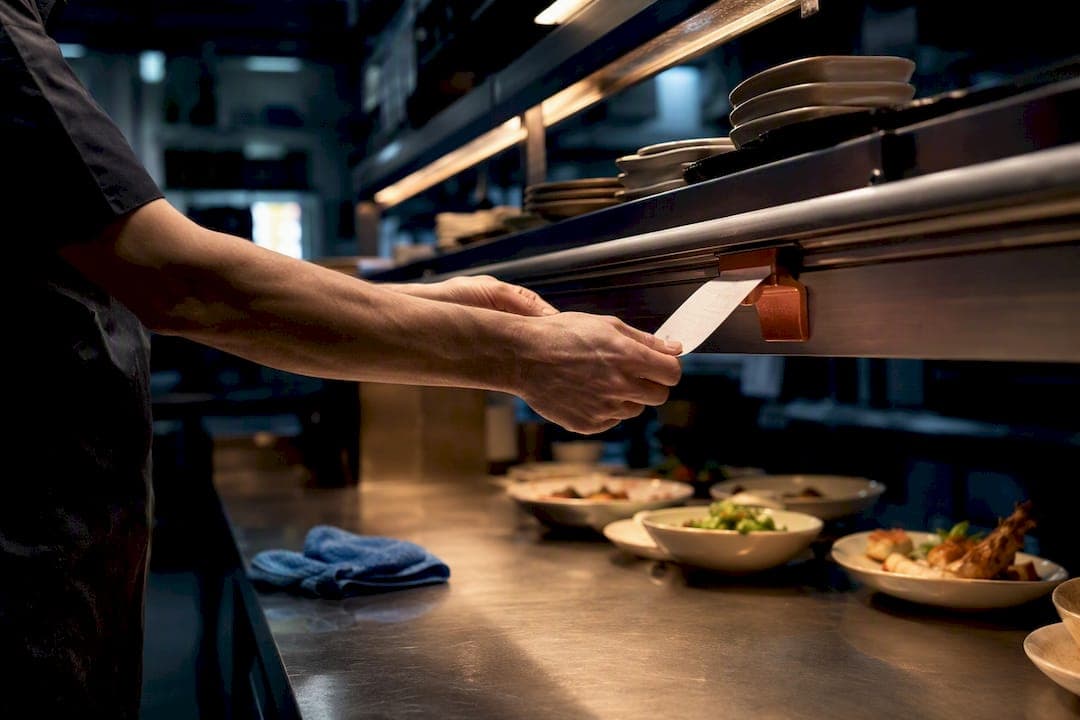
A restaurant chatbot's real job isn't answering "what are your hours." It's converting a conversation into a clean, kitchen-ready ticket without a human retyping anything.
That starts with the menu. A chatbot pulls in your dishes, sizes, and modifiers, then has to track combinations correctly. "No onions, extra cheese, medium spice" needs to survive the trip from chat window to kitchen printer without turning into a plain cheeseburger. Vendor documentation on platforms like Chatbot shows this modifier logic, along with menu Q&A and order tracking, as standard functionality across most serious tools today.
Beyond taking the order, a capable bot should manage:
- Payment capture through card, digital wallet, or (on some platforms) cryptocurrency, with an automatic receipt sent back to the guest
- Reservation booking with automatic confirmation texts and reminders that cut down no-shows
- Upsell prompts timed naturally, like suggesting a drink after a guest adds an entree
- Multilingual replies, letting one bot serve English, Spanish, and Mandarin speakers without separate staff coverage
None of this is exotic anymore. The gap between vendors isn't whether they offer these features. It's whether the modifier logic actually holds up once real customers start typing weird, specific requests at 9 p.m. on a Friday.
Channels and Integrations That Turn Chats Into Kitchen Tickets
The channel a customer uses to order changes what they expect. Someone messaging on WhatsApp is usually a repeat customer who wants speed. A first-time visitor browsing your website widget is still deciding whether to trust you. Someone calling on the phone, particularly older customers, wants a human-sounding exchange even if a bot handles it. And a diner scanning a QR code at a table wants zero friction between "I'm hungry" and "the food is coming."
Large platforms are pushing this further. Swiggy now lets customers order food through AI chatbots like ChatGPT using the Model Context Protocol, letting an outside AI agent complete an order end-to-end. That's a preview of where ordering is headed, and it raises a real question for restaurant owners about which vendors get access to their systems and guest data.
On the back end, integration quality decides whether this works at all:
- POS sync can be API-level (real-time, automatic) or manual CSV import (slower, error-prone) — ask which one you're getting before you sign anything
- 86'd items need to disappear from every channel instantly, or you'll be refunding orders for dishes the kitchen ran out of an hour ago
- Delivery routing through a marketplace differs sharply from a direct courier integration like Wolt Drive, where the delivery fee is added to the customer's total instead of deducted from your payout
- Every order needs structured fields (item, modifiers, quantity, allergy flags, delivery zone) or the kitchen ends up guessing
Platforms like VoiceZero show this omnichannel pattern clearly: phone, WhatsApp, widget, and SMS all feeding one structured ticket format into the POS.
How to Roll Out a Chatbot Ordering System Without Chaos
Getting from "we bought this" to "guests are ordering successfully" takes a specific sequence, not a single toggle switch.
- Clean up your menu data first. List every modifier, every size, every "add extra sauce" option, and set your tax rates and delivery zones before you connect anything.
- Connect your systems. Link the POS, payment gateway, delivery partners, and whichever phone number or WhatsApp Business account you're using for chat.
- Set your escalation rules. Define what triggers a human handoff: an allergy mention, an order over a certain dollar amount, or a request the bot doesn't recognize twice in a row.
- Test every channel separately. Place a real order through the website widget, then WhatsApp, then the QR table code, and confirm the kitchen ticket looks identical every time.
- Soft launch before a full rollout. Run it quietly for a few days, train staff on what the escalation alerts look like, and check tickets each morning for the first week.
Academic research on chatbot ordering backs this incremental approach directly: a comparison study of ordering methods found chatbots perform best on simpler menus first, with accuracy holding up better than manual methods once the system is tuned, before adding complexity.
Pro Tip: *Run your allergy-escalation test with a fake but realistic order ("shellfish allergy, ordering the pad thai") before launch. If the bot doesn't flag it for a human, fix that before you fix anything else.*
Cost, Timeline, and What ROI Actually Looks Like
Deployment speed varies more by channel than by restaurant size. A basic website ordering widget with a synced menu can go live within hours to 48 hours. Voice or phone integrations usually take a few extra days, since call routing and speech recognition need separate testing.
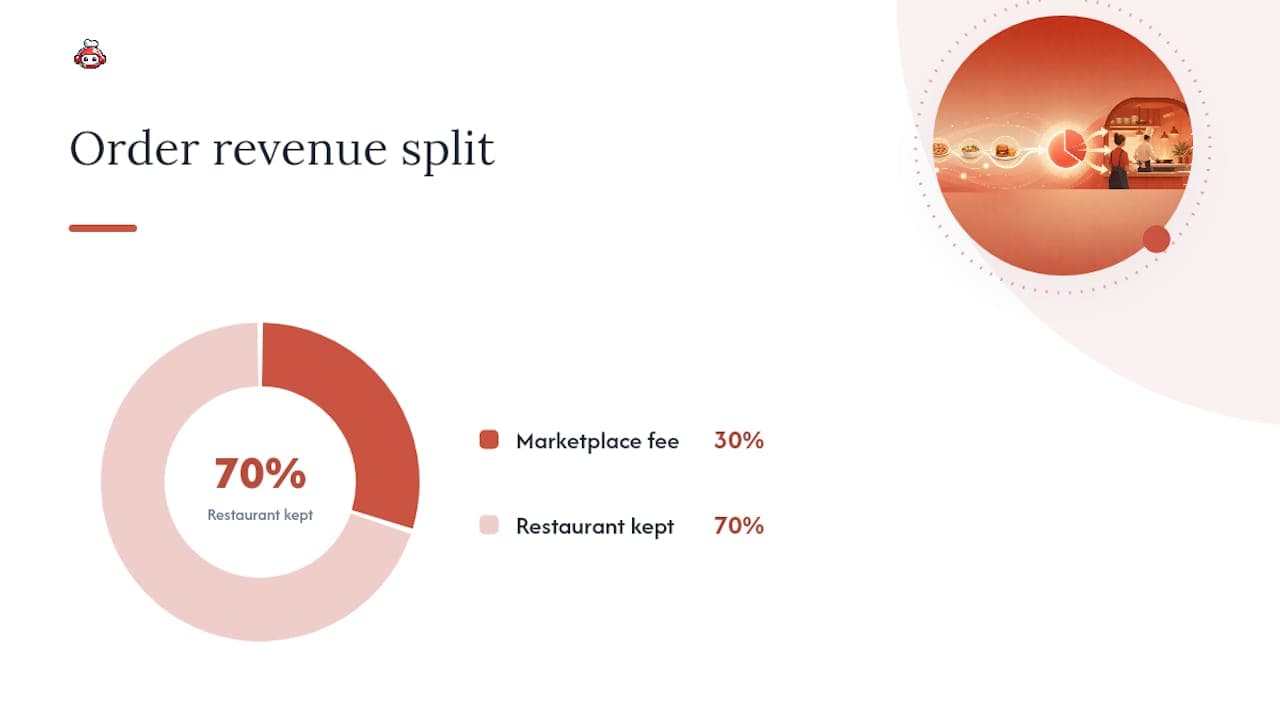
The bigger number to watch is what you're not paying. Marketplace commissions commonly run 25% to 30% of order value, and that's before factoring in the VAT some platforms apply on top.
The math: on a $10,000 month in delivery orders, a 30% marketplace commission removes $3,000 before you cover food cost or labor. A subscription-based ordering system with no per-order fee keeps that $3,000 in the restaurant, minus whatever the flat monthly fee costs. This is illustrative, not a guarantee, since actual commission rates and subscription pricing vary by vendor and market.
Track these numbers weekly once you're live: order conversion rate by channel, average ticket size, cost to serve per order, and reservation no-show rate. If no-shows don't drop after you add automated confirmations, your reminder timing is probably wrong, not the bot itself.
How RESTOBOT Handles Chatbot Ordering in Practice
RESTOBOT builds a restaurant's website and orders system as one connected unit rather than bolted-together tools. Once an application is confirmed, the site and domain go live, with the menu, ordering, and reservation functions embedded.
Order flow runs through the website and a Telegram bot, covering both browser-based and chat-native customers in one system. Delivery can coordinate through third-party couriers, reservations sync across web and messaging platforms, and digital loyalty cards can be integrated with Apple and Google Wallet. Staff can also collect tips commission-free through individual profiles, independent of whether the restaurant itself runs on the platform.
During any demo, verify these directly:
- Which payment methods are actually supported, cryptocurrency included
- How tip payouts reach staff and on what schedule
- What the analytics dashboard shows about order volume by channel
Pro Tip: *Ask to see a live order ticket generated from a test purchase, not a screenshot from a sales deck. That's the fastest way to judge whether modifier handling is as clean as claimed.*
Handling Order Changes and Cancellations Through the Bot
A customer who wants to add a side or swap a drink five minutes after ordering is one of the most common real-world tests of any chatbot system, and it's where a lot of cheaper tools fall apart.
The cleanest setups give the bot a short modification window, typically a couple of minutes after the order is placed and before the kitchen ticket prints. Inside that window, a guest can add items, change a delivery address, or cancel outright, and the bot updates the ticket automatically. Once the kitchen has started preparing the order, that window should close, and the bot needs to route the request straight to a staff member instead of pretending it can still fix it.
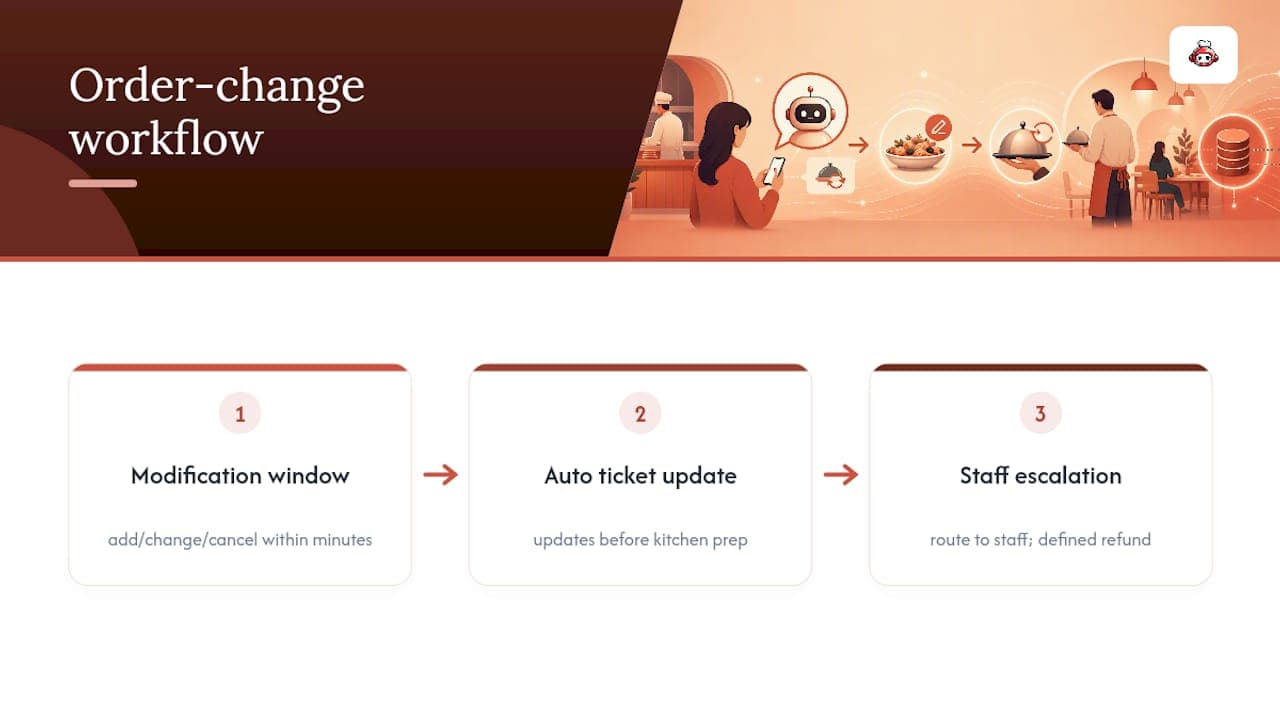
Cancellations after payment need a defined refund path, whether that's an automatic reversal through the payment processor or a manual approval step for orders above a certain amount. Skipping this step is one of the fastest ways to generate a bad review, since nothing frustrates a customer more than a bot that confirms a cancellation the kitchen never actually saw.
The rule that matters most here: any modification request the bot can't resolve with full confidence should escalate immediately, not loop the customer through three more chat prompts trying to guess what they meant.
A Manager's View After 90 Days Running a Chatbot
The wins show up fast: more orders land during off-hours, phones stop ringing mid-rush, and kitchen tickets stop having the handwriting problem. The pitfalls show up almost as fast, usually mismatched modifiers or a delivery zone that's wrong by a few blocks.
Fixing those takes routine, not luck. Run a daily ticket QA check for the first month, audit modifiers weekly against real orders, and review the core KPIs, conversion, ticket size, no-show rate, once a month once the system settles in.
*— ADMIN*
Try Chatbot Ordering Without Committing to a Marketplace Cut
RESTOBOT gives restaurants an alternative to handing 30% of every delivery order to a marketplace: an all-in-one system with zero commission on orders, built around your own website, Telegram bot, and reservation flow instead of a third-party app you don't control. A demo walks through actual site creation, menu import with your real modifiers, and a handful of test orders across the website widget and Telegram, so you see the ticket format before a single real customer sees it. If your current setup means bleeding commission on every third order, or juggling separate reservation and loyalty tools that don't talk to each other, this is worth the half hour it takes to test. Start a trial or book a demo through the RESTOBOT platform and see your own menu running through it before you commit to anything.
Sources
FAQ
What Restaurants Use AI to Take Orders?
Quick-service chains, independent restaurants, and delivery-focused kitchens all use AI chatbots for ordering today, ranging from simple website widgets to full omnichannel systems like RESTOBOT that combine web, Telegram, and reservation handling in one platform.
What AI Can Order Food for Restaurants?
Restaurant-specific chatbot platforms such as ChatBot.com's restaurant tools, Zoho SalesIQ, and VoiceZero handle food ordering directly, while general AI assistants can now place orders through partner integrations like Swiggy's ChatGPT connection.
Can ChatGPT Order Food?
Yes, through specific platform integrations. Swiggy enabled ChatGPT-based ordering using the Model Context Protocol, letting the AI complete a food order end-to-end rather than just answering questions about a menu.
How Does Olo Work for Restaurants?
Olo is a digital ordering and delivery platform that connects restaurant menus to online ordering channels and POS systems; it operates differently from an all-in-one, zero-commission platform like RESTOBOT, which bundles ordering with its own website, reservations, and loyalty tools under one subscription.
Do Chatbot Ordering Systems Handle Allergies Safely?
A properly configured chatbot flags allergy mentions for human confirmation rather than resolving them automatically, and any system without that escalation rule should not be trusted with allergy-sensitive orders.