

Third-party delivery integration means connecting the marketplace apps you sell on (Uber Eats, Deliveroo, Just Eat, Wolt and similar) to the systems you already run, so that orders, menus and statuses flow between them without someone re-keying tickets from a tablet. Done well, it removes errors and keeps the kitchen calm. Done on its own, it still leaves you paying the marketplace its cut on every order. This guide explains how the integration works, what to check before you commit, how to set it up, and how to build a direct channel next to it so the marketplaces become a top-up, not your whole business.
TL;DR
- Integration connects delivery apps to your POS, menu and kitchen flow, so orders arrive in one place instead of on a shelf of tablets.
- It fixes workload and accuracy problems. It does not change what the marketplace charges: 30% of the net order value plus VAT, almost 40% in total.
- Before buying, check your POS vendor's integration list, whether it offers an open API, and whether item availability syncs across channels.
- Pair marketplaces with your own ordering channel. With RESTOBOT the commission on direct orders is 0%; you pay only a monthly subscription.
- Treat the work as a project: pick providers, map the menu, test live orders, train staff.
Table of Contents
- What third-party delivery integration actually is
- How it works with your POS and online ordering
- Benefits and the challenges that come with them
- The cost: what you pay beyond the software
- What to check before you connect anything
- How to implement it, step by step
- Common sync problems and how to fix them
- Order management, couriers and customer data
- A hybrid model: marketplaces for reach, direct for margin
- Our perspective
- Setting up your direct channel with RESTOBOT
- FAQ
- Sources
What third-party delivery integration actually is
A third-party delivery platform is a marketplace that connects diners, drivers and restaurants. It brings you the customers, takes the order, handles payment and usually supplies the courier. Used "separately", each platform gives you its own tablet or dashboard. Every new app means another screen to watch, another menu to edit and another place where a sold-out dish can still be ordered.
Integration replaces that pile of screens with one flow. Orders from each app are passed into your POS or order dashboard, printed or displayed at the pass like any other ticket, and their status (accepted, ready, picked up) is sent back to the app. Menus and item availability can be pushed the other way, from your system out to the marketplaces.
There are three common set-ups:
- Tablet only. No integration. Staff read each order and type it into the till. Cheapest to start, slowest and most error-prone at a rush.
- Direct integration. Your POS vendor has a built-in connection to a specific marketplace. Simple, but limited to the platforms that vendor supports.
- Middleware or aggregator. A third system sits between the marketplaces and your POS, translating each app's format. This suits venues on several platforms at once.
The set-up you choose matters less than the discipline around it: one menu source, tested statuses and a person who owns the connection.
How it works with your POS and online ordering
Behind the scenes, most integrations do four jobs.
Order injection. When a customer orders on an app, the order is pushed to your POS or kitchen display with the items, modifiers, notes, customer name and pickup time. No retyping.
Menu publishing. Prices, descriptions, photos and modifiers are managed once and sent to each marketplace. This is where most trouble starts: each platform has its own rules for modifiers and categories, so a menu that looks tidy in your till can break when it is mapped to an app. We cover the fix in our guide to POS menu sync.
Availability control. When the kitchen runs out of salmon, the item switches off everywhere at once. Without that, you cancel orders by hand and the marketplace may penalise you for it.
Status and courier updates. Accept, preparing, ready, collected: each step is reported back so the customer sees progress and the courier knows when to arrive.
Your own online ordering sits in the same picture. A website or messaging-bot order is just another channel arriving at the same pass, and it is the only channel where you decide the fee. Our overview of restaurant POS integrations compares the marketplace route with direct orders in more detail.
Benefits and the challenges that come with them
Third-party delivery gives a restaurant a ready-made digital sales channel, but the same reporting on managing integration notes that those benefits arrive with operational challenges you have to plan for (QSR Magazine). In practice, they look like this:
| Area | What integration improves | What stays hard |
|---|---|---|
| Order accuracy | No manual re-entry, fewer wrong or missing items | Modifiers that do not map cleanly |
| Speed | Tickets reach the kitchen instantly | A rush from several apps at once can swamp the line |
| Menu control | One place to edit prices and availability | Each marketplace has its own format and approval delay |
| Reporting | Sales from all channels in one view | Marketplaces often keep customer details to themselves |
| Cost | Less labour wasted on tablets | Commission on every order is unchanged |
That last row is the one owners underestimate. Integration is an efficiency tool. It tidies the workflow around a fee, and the fee is the largest cost in the whole arrangement.
The cost: what you pay beyond the software
There are two layers of cost.
The integration layer. Your POS vendor or a middleware provider may charge a monthly fee per location, sometimes per connected platform. Ask for the price in writing, including set-up and any menu-change charges. Prices differ widely by provider and change often, so get a current quote rather than relying on a figure in an article.
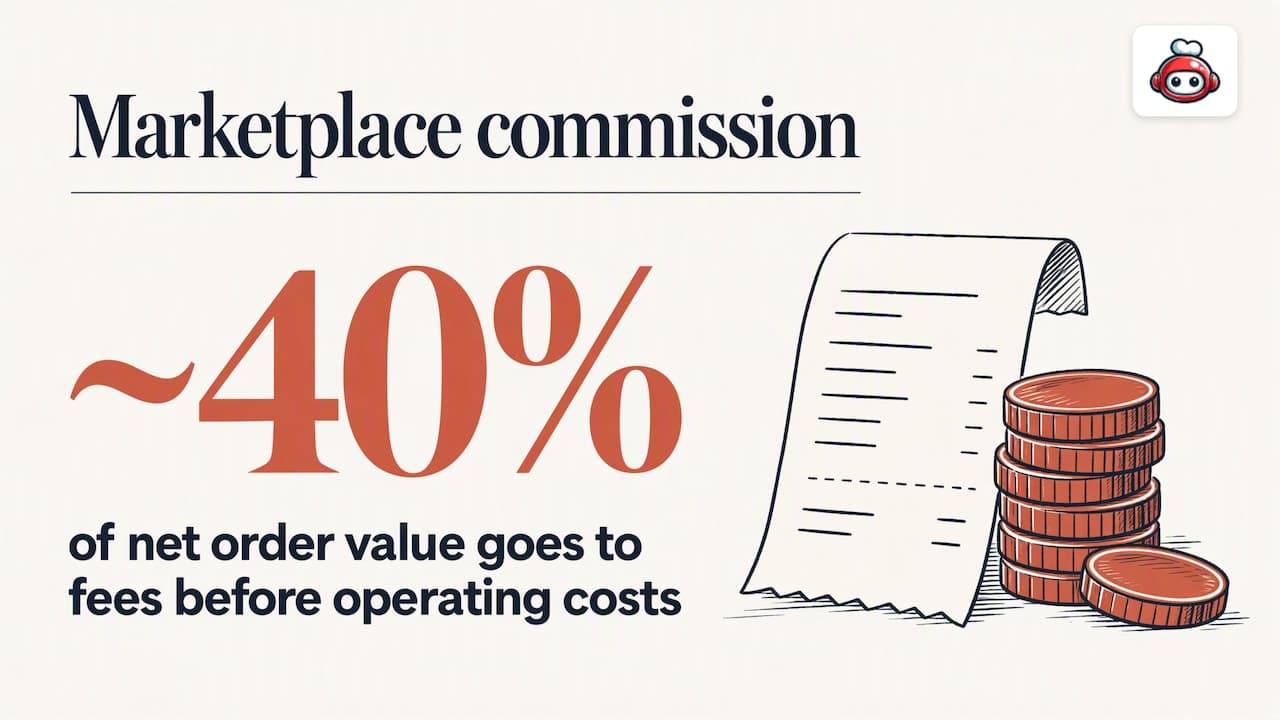
The marketplace layer. The big marketplaces such as Uber Eats, Glovo, Bolt Food, Wolt, Just Eat and Pyszne charge 30% of the net order value plus VAT, which comes to almost 40% in total. On a £25 basket of food, that is a large slice before you have paid for ingredients, staff or packaging. Our walkthrough of how online ordering fees add up shows what that does to a monthly margin.
The commission is also why many operators look at third-party apps as a marketing expense, not a default sales channel, and run a hybrid model that includes their own ordering (PayPal). That framing is useful: the marketplace pays for itself when it brings a customer you would not otherwise have reached. It does not pay for itself when it serves the regulars who would have ordered from you directly.
What to check before you connect anything
Run a short audit first. It saves the most expensive mistake, which is buying an integration your POS cannot support.
- Your POS vendor's integration marketplace. Which delivery platforms does it already connect to, in your country? Availability in the UK can differ from the US.
- An open API. If your POS supports one, you can connect middleware or a custom flow later. If it does not, you are locked to whatever the vendor offers. These checks, along with item availability syncing across online channels, are the core of a compatibility review (Restaurantware).
- Availability sync. Test that switching an item off in one place switches it off everywhere.
- Modifier handling. Can the integration pass combos, add-ons and special instructions without flattening them?
- Kitchen routing. Do delivery tickets print or display where the right station expects them, and can you slow incoming orders when the kitchen is full?
- Reporting. Can you split sales by channel, so you can see what each marketplace really earns after commission?
- Who supports it when it breaks. At 7 pm on a Friday, is it you, the POS vendor, the middleware or the marketplace?
How to implement it, step by step
Implementation guidance from a US bank's small-business team breaks the work into choosing providers, clarifying fees and onboarding requirements, bringing the ordering system into daily operations, synchronising the menu, deciding how orders are received, and training staff (PNC Insights). Turned into a practical sequence:
- Choose the platforms. Pick the ones with real demand in your area. Every extra marketplace adds menu upkeep and support burden.
- Compare commissions, delivery charges and extras. Get the full fee schedule before you sign.
- Decide how orders arrive. A standalone tablet is quick but manual. A POS or middleware connection costs more but removes re-keying.
- Build one channel-ready menu. Trim to dishes that travel well, write clean modifiers and set delivery prices on purpose.
- Connect and test. Place test orders on every platform. Check that items, notes, totals and statuses match on both sides.
- Set kitchen rules. Decide ticket routing and how to throttle volume at peak times.
- Train the team. Everyone who touches an order should know how to accept, refuse, mark ready and hand over to a courier.
If you later move customers to direct ordering, do it with a plan. The hour-by-hour migration checklist shows how to cut over without losing a service.
Common sync problems and how to fix them
Sold-out items still orderable. Usually availability is managed on the tablet and not in the POS. Make one system the master and disable manual toggles elsewhere.
Prices differ between channels. Some operators raise marketplace prices to offset commission. That is a choice, but it should be deliberate and documented, not the accidental result of editing menus by hand.
Modifiers vanish or arrive as free text. Rebuild the modifier groups in a shape the marketplace accepts, then re-test.
Status never reaches the app. Check whether the accept and ready actions are performed in the POS or still need a tablet tap. Staff often do both, and the courier arrives early or late.
Duplicate orders. Usually a tablet and an integration running at the same time. Retire the tablet once the connection is proven.
Customer data stays with the marketplace. This one is structural. The platform owns the relationship, which is why direct channels matter for repeat business.
Order management, couriers and customer data
Integration does help day-to-day control. With every channel arriving in a single view, a manager can see queue length, prep time and which orders are late. Courier coordination improves because the kitchen knows pickup times from the same screen.
Customer data is the weak spot. A marketplace order usually gives you what you need to cook and hand over the food, and little to build a relationship. That limits what you can do with loyalty, reviews and repeat marketing. A direct channel flips this: you see who orders, how often, and what they like, and you can reward them. For a deeper look at combining channels, omnichannel customer experience thinking is a good lens: each channel has a job, and the customer should find the same menu and brand in all of them.
A hybrid model: marketplaces for reach, direct for margin
The practical goal is not to abandon marketplaces. It is to stop paying 30% net plus VAT for orders you could have won yourself.
- Use marketplaces for discovery. New neighbourhoods, new customers, quiet shifts.
- Move repeat customers to your own channel. Put a QR code or card in each marketplace bag, point regulars to your website and give them a reason, such as a loyalty card.
- Keep delivery costs under control. A direct order can still be delivered by a third-party courier, so you do not need your own drivers. Our on-demand delivery plan sets out a margin-first approach, and direct ordering versus marketplaces explains how to rebalance over time.
A simple worked example makes the point. Say 100 of your monthly marketplace orders come from people who already know you. If half of them order directly instead, 50 orders stop carrying the marketplace's 30% net plus VAT. Your own channel costs a flat monthly subscription, whatever the volume.
Our perspective
We build restaurant software, and we see the same pattern. Owners connect their delivery apps to the till, relief arrives because the tablets disappear, and then the monthly statement shows that the workflow is better while the economics are not. Integration is worth doing, but it answers the question of how orders arrive, not the question of who owns the customer.
Our view is that every restaurant needs a channel it controls. That is why RESTOBOT charges no commission on orders: the marketplace takes 30% of the net value plus VAT, ours is 0%, and you pay only a monthly subscription. Your site, menu, reservations and loyalty card sit in one place, and you can launch in a day. Marketplaces then do what they do best, which is finding new customers, while your regulars order from you.
*— the author*
Setting up your direct channel with RESTOBOT
RESTOBOT gives you a website with an embedded menu, ordering through the site and a Telegram bot, reservations, digital loyalty cards for Apple and Google Wallet, and delivery coordination through third-party couriers such as Wolt Drive. Site creation is instant and launch takes one day. Plans are billed monthly or annually: MENU starts at €69 per month (€59 per year on the annual plan) and FULL at €119 per month (€99 per year on the annual plan). See the MENU and FULL plans for what each includes.
If your team is part of the conversation, there is also a way for waiters, bartenders and baristas to receive tips from guests by QR code, with no platform commission, on every plan and even if the venue is not on RESTOBOT.
FAQ
Is third-party delivery integration worth it for a small restaurant?
Yes, if you receive more than a trickle of marketplace orders, because it removes re-keying and cuts mistakes. If you only get a few orders a week, a tablet may be enough. Either way, it does not lower the marketplace commission.
Does integration reduce the commission I pay?
No. The commission is set by the marketplace agreement and stays at 30% of the net order value plus VAT. Integration saves time and errors. To pay less, shift repeat customers to a channel with no commission.
What do I need before I can integrate?
A POS or ordering system that supports the connection, either directly or through an open API, a clean menu, and agreements with the platforms you want to use. Start by checking your POS vendor's integration list.
Can I use delivery integration and my own ordering together?
Yes, and most operators should. Both feed the same kitchen flow. The marketplace brings new customers, and your own ordering captures the repeat ones at 0% commission.
Do marketplaces share customer details with me?
Usually only what is needed to prepare and hand over the order. For loyalty and repeat marketing you need a channel where you hold the customer relationship yourself.