


The fastest reliable way to get a working restaurant website live is a restaurant-first all-in-one builder, deployable the same day. The flexible alternative is a DIY template site, usually built on WordPress or a page builder, which takes longer but gives you more design control. Either way, the stakes are real: 69% of diners say a restaurant's website is the single most persuasive factor in deciding where to eat.
Here are your two paths. Path one: use a platform built specifically for restaurants, like RESTOBOT, that bundles menu, ordering, and reservations into one dashboard - your site goes live automatically and instantly once your application is approved, typically within minutes. Path two: pick a general-purpose builder or WordPress theme, assemble your own pages, connect third-party plugins for ordering and reservations, and expect a build timeline measured in weeks. Both paths need the same technical foundation underneath: clean HTML menus, mobile speed, and schema markup so Google understands your hours, location, and cuisine. The rest of this guide walks through exactly what to build, in what order, and how to judge whether your platform choice is actually serving your restaurant or just costing you money.
Key Takeaways
A working restaurant website needs a native HTML menu, mobile-first speed under two seconds, and integrated ordering or reservations to convert visitors into paying customers.
| Point | Details |
|---|---|
| Publish the menu page first | Launch a native HTML menu with hours, address, and phone number as your minimum viable site. |
| Enable ordering or reservations | Connect at least one conversion path, online order or table booking, before announcing the launch. |
| Verify mobile speed | Test load time on a real phone and aim for under two seconds before going live. |
| Claim your Google Business Profile | Match hours, address, and phone number exactly between your site and Google. |
| Choose a platform that fits your bandwidth | RESTOBOT bundles menu, ordering, reservations, and POS sync into one dashboard, with your site created automatically and instantly once your application is approved. |
Table of Contents
- How to Build a Restaurant Website That Actually Converts
- What Should You Look for in a Restaurant Website Builder?
- What Design Choices Actually Increase Bookings?
- How Much Does a Restaurant Website Cost and How Long Does It Take?
- Technical Checklist Before You Launch
- Who Updates the Menu, Hours, and Promotions?
- Why a Restaurant-First Platform Speeds Up Deployment
- Choosing Hosting for Your Restaurant Website
- Security Basics Every Restaurant Site Needs
- Picking a Domain Name That Works for Your Restaurant
- Getting Traffic and Repeat Customers After Launch
- Connecting Ordering and Reservations the Right Way
- Ready to Launch Your Restaurant Website?
- Frequently Asked Questions
- Sources
How to Build a Restaurant Website That Actually Converts
A restaurant website earns its keep by doing four jobs well: showing the menu, proving where you are, letting people book or order, and answering the phone question before anyone has to dial it. Skip any of these and you lose customers before they ever walk in.
The core page set, confirmed across multiple restaurant design guides, comes down to a homepage, a menu page, a contact/location page, and an about page. Diners consistently rank menu, location, and booking as the three things they look for first, so those elements need to be visible without scrolling, tapping through a hamburger menu, or downloading anything.
Here's the non-negotiable feature list for launch:
- Native HTML menu, not a PDF. Searchable, categorized, with prices and dietary tags.
- Hours and address that match your Google Business Profile exactly, character for character.
- Click-to-call phone number in the header, active on mobile from the first screen.
- Reservation CTA visible above the fold on every page, not buried in a footer.
- Online ordering button if you offer takeout or delivery, styled distinctly from the reservation CTA.
- Contact form or email as a backup channel for private events and catering questions.
Skip the PDF menu. It's one of the most common and costly restaurant website mistakes, and it hurts you twice: PDFs render badly on phones, forcing users to pinch and zoom, and search engines can't index PDF text the way they index HTML, which quietly kills your local search visibility. Publishing a searchable HTML menu instead solves both problems at once.
Pro Tip: *If you're launching today with limited time, publish a single page first: menu, hours, address, phone number, and one reservation or ordering button. That's a legitimate minimum viable site. Everything else can follow within the week.*

What Should You Look for in a Restaurant Website Builder?
Not all website builders understand restaurants, and the wrong choice costs you in hidden ways: a menu you can't edit yourself, a booking system that doesn't talk to your host stand, or a commission fee eating into every online order.
Judge any platform against these axes before you commit:
- Online ordering and payment integrations. Can it process cards, and does it support your POS without manual re-entry?
- Reservation support. Does it sync with your floor plan, or is it a form that emails a manager who then calls to confirm?
- Mobile performance. Test it on your own phone, on a real connection, not just in the demo video.
- Ease of editing. Can your kitchen manager update tonight's special without calling a developer?
- Local SEO support. Does it generate clean, crawlable pages and support schema markup out of the box?
- Cost model. Flat subscription, or a percentage of every order? Over a year, that difference is enormous.
- Analytics access. Can you see which menu items get clicked, and which pages people abandon?
Restaurant-focused builders that bundle menus, reservations, and ordering into a single dashboard cut setup time dramatically for owners without in-house developers. That bundling is the whole argument for choosing a restaurant-first platform over a generic site builder: fewer plugins to break, fewer vendors to coordinate, one login instead of five.
The decision usually comes down to one question: do you prioritize speed and integrated operations, or maximum design control? If you want to be live this week and you'd rather manage one system than five, an all-in-one restaurant platform wins. If you have a designer on staff and specific branding demands that off-the-shelf templates can't meet, a custom build or flexible CMS gives you that latitude, at the cost of time and ongoing maintenance.
What Design Choices Actually Increase Bookings?
Good restaurant web design isn't about looking impressive. It's about removing every possible reason someone closes the tab before they call or click "reserve."
Mobile-first isn't optional anymore; it's the default assumption. Aim for mobile load times under two seconds and tap targets at least 44 by 44 pixels, sized for a thumb, not a mouse cursor. Most of your traffic is someone standing outside deciding whether to walk in, or scrolling on the couch deciding where to order from. Design for that hand, that screen, that context.
Visual hierarchy matters more than most owners think. Your hero image should be one strong, well-lit photo of a signature dish, not a slideshow of six mediocre ones. Below that, the menu needs a clean visual structure: categories that make sense (starters, mains, desserts, drinks), prices aligned consistently, and dietary labels (vegetarian, gluten-free, spicy) that let people self-select fast.
- Compress every photo before upload; a five-megabyte hero image will tank your load time no matter how good your hosting is.
- Use four to six curated, professional photos rather than twenty phone snapshots. Quality beats volume.
- Write hero copy that's specific ("Wood-fired Neapolitan pizza since 2014") rather than generic ("Welcome to our restaurant").
- Put the reservation or ordering button in the same visual spot on every page so returning visitors don't have to hunt for it.
Pro Tip: *Shoot your food photography in natural light near a window, midday, and skip the flash. It's the single cheapest upgrade most restaurant sites need, and it costs nothing but timing.*
How Much Does a Restaurant Website Cost and How Long Does It Take?
Budget and timeline depend almost entirely on which path you choose, and the gap between them is bigger than most owners expect going in.
What pushes the price up: online ordering with payment processing, POS integration, multi-location support, and any third-party fee stacked on top (some ordering plugins charge per transaction on top of your hosting bill). A single-location restaurant with a simple menu and no delivery needs far less than a five-location group syncing inventory across kitchens.
A realistic timeline, whichever path you pick:
- Week 1: planning. Gather your menu, photos, hours, and decide on ordering and reservation needs.
- Week 1 to 2: content collection. Photograph dishes, write descriptions, confirm pricing.
- Week 2 to 3: build. Assemble pages, configure ordering and reservations, connect payment processing.
- Week 3: QA. Test every button, form, and payment flow on an actual phone.
- Week 3 to 4: publish. Go live, verify Google Business Profile matches, monitor the first week closely.
To cut both time and cost: reuse existing photography if it's genuinely good, start with a single landing page and expand later, and pick a platform with a real restaurant template rather than a blank generic theme you'll spend weeks customizing from scratch.
Technical Checklist Before You Launch
Skipping this step is how restaurants end up with a beautiful site that's invisible on Google or crashes during a Friday night rush. Work through it methodically:
- Install an SSL certificate so your site loads as secure (https), which browsers now flag aggressively if missing.
- Run a mobile speed test using a free tool like Google PageSpeed Insights, and fix anything scoring under 70 on mobile.
- Compress every image to under 200KB where possible without visible quality loss.
- Add Restaurant schema markup so Google can display your hours, price range, and menu directly in search results.
- Verify your Google Business Profile address, phone number, and hours match your website exactly, word for word.
- Set up analytics (Google Analytics or your platform's built-in dashboard) before launch, not after.
- Configure automated backups so a plugin conflict or bad edit never costs you a working site.
- Test the reservation flow end to end, from click to confirmation email, on both desktop and mobile.
- Test the ordering flow, including a real (small) payment, to confirm the gateway actually charges correctly.
- Load-test for peak hours if you expect Friday or Saturday traffic spikes, particularly for ordering.
- Run a basic accessibility check: can someone navigate your menu with a screen reader or keyboard alone?
- Confirm POS and delivery integrations are pulling and pushing data correctly, not just displaying a green checkmark.
Avoid PDF menus, embedded social media feed widgets, and heavy homepage animations. All three are common culprits behind slow load times and orphaned maintenance headaches nobody wants to touch six months later.
Who Updates the Menu, Hours, and Promotions?
A website that's accurate on launch day and wrong three months later is worse than no website at all. Someone shows up for a menu item you discontinued, or arrives at 9 PM to a locked door because your holiday hours never made it online.
Assign ownership before you launch, not after something goes wrong. A workable model: the owner or manager holds final approval and handles pricing changes, a chef or kitchen lead flags menu item changes as they happen, and a marketing contact (even part-time) handles seasonal promotions and event pages.
Set a monthly audit cadence at minimum, checking hours, prices, and menu accuracy against what's actually happening in the dining room. For emergency changes, holiday closures, a supply shortage that pulls a dish, a burst pipe, have a five-minute process: update the website hero banner, update Google Business Profile hours, and post to your primary social channel, in that order, so anyone checking any source gets the same answer.
Track mobile conversion rate (visits to reservation or order completions) monthly.
Pro Tip: *Keep a shared note or spreadsheet listing every place your hours appear, website, Google, Yelp, Facebook, so a holiday schedule change takes five minutes instead of an afternoon of hunting.*
Why a Restaurant-First Platform Speeds Up Deployment
General-purpose builders make you assemble ordering, reservations, and menu management from separate plugins, each with its own login, its own bugs, and its own support queue. A platform built specifically for restaurants, like RESTOBOT, skips that assembly entirely by shipping those pieces already connected.
Here's how that maps to the selection criteria above:
- Embedded menu and ordering: the restaurant website builder ships with the menu and ordering system built in, not bolted on through a third-party plugin.
- Reservations: native table reservation management with Reserve with Google support, so bookings land directly on your calendar.
- POS integrations: direct connections to systems like Dotykacka and Syrve keep online orders synced with your kitchen without manual re-entry.
- Review automation: built-in tools to generate and manage Google reviews automatically instead of chasing them manually.
- Loyalty and payments: digital loyalty cards and flexible payment options, including cryptocurrency acceptance for restaurants that want it.
- Analytics: a CRM and analytics dashboard showing order volume, reservation trends, and customer behavior in one screen.
Owners choosing this route get their core site created automatically and instantly once their application is approved, with the ordering flow ready to configure from day one. A workable deployment sequence: gather your menu text and four to six food photos on day one, configure the platform's menu builder and reservation settings on day one or two, connect your POS and payment processor, then publish and verify against your Google Business Profile before announcing the launch on social media.
Choosing Hosting for Your Restaurant Website
If you're building on a template or custom CMS rather than an all-in-one platform, hosting becomes your responsibility, and it's not a place to cut corners.
Choose hosting that supports strong performance and auto-scaling, meaning it can handle a traffic spike on a Friday night or after a local press mention without slowing to a crawl. Shared hosting plans are cheap but often buckle under sudden load, exactly when your ordering page needs to work flawlessly. Managed WordPress hosting or a cloud-based host with a content delivery network is worth the extra few dollars a month for most restaurants.
If you go the all-in-one platform route instead, hosting is handled for you as part of the subscription, one less technical decision competing for your attention during an already busy launch week.
Security Basics Every Restaurant Site Needs
Customer data, names, phone numbers, payment details, makes your website a target even at small scale, and a breach damages trust faster than almost anything else in hospitality.
An SSL certificate is the baseline: it encrypts data between your visitor's browser and your server, and it's now essentially mandatory since browsers display an active "not secure" warning without one. Beyond SSL, use a payment processor that's PCI-compliant so you're never storing raw card numbers on your own server. Keep any CMS, plugins, or themes updated regularly, since outdated software is the most common entry point for automated attacks. If you collect email addresses for a newsletter or loyalty program, store them through a reputable service rather than a spreadsheet sitting on someone's laptop, and be transparent in a short privacy note about how that data gets used.
Picking a Domain Name That Works for Your Restaurant
Your domain name should be your restaurant's name, plain and simple, ideally as a .com. Avoid clever wordplay or abbreviations that force customers to guess spelling when they're typing it into a phone browser standing outside your door.
If your exact name is taken, add your city or neighborhood rather than an unrelated word: "bellavistapizza-austin.com" beats "bellavistapizzaco123.com" every time, both for memorability and for local search relevance. Register through a reputable registrar, keep the domain in your own business's name and account (not your web developer's), and set it to auto-renew so a missed payment never takes your entire site offline without warning.
Getting Traffic and Repeat Customers After Launch
Launching is the start, not the finish. Add social sharing links and live feed thumbnails from Instagram or Facebook to your homepage, updated automatically so your site never looks stale even if you haven't touched the code in months.
Put an email signup form somewhere visible, footer or a small banner works fine, and offer a small, genuine incentive: a free appetizer on a first order, or early access to a new seasonal menu. Keep that list active with a monthly email about new dishes or events rather than letting it go cold. Cross-link your website and social profiles both directions: your Instagram bio should link to your ordering page, and your website should link out to your active social accounts, so traffic flows both ways instead of dead-ending.
Connecting Ordering and Reservations the Right Way
The technical side of ordering and reservations is where most DIY builds run into trouble, mismatched inventory, double bookings, or an order that never reaches the kitchen printer.

For ordering, the cleanest setup connects your website's ordering form directly to your POS system, so an online order appears in the kitchen the same way a dine-in order does, without a staff member manually retyping it. For reservations, Reserve with Google integration is worth setting up regardless of platform, since it lets customers book directly from a Google search result or Maps listing without ever landing on your site, which measurably increases booking volume from mobile search. Whatever tools you choose, test the full loop, from tap to confirmation to kitchen notification, before you trust it with real customers.
A Quick Note Before You Start Building
If you take one thing from this guide, take this: don't let platform research become a substitute for shipping something live. I've seen owners spend six weeks comparing website builders when a menu-first landing page could have been up and earning bookings in an afternoon.
The turnkey versus DIY decision really comes down to your own bandwidth. If you or your staff can't spare hours a week for site maintenance, a restaurant-first platform earns its subscription cost back fast, simply by not costing you time. If you have design skills in-house and specific branding needs, a template build gives you room to get particular. Either way, publish the menu-first page today, then build out from there. RESTOBOT's own deployment pattern - sites go live automatically the moment your application is approved - reflects what most small operators actually need: less time in setup, more time on the floor.
Ready to Launch Your Restaurant Website?
RESTOBOT gets you a working restaurant website with the menu, ordering, and reservations already connected, no stitching together five plugins, no percentage taken off every order you process. That last part matters more than it sounds: a lot of ordering systems quietly take 15% to 30% per transaction, which adds up fast on a slow Tuesday, let alone a busy weekend.
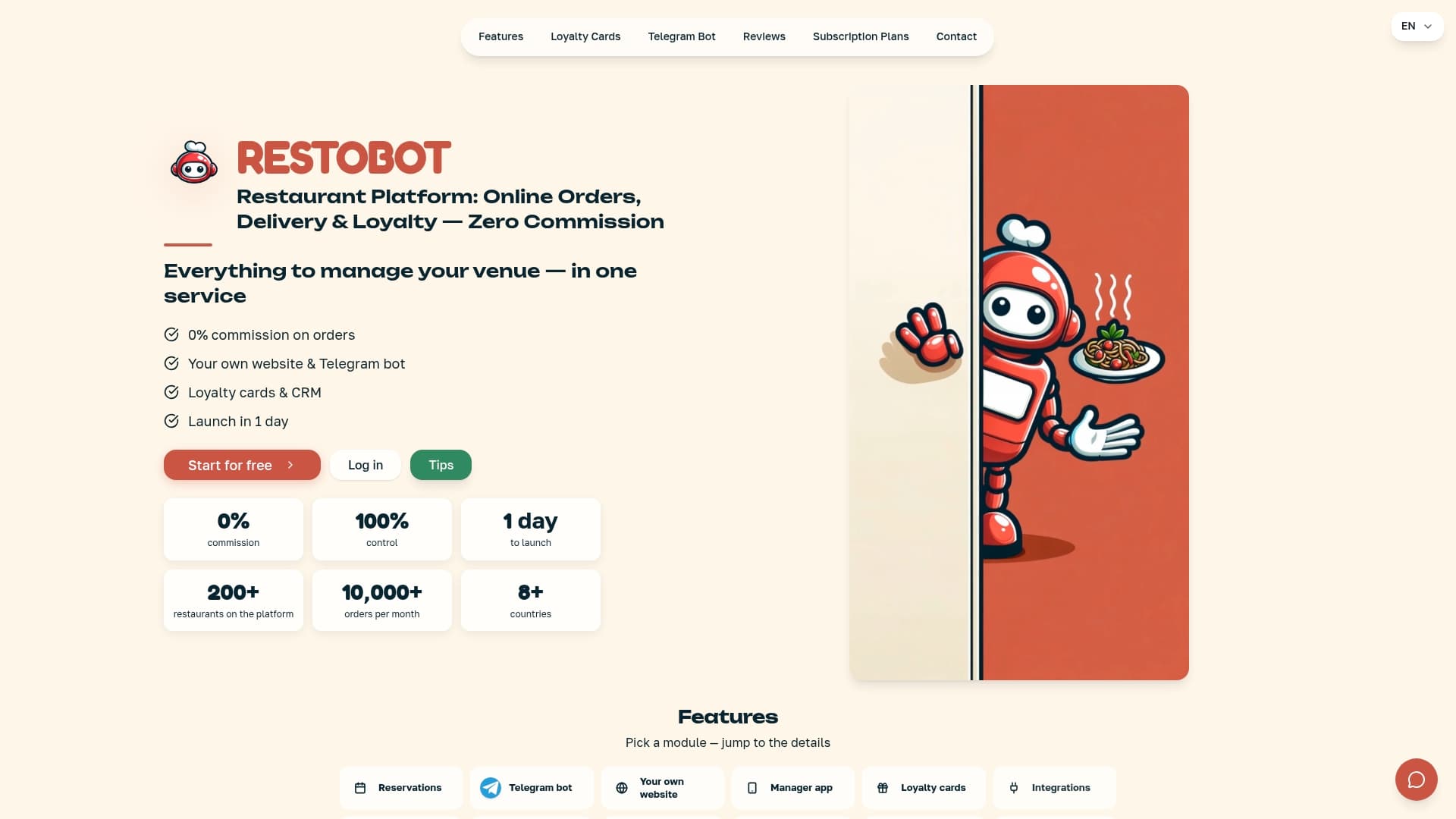
The core benefits stack up quickly: zero commission online ordering, a menu and reservation system built into the site rather than bolted on, automated Google review generation, digital loyalty cards that live in a customer's Apple or Google Wallet, and direct POS integrations so orders sync with your kitchen automatically. A live demo walks through the actual menu builder, the ordering flow from a customer's phone, and the manager dashboard where you'll spend your time day to day. If you're ready to see how fast a real restaurant site can go live, book a demo with RESTOBOT and get a firsthand look at the dashboard before you commit to anything.
Frequently Asked Questions
How long does it take to build a restaurant website? With a platform like RESTOBOT, the site itself is created automatically and instantly once your application is approved, usually within minutes. A template or custom build typically takes two to four weeks, and a fully custom-developed site can run six to twelve weeks depending on complexity.
How much does it cost to build a restaurant website? Expect $30 to $150 a month for an all-in-one SaaS platform, $10 to $50 a month for a DIY template plus hosting, or $2,000 to $10,000 upfront for a custom-developed site with no ongoing subscription.
Do I need online ordering on my restaurant website? If you offer takeout or delivery, yes. A visible ordering button separate from your reservation CTA reduces confusion and captures customers who want food now rather than a table later.
Should I use a PDF for my restaurant menu? No. A searchable HTML menu loads faster on mobile, is easier for customers to browse, and helps search engines index your dishes for local search.
What's the biggest mistake restaurants make with their website? Letting it go stale. Outdated hours, discontinued menu items, and old photos erode trust fast. Set a monthly audit cadence and assign one person to own updates.
Sources
A handful of guides are worth bookmarking as you build or refine your site, each covering a different piece of the process in more depth than a single article can.