

The best restaurant online ordering system is the one that sends orders to your own website and keeps the money and the customer data with you. For most independent restaurants and cafés, that means a flat-subscription, all-in-one platform with no commission on orders. RESTOBOT is built that way: it charges a monthly subscription and 0% on orders, while the big marketplaces take 30% of the net order value plus VAT, almost 40% in total.
This guide compares the main kinds of ordering system, shows what each really costs, and walks through setting one up.
Table of Contents
What an online ordering system has to do
An online ordering system lets guests browse your menu, pay and send an order to your kitchen without a phone call. A good one does five jobs:
- Takes orders on a channel you own, such as your website or a messaging bot, not only inside someone else's app.
- Takes payment online, with the money going to your account.
- Pushes orders to the kitchen or POS (the till system), so staff do not retype them during a rush.
- Handles delivery, either your own drivers or a third-party courier.
- Keeps customer data, so you can bring guests back with loyalty offers.
Operators Daily's 2026 review frames the choice of platform as affecting commission costs, customer data ownership, POS integration and the manual work that piles up during busy periods. Those are the criteria used below.
The main kinds of system
| Type | How you pay | You keep customer data? | Typical fit |
|---|---|---|---|
| Delivery marketplaces (Uber Eats, Just Eat, Wolt, Glovo, Bolt Food, Pyszne) | 30% of net order value plus VAT, almost 40% in total | No, the platform owns the customer relationship | Extra reach for new customers |
| POS-led ordering (Toast, Square Online) | Subscription plus card processing and hardware | Yes | Venues already on that till |
| Ordering-only tools (ChowNow, Flipdish, UpMenu, Menufy, Restolabs) | Monthly fee, often plus setup or processing | Yes | Independents that only need an order page |
| Enterprise ordering (Olo) | Custom contracts | Yes | Large multi-site brands |
| All-in-one restaurant platform (RESTOBOT) | Monthly or annual subscription, 0% commission | Yes | Independents wanting site, ordering, loyalty and reviews together |
Marketplaces: reach, at a price
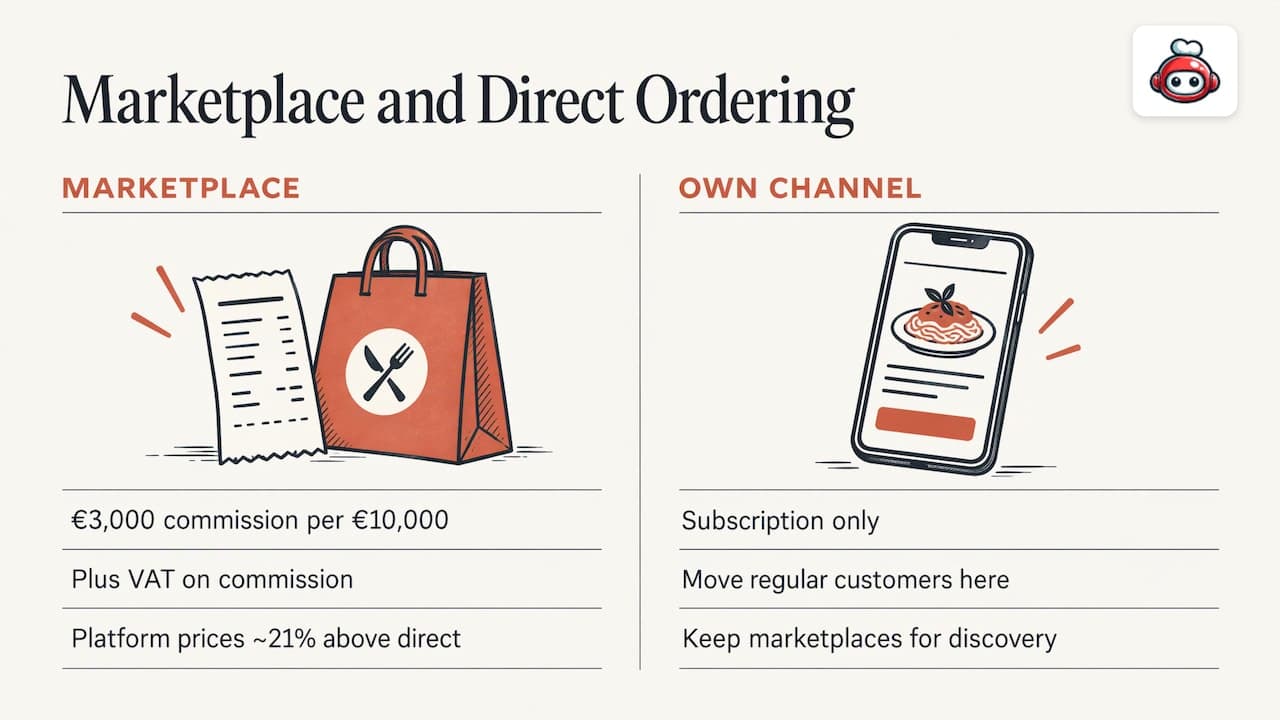
Marketplaces bring visibility, but the fee structure is steep. A restaurant selling €10,000 of net orders in a month through a marketplace pays €3,000 in commission, plus VAT on top. The same €10,000 through your own channel costs only your subscription.
An academic study of delivery platform pricing (March 2026, US data) also predicts that prices on platforms running at around 30% commissions end up about 21% higher than direct-order prices. Fees of this size push menu prices up for your guests as well.
That is why most owners move regular customers to their own channel and keep marketplaces, if at all, for discovery. Our guide to direct ordering versus marketplaces covers the hybrid approach in detail.
POS-led and ordering-only tools
These tools have real strengths, but the bill has several parts. The Restaurant HQ's 2026 roundup lists US starting prices that give a sense of the spread: Square Online from $0, UpMenu from $49, Restolabs from $55 billed annually, Flipdish from $119 billed annually, Menufy from $149, Owner.com from $249 plus a 5% restaurant fee, and Tock from $269. Toast is quoted as an estimate or custom quote.
The same source notes ChowNow and Toast integrations with other POS systems, while Operators Daily reports that ChowNow works with 20+ POS platforms and Olo powers 700+ restaurant brands. These are mostly US figures; check UK availability and pricing with each provider before relying on them.
Two cost lines are easy to miss:
- Payment processing. Most tools pass through card fees on every online order.
- Add-ons. Kitchen display screens, kiosks, branded apps and setup charges are often billed separately.
How to compare systems fairly
Use the same six questions for every option.
1. What is the total monthly cost?
Add the subscription, processing fees, setup fee and any add-on per device or location. Then divide by your monthly orders to get a cost per order. A low headline price with a per-order percentage often costs more than a higher flat fee once you are busy.
2. Is there a commission on orders?
A flat subscription is predictable; a percentage grows with your success. RESTOBOT takes 0% on orders and charges only the subscription.
3. Who owns the customer data?
If the guest orders inside someone else's app, that platform owns the relationship. On your own site and your own bot, the guest list is yours to use for loyalty and promotions.
4. Does it connect to your POS?
Without an integration, someone retypes every order. Ask which POS systems are supported before you commit. Our note on restaurant POS integrations explains what to check.
5. How will food reach the guest?
Check whether the system works with your own drivers and third-party couriers. RESTOBOT coordinates delivery through third-party couriers such as Wolt Drive.
6. How fast can you be live?
Setup time decides how soon orders start. RESTOBOT sites are created instantly and launch within one day.
What RESTOBOT includes
RESTOBOT is an all-in-one platform for restaurants and food businesses. Here is what the subscription covers:
- Website builder with the menu and reservation function embedded.
- Omnichannel ordering through your website and a Telegram bot.
- Online payments with several methods, including cryptocurrency.
- Delivery coordination through third-party couriers like Wolt Drive.
- Reservations from the web, Google Maps and Telegram.
- Digital loyalty cards for Apple Wallet and Google Wallet.
- Review boosting for Google and TripAdvisor.
- Management dashboard, real-time order control, analytics and a manager mobile app.
- POS integrations, CRM and customer engagement tools.
- QR pay-at-table and tips for staff.
Because these sit in one subscription, you do not stitch together a separate website tool, a loyalty app and a review tool, each with its own bill.
What it costs
Prices are from the RESTOBOT pricing page:
| Plan | Monthly | Annual |
|---|---|---|
| LOYALTY | from €39 per month | €29 per year |
| MENU | from €69 per month | €59 per year |
| FULL | from €119 per month | €99 per year |
Tips for workers are available on all plans. There is no commission on orders on any plan. For a wider view of how fees stack up, see our breakdown of online ordering fees and ordering pricing.
How to set up online ordering
The steps are the same whichever system you pick. Here is each one, with what RESTOBOT does at that point.
Step 1: Put your menu online
List dishes, prices, photos and allergen information. Mistakes here cause refunds, so check every item. RESTOBOT embeds the menu directly in your website, so there is one menu to maintain.
Step 2: Build or connect your website
Guests should find the order button within seconds on a phone. A good restaurant website puts the menu, opening hours, location and a clear order button on the first screen. With RESTOBOT the website builder creates your site instantly, with menu and reservations built in.
Step 3: Switch on payments
Choose the payment methods your guests use. RESTOBOT supports diverse methods, including cryptocurrency, and you keep control of the money.
Step 4: Decide how food is delivered
Choose between your own drivers and a courier. RESTOBOT connects to third-party couriers like Wolt Drive, so you do not need your own fleet.
Step 5: Add every ordering channel
Orders can come from the website and the Telegram bot. Both land in one dashboard where you control orders in real time. See website versus app ordering to understand which channel suits your guests.
Step 6: Tell your guests
Direct ordering only works if guests know about it. Put a QR code on tables and receipts, mention it in packaging and on social media, and use loyalty cards to reward repeat orders. Our guide on promoting online ordering has a 30-day plan.
Which system suits which venue
- A café or small restaurant with no online presence: an all-in-one platform saves you from assembling tools. RESTOBOT's MENU plan covers the website and menu; FULL adds the full feature set.
- A venue focused on regulars: the LOYALTY plan gives digital loyalty cards in Apple and Google Wallet.
- A restaurant that depends heavily on marketplaces today: build a direct channel alongside them and steer regular guests towards it. The commission-free ordering guide shows how.
- A caterer: see catering online ordering.
- A large multi-site chain: enterprise tools such as Olo are built for that scale.
For waiters, bartenders and baristas
If you work front of house, you can create a personal profile on RESTOBOT Tips and receive voluntary tips from guests by QR code. The money goes straight to your own account, and the platform takes no commission. Guests can rate you, leave a comment and choose an amount, which builds a public rating that belongs to you rather than the venue.
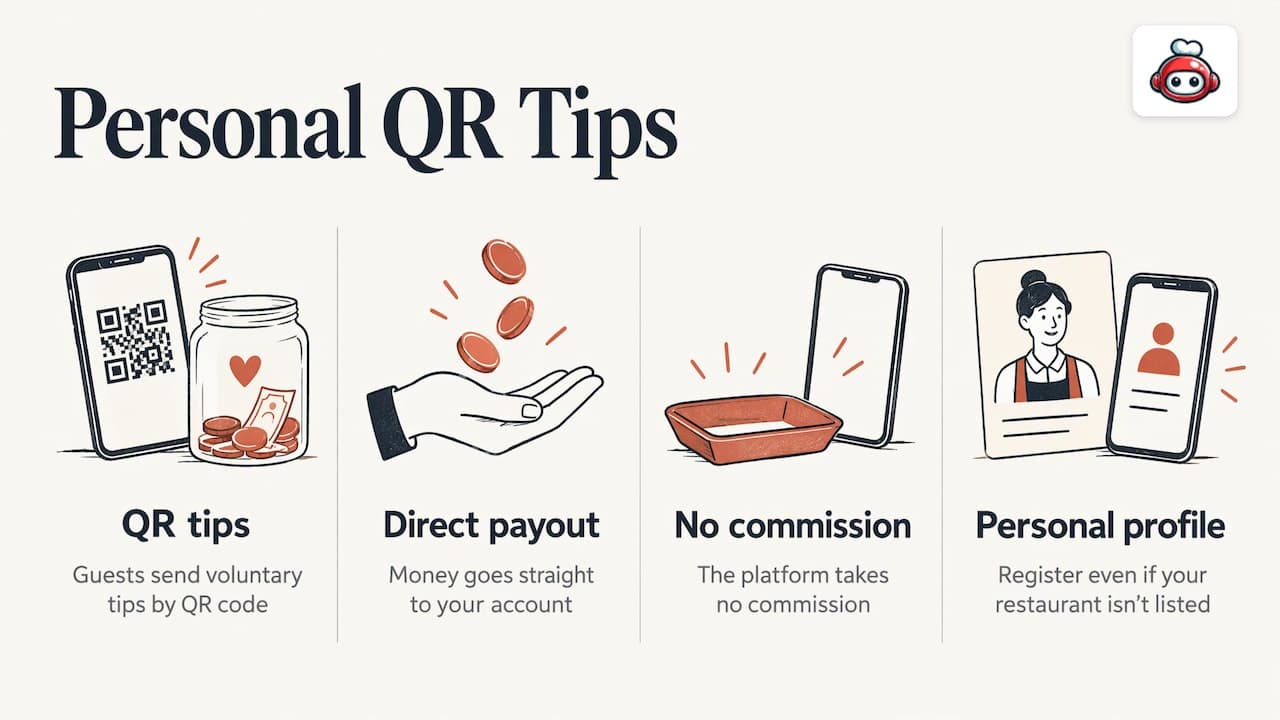
You can register on your own even if your restaurant is not on RESTOBOT. You set your payout schedule in the payment provider. Taxes on tips are your own responsibility.
Our perspective
Most owners we talk to do not need more features. They need to stop paying a share of every order and to know who their guests are.
That is why we built RESTOBOT as one platform: website, menu, ordering through the site and Telegram, reservations, loyalty cards in the phone wallet and review boosting, all on a subscription. We charge 0% on orders because your revenue should stay yours.
A marketplace charging 30% of the net order value plus VAT, almost 40% in total, turns a good week into a thin one. A flat fee turns it into profit.
We also believe the people serving your guests should be rewarded directly, which is why our tips feature lets a waiter or barista collect tips with no commission, whether or not the venue is with us.
the author
Start taking orders directly
If you want one subscription instead of five tools, compare the MENU and FULL plans on the RESTOBOT pricing page. Your site can be created instantly and launched within one day, and every order stays commission-free.
FAQ
What is the best online ordering system for a small restaurant?
The best choice is a system with a predictable subscription, no commission on orders and your own website as the ordering channel. RESTOBOT fits that description and also includes reservations, loyalty and review tools in the same plan.
Is it cheaper to use my own ordering system than a marketplace?
Usually, yes. Marketplaces charge 30% of the net order value plus VAT, almost 40% in total, while RESTOBOT charges only a monthly subscription and 0% on orders.
Can I keep using delivery marketplaces as well?
Many restaurants run both: marketplaces for discovery, and their own channel for regular guests. Moving repeat customers to your own site keeps more of each sale.
How long does it take to set up?
With RESTOBOT, site creation is instant and launch takes one day. Other providers set their own timelines, so ask each one before you decide.
Can my staff receive tips if my restaurant is not on RESTOBOT?
Yes. A worker can register alone and receive tips through a personal QR code, with no commission taken by the platform.