

The best restaurant reservation system is the one that matches how your guests find you. Marketplace tools such as OpenTable and TheFork bring new diners but sit between you and your guests. Independent tools such as Resos, easyTable and Tableo suit venues that fill their own tables. All-in-one platforms such as RESTOBOT put bookings, ordering, loyalty and reviews in one dashboard, with no commission on orders. Below you will find how the main types compare, which features matter, and how to stop double bookings.
Table of Contents
- What a reservation system should actually do
- The main types of reservation system
- Features to compare before you choose
- How to embed a reservation widget on your website
- QR code reservations
- How to prevent double bookings
- Which system suits which venue
- Our perspective
- RESTOBOT plans and pricing
- What to do next
- FAQ
- Sources
What a reservation system should actually do
A reservation system replaces the phone and the paper book. At its simplest it accepts bookings online around the clock, assigns parties to tables, sends confirmations and reminders, and stores guest details such as visit history, allergies and preferences. Restaurant-industry guidance also describes the table-management side: a live digital floor plan showing which tables are seated, turning or open, so you can plan seating and turnover instead of only recording names.
That gives you two jobs to judge a system on:
- Booking intake. How easily can a guest book, from your website, from Google, from social media or by messaging you?
- Table management. How clearly do you and your front-of-house team see what is happening in the room, right now?
Many tools are strong at one and adequate at the other. Be clear about which problem is costing you money before you compare.
The main types of reservation system
The market splits into four broad groups. Most UK restaurants end up choosing between the first three.
| Type | Examples | Best for | Watch out for |
|---|---|---|---|
| Marketplace and network | OpenTable, TheFork, Resy | Venues that want new guests from a consumer app | Fees tied to bookings, and guests who belong to the platform's audience |
| Independent booking software | Resos, easyTable, Tableo, ResDiary | Venues that fill tables from their own site, Google and regulars | Ordering, loyalty and reviews are usually separate tools |
| Premium CRM and events | SevenRooms, Tock | Groups, upscale dining and ticketed events | Cost and set-up effort for a single independent site |
| All-in-one restaurant platform | RESTOBOT | Owners who want bookings, orders, loyalty and reviews together, with no order commission | Best value when you use more than the booking module |
Prices and plan limits change often, and several UK providers quote on request. Always ask for the current price list, and ask what is charged per cover, per SMS and for payment features before you sign.
Features to compare before you choose
A booking widget for your own website
Your website is the cheapest booking channel you own. Look for a widget or booking page that matches your branding and can be placed on the page guests already visit. With RESTOBOT, the website builder includes embedded menu and reservation functions, so the booking form sits next to the menu rather than sending guests to a third-party page. If your site is built elsewhere, check that the provider offers an embed code or a link you can drop into any page.
One diary for every channel
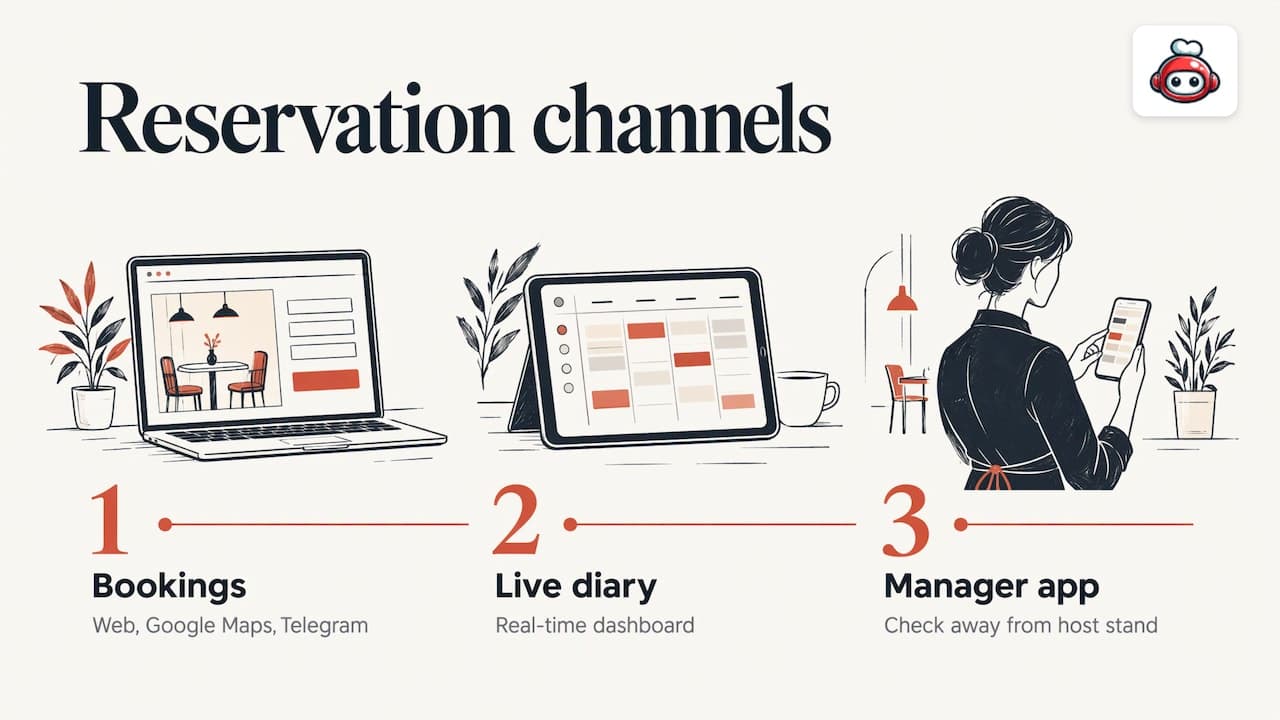
Guests now book through your site, Google Maps, social media and messaging apps. A good system pulls them all into one live diary. RESTOBOT takes reservations through the web, Google Maps and Telegram, and shows them in a real-time dashboard, with a manager mobile app so you can check the book away from the host stand.
Reminders, cancellations and deposits
No-shows are the cost most owners feel first. The sensible approach combines confirmations and reminders, clear cancellation terms, and, where it suits your service, a deposit or card guarantee. Industry guidance recommends configurable rules, for example by party size, day and service, so a table for two on a quiet Tuesday is not treated like a table for ten on a Saturday. Our own walkthrough of moves to cut restaurant no-shows in 48 hours covers the practical side.
Guest data and reviews
A booking is also the start of a relationship. Systems that record preferences and visit history let you greet regulars properly. Reviews matter too: a prompt after the meal is the easiest way to build your Google rating. RESTOBOT includes automated review boosting for Google and TripAdvisor, and our guide to a Google review QR code shows how to roll it out in one shift.
Integrations with your till
A reservation system that does not talk to your point of sale means retyping covers and spend. RESTOBOT offers POS integrations, and our piece on restaurant POS integrations explains what to ask for.
Total cost, not headline price
Compare three numbers: the monthly subscription, any per-cover or per-booking fee, and the extras you will actually use, such as SMS, deposits and Reserve with Google. A cheap plan with fees per guest can cost more than a higher flat subscription once you are busy.
How to embed a reservation widget on your website
The steps are similar across most providers:
- Create your account and set opening hours, service periods, table sizes and maximum party size.
- Choose the booking form style and copy the widget code or booking link from the dashboard.
- Paste it into a page on your site, ideally the page guests reach from "Book a table" in your main menu, and add the same button to your homepage.
- Add the link to your Google Business Profile and social bios.
- Make a test booking from a phone, then cancel it, to check that confirmations and the diary entry arrive correctly.
If you do not yet have a website, a builder with the booking form already inside saves the whole integration step. RESTOBOT sites can be created instantly and launched in one day.
QR code reservations
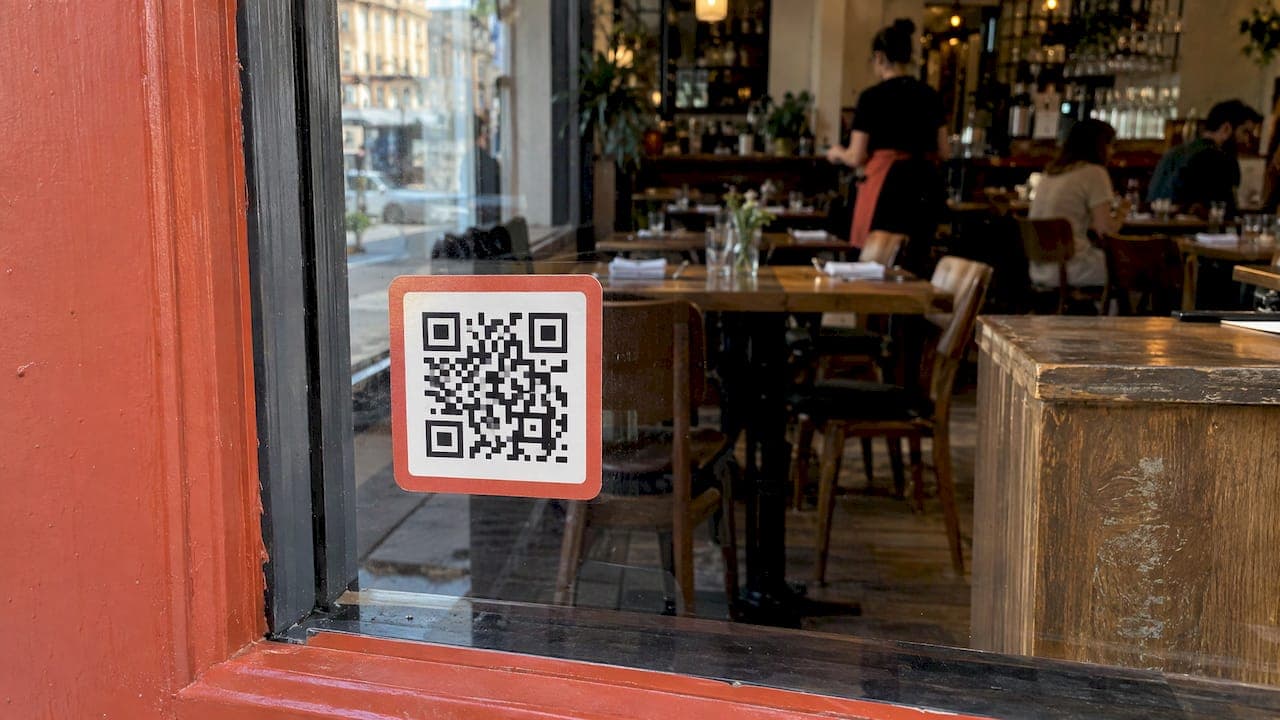
A QR code is a shortcut to a web page. For reservations it simply opens your booking form on the guest's phone. Print it on window stickers, flyers, takeaway bags and table cards so passers-by and current guests can book their next visit in seconds. Make sure the destination is a mobile-friendly booking page, not a PDF.
Do not confuse this with QR ordering. A read-only QR menu only displays information, while QR self-ordering opens a session tied to a table and sends a real order to the restaurant. If you want the second, see our guides to table ordering by QR and online menu QR codes.
How to prevent double bookings
Double bookings are rarely a software fault. They happen when two people write to two different places. Use this checklist:
- Keep one diary. Every phone call, walk-in and online booking goes into the same system. Retire the paper book entirely.
- Connect every channel. Website, Google Maps and messaging bookings should land in the same live dashboard rather than in separate inboxes.
- Set capacity rules. Limit covers per time slot and set a standard sitting length so the system stops offering tables that are about to be occupied.
- Give staff one way to edit. Changes made on a phone, a tablet or the manager app should update the same record.
- Check the system before service. A two-minute scan of the day's bookings catches clashes before guests arrive.
If you take reservations by phone and online, train every host to enter calls immediately, not after service.
Which system suits which venue
- Independent restaurant that relies on regulars and local search. An independent booking tool or an all-in-one platform with your own website booking form. You keep the guest relationship and avoid paying per diner.
- New venue that needs discovery. A marketplace listing can bring first-time guests. Read the fee terms carefully and consider pairing it with your own booking page so repeat guests book direct.
- Pub or bar with events. Look for tools that handle group bookings, deposits and ticketed events.
- Café or casual restaurant with takeaway. Bookings are only part of the picture. Online ordering, delivery and loyalty matter as much, and a single platform avoids paying for three separate subscriptions.
- Group or fine-dining venue. A CRM-led system with detailed guest profiles and event features is usually worth the higher cost.
Whichever you choose, being found is the other half of filling tables. Good restaurant SEO services help local diners reach the booking page you have set up.
Our perspective
Most owners we talk to do not have a booking problem. They have a fragmentation problem: a reservation tool here, an ordering tool there, a loyalty app somewhere else, and a delivery marketplace taking a large cut of every order.
Marketplaces such as Uber Eats, Glovo, Bolt Food, Wolt, Just Eat and Pyszne charge 30% of the net order value plus VAT, almost 40% in total. RESTOBOT charges 0% on orders. We charge only a monthly subscription, so the money from your orders stays with you.
That is why we built RESTOBOT as one platform: a customisable website with the menu and reservations embedded, ordering through your website and a Telegram bot, delivery coordination through third-party couriers such as Wolt Drive, digital loyalty cards in Apple and Google Wallet, and review boosting for Google and TripAdvisor. Everything runs from one dashboard, and a site can launch in one day.
We also think the people serving your guests deserve a direct line to their appreciation. Our online tips feature lets a waiter, bartender or barista create a personal profile and receive voluntary tips by QR code, with no commission from us.
the author
RESTOBOT plans and pricing
RESTOBOT is a subscription with no commission on orders. The published prices are:
| Plan | Monthly | Annual |
|---|---|---|
| LOYALTY | from €39 per month | €29 per year |
| MENU | from €69 per month | €59 per year |
| FULL | from €119 per month | €99 per year |
Tips for workers are available on all plans, and a worker can also register alone even if the venue is not on RESTOBOT. See the MENU and FULL plans on our pricing page for exactly what each includes, and our guide to a commission-free restaurant tech stack if you are planning the whole set-up.
What to do next
- List where your last 50 bookings came from: phone, website, Google, social or marketplace.
- Decide whether you need discovery, control of the guest relationship, or both.
- Shortlist two or three systems and ask each for the full cost, including per-cover fees and extras.
- Embed the booking form on your site, add the link to Google, and put a QR code on your window.
- Review no-show and double-booking rates after a month and adjust reminders and capacity rules.
FAQ
What is the best booking system for restaurants?
There is no single best. Marketplace tools suit venues that need new guests, independent tools suit venues with their own demand, and all-in-one platforms suit owners who also want ordering, loyalty and reviews. RESTOBOT is built for the last group, with reservations on the web, Google Maps and Telegram.
Can I add a booking form to my existing website?
Yes. Most providers give you an embed code or a booking link that you paste into a page. If you would rather not manage it yourself, RESTOBOT's website builder includes embedded menu and reservation functions.
How do I stop guests not turning up?
Send a confirmation and a reminder, state your cancellation terms clearly, and consider a deposit or card guarantee for larger parties or busy nights. Our guide to reducing no-shows walks through practical moves.
Can my waiting staff receive tips through a reservation platform?
With RESTOBOT, yes. Workers create a profile and receive voluntary tips directly from guests by QR code, with a public rating and comments. Taxes on tips are the worker's own responsibility.