

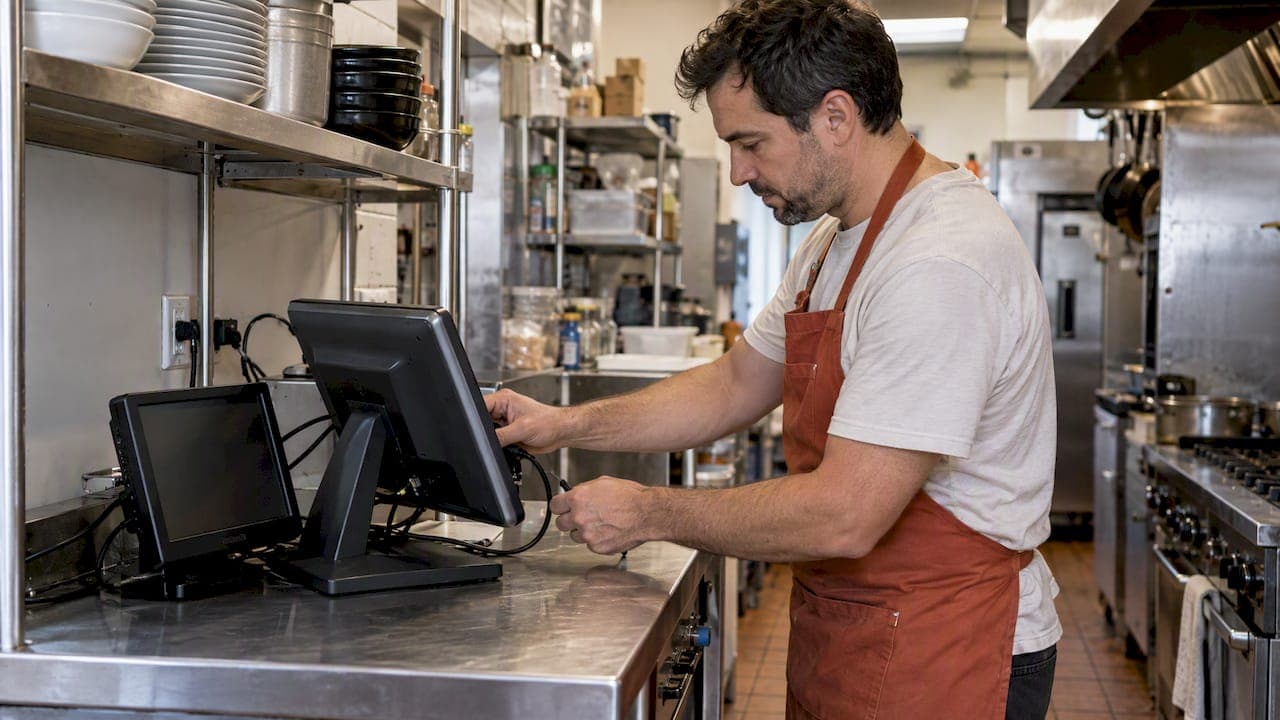
A working restaurant tech stack needs to deliver a single source of truth for your data, uptime you can count on during service, and a measurable return on every tool you add. More than 80% of restaurant operators already believe technology gives them a competitive edge, and 69% say recent tech adoption has improved productivity, according to the State of the Restaurant Industry report. The smartest path there is integration first, not feature shopping.
***
TL;DR:
>
- Connect the POS to ordering, kitchen, inventory, accounting, and customer records through native integrations where possible; test the complete order to accounting flow before signing. - Separate POS and payment traffic from the guest network, keep offline ordering available, and add cellular failover so an outage does not stop payment processing. - Restaurants using hosted payment pages under SAQ A should confirm responsibility in writing and arrange vulnerability scans through an Approved Scanning Vendor every three months. - Pilot new systems at one location for three weeks, measuring order accuracy, plating time during busy periods, and staff ease of use before expanding. - Keep a specialist tool when it offers supplier links a general platform lacks; consider consolidation when multiple locations or stacked subscriptions add reconciliation work.
***
Table of Contents
- Core Building Blocks Every Restaurant Needs
- Designing a Single Source of Truth for Your Data
- Network and Hardware Basics That Keep the Stack Running
- Security and PCI Compliance Steps Operators Can't Skip
- Turning Transactions Into Decisions With Clean Data
- Auditing Your Stack, Budgeting Costs, and Rolling Out in Phases
- Getting Your Team to Actually Use the New Tools
- Keeping the Stack Running After Launch
- Planning for Growth Across Multiple Locations
- Where AI, IoT, and Contactless Payments Fit In
- Scheduling, Hiring, and the Tools Behind Your Staff
- When Consolidation Beats Best-of-Breed
- Where RESTOBOT Fits an Operator's Stack
- Putting It All Together: Your Next Step
- FAQ
- Sources
Core Building Blocks Every Restaurant Needs
Every stack is built from the same core parts, even if the mix changes by concept. Your point of sale (POS) is the transaction hub: it should feed every other system, not just ring up checks. The kitchen display system (KDS) replaces paper tickets with a digital queue that cuts ticket times and reduces errors during a rush, a workflow explained in detail in this kitchen ordering systems guide.
Online ordering and delivery management matter most for off-premises-heavy concepts: delivery and digital ordering tech are now treated as must-haves rather than extras for operators who depend on takeout revenue, per the State of the Restaurant Industry report. Loyalty programs drive repeat visits and, among operators who run them, around 70% say they boost traffic, with membership influencing choice for 61% of delivery diners, according to NRA loyalty program research. Reservation systems matter most for full-service and reservation-dependent concepts; inventory software matters most where food cost control is tight; labor scheduling matters everywhere margins are thin.
Each component maps to specific KPIs worth tracking:
- POS and KDS affect throughput and order accuracy during peak hours.
- Online ordering and delivery management shift channel mix and average check size.
- Loyalty programs move repeat-visit frequency and lifetime value.
- Reservation systems affect table turn times and no-show rates.
- Inventory tools control food cost percentage and waste.
- Labor scheduling affects labor cost ratio and overtime exposure.
Quick-service concepts tend to prioritize ordering, delivery, and KDS speed. Full-service restaurants lean harder on reservations, loyalty, and table management. Multi-unit operators need all of it, but the order of adoption still matters.
Designing a Single Source of Truth for Your Data
The point of integration is to stop staff from re-entering the same order, item, or customer record in three different systems. There are three common integration types: native APIs built by the vendor, middleware that connects systems that were not designed to talk to each other, and webhooks that push event data in real time. For most restaurants, a native API connection between POS and the next system in line is the most stable option, with middleware reserved for older or niche tools that have no direct integration.
A practical data flow looks like this:
- Order capture: the guest places an order through the POS, kiosk, or online channel.
- Kitchen routing: the order flows to the KDS automatically, with no manual re-entry.
- Inventory deduction: ingredient counts adjust based on the recipe tied to that item.
- Accounting sync: sales totals post to your bookkeeping or accounting software.
- CRM update: the guest's order history updates for loyalty and marketing use.
The most common breakdowns happen when menu items carry different SKUs across systems or when sales get recorded in two separate ledgers, creating reconciliation headaches at month end. Before signing with any vendor, ask for a live demo of the full data flow from order to accounting, not just the POS screen. Convergence across payments, loyalty, and ordering is already pushing many operators toward single platforms that centralize this flow instead of stitching it together themselves, a trend FT Partners ties to broader fintech and platform consolidation in food service.
Network and Hardware Basics That Keep the Stack Running
None of this works without a stable network. Segmenting your POS traffic onto its own VLAN, separate from guest Wi-Fi, is the baseline most networking guidance for hospitality now recommends, since it limits exposure of cardholder data and keeps guest streaming from slowing down payment processing, according to Zyxel's networking guidance for restaurants and cafes.
A minimal hardware and network checklist includes:
- A dedicated, segmented network for POS and payment devices.
- A backup internet connection or cellular failover for outages.
- POS terminals or tablets with offline order-taking capability.
- A router or access point rated for your dining room's size and material.
Offline-capable POS modes matter because a dropped connection during dinner service should not mean lost orders. The networking layer is often the most overlooked part of a tech stack, yet it is the foundation uptime and payment security both depend on.
Pro Tip: *Prioritize quality of service (QoS) settings that give payment traffic priority over guest Wi-Fi, and cache your menu locally on ordering devices so a brief outage doesn't freeze checkout.*
Security and PCI Compliance Steps Operators Can't Skip
Payment security is not optional, and PCI DSS v4.x has already raised the bar for both merchants and the vendors you work with. SAQ A e-commerce merchant, a category that covers many restaurants using hosted payment pages, are expected to run vulnerability scans at least every three months through an Approved Scanning Vendor, according to the PCI Security Standards Council. Quarterly ASV scans are now a baseline expectation for SAQ A merchant, and operators who assume their POS vendor handles this automatically should confirm it in writing.
Responsibility is shared between you and your third-party service providers, so your contracts should spell out who owns what. Before signing with any vendor, require:
- Written confirmation of PCI DSS v4.x compliance status.
- A defined patch and update cadence for POS and payment software.
- Role-based access controls limiting who can view payment data.
- A documented incident response process in case of a breach.
Turning Transactions Into Decisions With Clean Data
A stack full of systems is only useful if the reports coming out of it are trustworthy. The reports worth checking weekly are SKU-level sales, cost of goods sold, labor efficiency against sales, and return on investment by ordering channel. Each one tells you something different: SKU-level sales show what to cut from the menu, labor efficiency shows where scheduling is off, and channel ROI shows whether that delivery app is actually profitable once fees are counted.
Dirty data usually comes from the same few causes, and each has a fix:
- Mismatched SKUs across POS and inventory: standardize item codes once, at setup.
- Inconsistent sync windows between systems: schedule syncs at the same time daily.
- Skipped reconciliation: build a five-minute daily check into closing procedures.
Once your data is reliable, quick wins come fast. Run small A/B tests on menu pricing or placement, track waste by category instead of guessing, and use your own sales history for basic demand forecasting before investing in anything more sophisticated.
Auditing Your Stack, Budgeting Costs, and Rolling Out in Phases
Before adding anything new, audit what you already have. Pull every vendor contract, list recurring fees, and map every point where one system currently connects to another.
Your audit checklist should capture:
- Every active contract, its renewal date, and its monthly cost.
- Every integration point currently in place, working or broken.
- Every manual workaround staff use to move data between systems.
- Every feature you pay for but rarely use.
Costs break into a few predictable categories: hardware (terminals, kitchen displays, routers), subscription fees (POS, loyalty, scheduling), integration or setup fees, and in some cases per-transaction fees layered on top of your payment processor's rate. A single POS subscription might look cheap until you add three point solutions on top of it, each with its own monthly fee and setup cost.
A phased rollout keeps the transition manageable:
| Phase | Focus | Typical duration |
|---|---|---|
| Audit | Inventory existing contracts and integrations | 1 to 2 weeks |
| Consolidate | Cut redundant tools, fix broken integrations | 2 to 4 weeks |
| Pilot | Test new or consolidated systems at one location | 3 weeks |
| Rollout | Expand to all locations or shifts | 4 to 8 weeks |
NRA research notes that a three-week pilot is often sufficient to validate integration stability and staff adoption before a full rollout.
Getting Your Team to Actually Use the New Tools
Technology fails in restaurants far more often from poor adoption than from poor software. Start with a pilot at a single location or shift, with clear success metrics agreed on in advance, not vague hopes that "it'll help."
Design the pilot around a small number of measurable goals:
- Order accuracy rate compared to the old system.
- Time-to-plate during peak hours.
- Staff-reported ease of use after two weeks.
Training works best in short bursts rather than one long session. Name a floor champion on each shift who learns the system first and fields questions from coworkers, then run micro-training sessions of ten minutes or less during pre-shift meetings. A 90-day onboarding checklist helps keep training consistent across new hires instead of relying on whoever happens to be training that week.
Before signing any vendor contract, insist on specific service terms: guaranteed uptime percentages, defined support hours, and a clear process for exporting your own data if you switch providers later. A vendor that cannot commit to these in writing is a sign to keep looking.
Keeping the Stack Running After Launch
Launch day is the easy part. The harder work is keeping every system patched, synced, and supported months later, when the initial urgency has faded and staff turnover starts to erode institutional knowledge.
Set a recurring maintenance routine: monthly checks on integration health, quarterly reviews of which features are actually being used, and prompt removal of tools nobody touches anymore. Assign one person, not necessarily the owner, as the point of contact for vendor support tickets so issues do not fall through the cracks between shifts.
Vendor support quality varies widely, so track response times against whatever your contract promises. A support team that takes three days to answer a POS outage ticket is a liability during a busy weekend. Build a simple log of support requests and resolution times; it becomes useful leverage at renewal time if a vendor has been slow.
Software updates deserve the same discipline as kitchen equipment maintenance. Schedule updates during off-peak hours, confirm staff know what changed, and keep a rollback plan in case an update breaks a workflow that worked fine the day before.
Planning for Growth Across Multiple Locations
A stack that works for one location can buckle under a second or third. The questions change once you add locations: can the same system handle inventory across sites, can reporting roll up to a regional or company view, and can new staff be onboarded without starting from zero at every site.
Franchising and multi-unit growth both raise the bar for standardization. Menu items, pricing, and promotions need to stay consistent across locations while still allowing for local adjustments like regional specials or state-specific tax rules. A platform that handles multi-location inventory and centralized reporting from the start saves a painful re-platforming project later.
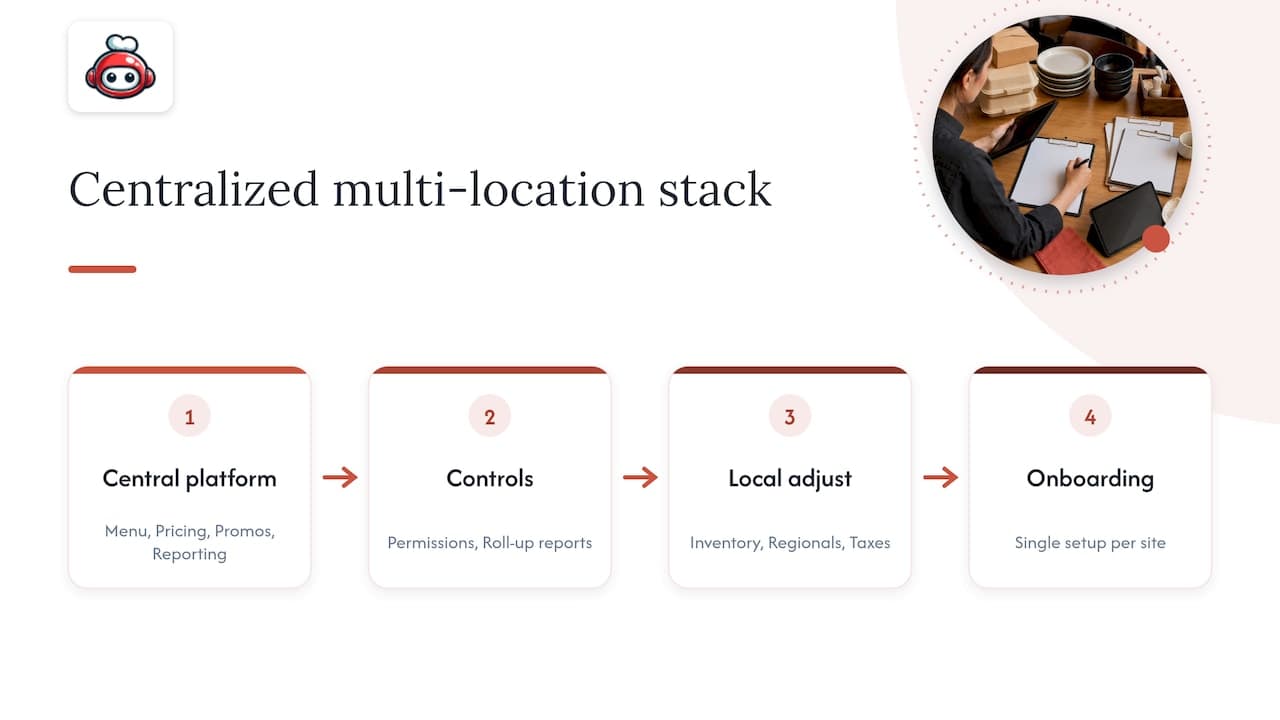
Margin pressure is often the real trigger for scaling conversations, since a stack that is merely adequate at one location becomes expensive and unwieldy at five. Before opening a second location, confirm your current stack supports multi-site user permissions, consolidated reporting, and centralized menu management, not just a second login for the same single-site tool.
Where AI, IoT, and Contactless Payments Fit In
A handful of newer technologies are moving from novelty to standard equipment faster than most operators expect. Contactless and QR-based payments are now routine rather than a pandemic-era workaround, and guests increasingly expect to pay without handing over a card.
AI shows up most usefully in demand forecasting, dynamic scheduling suggestions, and automated review responses rather than anything flashy. Automation and AI-assisted hiring tools have already shortened time-to-hire in several workforce case studies, according to NRA workforce technology research, by screening applicants and scheduling interviews without manual back-and-forth.
Internet of Things (IoT) sensors are appearing in walk-in coolers and freezers, flagging temperature drift before it becomes a food safety incident or a wasted inventory write-off. None of these are mandatory additions, but they are worth evaluating once your core stack, POS, ordering, and inventory, is stable and well integrated. Adding AI-driven forecasting on top of messy sales data just produces confident-sounding bad predictions, so sequencing still matters more than novelty.
Scheduling, Hiring, and the Tools Behind Your Staff
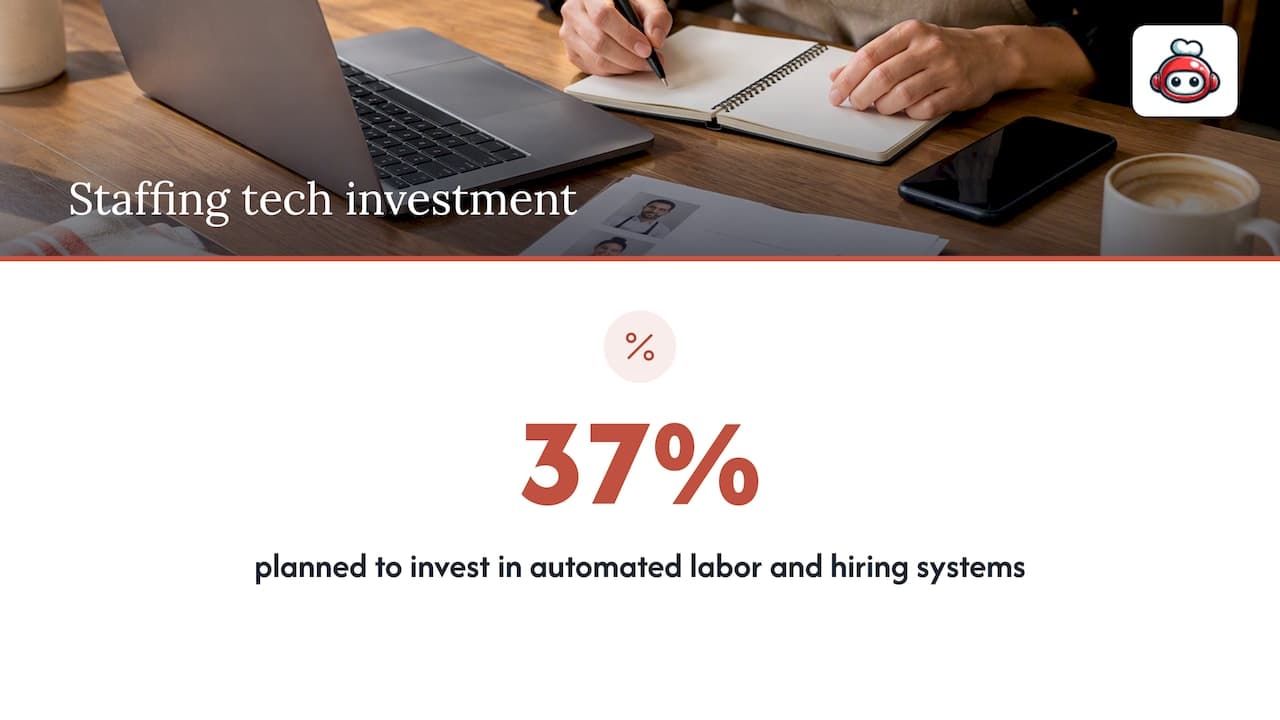
Labor tools are often the last piece operators add, even though staffing problems are usually the most constant source of stress. Scheduling software that accounts for availability, overtime thresholds, and shift swaps cuts down on the manual back-and-forth that eats a manager's week. In 2024, 37% of operators planned to invest specifically in automated labor management, recruitment, and scheduling systems, according to the National Restaurant Association's Technology Landscape report.
Applicant tracking systems (ATS) that integrate with your scheduling platform mean a new hire's availability and onboarding paperwork flow into the schedule automatically instead of being typed in twice. Operators increasingly see this kind of automation as something that supports staff rather than replaces them, with investment focused on retention and efficiency tools rather than headcount reduction, per NRA research on restaurant automation.
The practical priorities for most independent restaurants are a scheduling tool that syncs with POS sales data to forecast labor needs, and a simple ATS or hiring workflow that reduces the time between a job posting and a filled shift. Chatbots and automated screening tools have shortened time-to-hire in several workforce case studies, which matters most for operators who struggle to keep shifts covered during peak season.
When Consolidation Beats Best-of-Breed
Consolidation pays off once you are running multiple locations, approaching a franchise model, or feeling margin pressure from stacking too many subscription fees on top of each other. A single integrated platform cuts the reconciliation work that comes from forcing five point solutions to talk to each other.
Best-of-breed still makes sense for a single, specialized need, like a niche inventory tool with deep supplier integrations a generalist platform cannot match. The real risk is consolidating too early, before you understand which features you actually need, locking yourself into a platform that cannot grow with you. Re-evaluate whenever a "temporary" workaround has lasted more than a quarter.
Where RESTOBOT Fits an Operator's Stack
Consolidation is easier when one platform actually owns the full guest and staff journey instead of bolting pieces together. RESTOBOT builds websites automatically once an application is confirmed, with the embedded menu, ordering, and reservation functionality live within a day rather than weeks of setup.
Loyalty programs can run through Apple and Google Wallet, so guest data stays in one system rather than a separate app nobody downloads, a setup explored further in this guide to digital loyalty cards. Staff can also collect tips directly through a QR code, with no commission taken on the platform side, whether or not their employer uses the platform, a feature covered in more detail in this QR code tipping guide.
What this adds up to for the stack decisions above:
- One connected system for website, ordering, reservations, and loyalty instead of four separate logins.
- Online ordering without commissions, preserving food revenue margin.
- Staff tipping without commissions, independent of the restaurant's own subscription status.
- Deployment can be rapid, measured in a day rather than a multi-week implementation project.
Putting It All Together: Your Next Step
If you have read this far, you already know the fastest path to a cleaner stack is consolidating the pieces that currently don't talk to each other, starting with ordering, loyalty, and your website. The platform was built around exactly that problem: one system for site, menu, omnichannel ordering, reservations, and loyalty, with no commissions on orders so the revenue generated stays with the restaurant instead of a marketplace.
For restaurants ready to move, our LOYALTY, MENU, and FULL plans cover everything from loyalty-only setups to the full operational suite, deployable within a day of your application being confirmed. If you are a waiter, bartender, or barista looking to collect tips without losing a cut to commission, our tips feature works whether or not your employer runs on RESTOBOT at all. Check the plan that fits your stage and get your stack running this week.
FAQ
What is the 30/30/30 rule for restaurants?
There is no single, widely documented "30/30/30 rule" tied to a named industry authority for restaurant technology or budgeting. If you have seen the term used for labor, food, and overhead cost targets, treat it as a rough rule of thumb rather than a standard, and check your own cost percentages against your actual financials.
What are the top 5 POS systems for restaurants?
POS rankings shift constantly and vary by restaurant type, so no fixed top five holds across quick-service, full-service, and multi-location operators. Focus your evaluation on integration depth with your ordering, inventory, and loyalty tools instead, since that affects your daily operations more than brand recognition.
What is a tech stack for business?
A tech stack is the combined set of software and hardware systems a business uses to run its operations, from customer-facing tools to back-office reporting. For a restaurant, that typically means a POS, kitchen display system, online ordering, loyalty, and reporting tools working together rather than in isolation.
What technologies are being used in restaurants?
Restaurants commonly run cloud-based POS systems, kitchen display systems, online ordering and delivery management tools, digital loyalty programs, reservation platforms, and labor scheduling software. More than 80% of operators say these tools give them a competitive advantage, according to the State of the Restaurant Industry report, and adoption of AI-assisted forecasting and contactless payments is growing alongside them.