

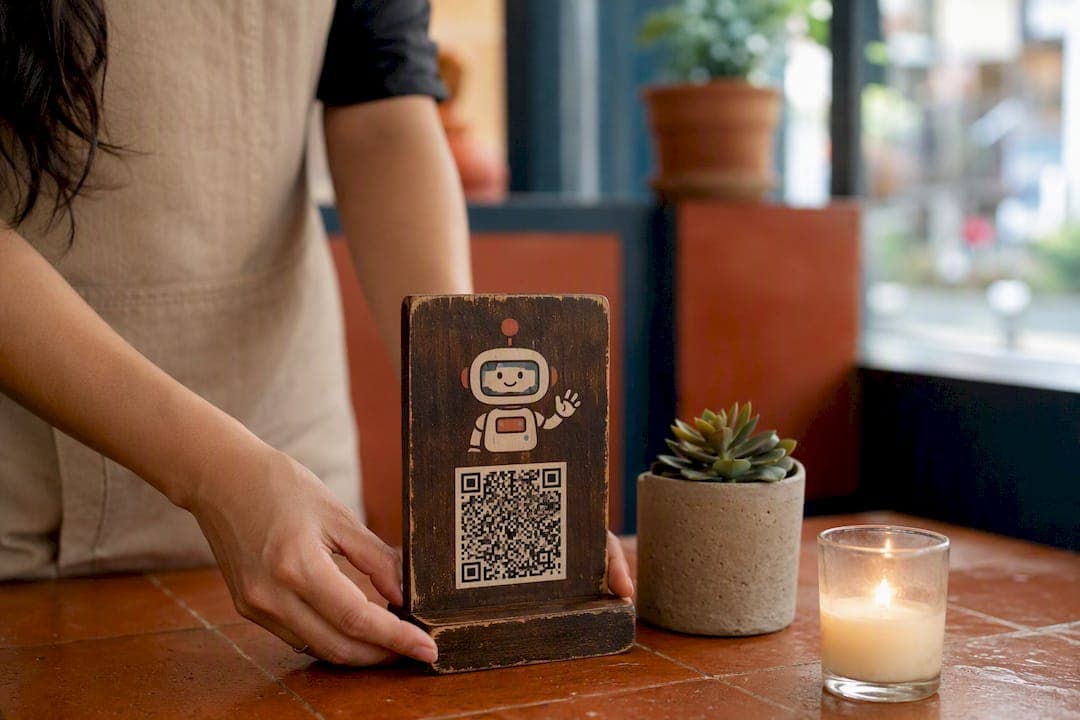
QR code tipping means a guest scans a printed or digital code, lands on a payment page, picks a tip amount, and pays in seconds. No app download, no cash, no fumbling for change at the register.
You have two fast paths to get started:
- Personal tip link: Turn your own PayPal.Me, Venmo, Cash App, or Stripe payment link into a QR code and print it on a table tent or lanyard card.
- Venue-managed platform: Use a system built into your restaurant's operations, like RESTOBOT, where every server or bartender gets a commission-free tip profile tied to the venue's existing setup.
Either option gets a working scan-to-tip flow live within the hour. The rest of this guide covers the mechanics, the fees, and the setup details that separate a tip QR that actually converts from one guests scroll past it.
Key Takeaways
QR code tipping removes the friction between a guest's intent to tip and the actual payment, and it works best when signage, staff profiles, and fee transparency are handled deliberately from the start.
| Point | Details |
|---|---|
| Definition matters | QR tipping means scan, choose an amount, and pay, either to a personal link or a managed platform. |
| Static vs dynamic | Static QR codes need reprinting to change destinations; dynamic codes update without new signage. |
| Signage drives conversion | Staff photos, suggested amounts, and captions tested at 50 centimeters increase scans and tip size. |
| Fees are unavoidable but negotiable | Payment processor fees like Stripe's always apply; platform commissions are optional. |
| RESTOBOT offers commission-free tipping | Individual or venue-managed profiles with 0% platform commission and built-in reporting. |
Table of Contents
- How Does QR Code Tipping Actually Work?
- What Are the Benefits of QR Code Tipping?
- How Do You Set Up a QR Code for Tipping?
- What Makes QR Tip Signage Actually Convert?
- How Should You Onboard Staff for QR Tipping?
- Who Pays the Fees on QR Code Tips?
- What Should You Track for Tip Reporting and Bookkeeping?
- Why RESTOBOT's Tipping Feature Fits Hospitality Workers
- Why Does My QR Tip Code Keep Failing?
- How Do You Integrate QR Tipping With an Existing POS System?
- What Hospitality Operators Get Wrong About QR Tipping
- Get Commission-Free QR Tipping Live Today
- Sources
- FAQ
How Does QR Code Tipping Actually Work?
Every tip QR code is either static or dynamic. A static code points to one fixed URL forever. If you switch payment providers later, you have to reprint it. A dynamic QR code lets you swap the destination link without touching the printed code, which matters if you expect to change platforms or run seasonal promotions.
The guest experience follows a predictable sequence:
- Guest scans the code with a phone camera, no app required.
- The phone opens a landing page or payment app directly.
- The page shows suggested tip amounts, often $2, $5, and $10, or a percentage of the bill.
- Guest confirms the amount and pays with a card, Apple Pay, or Google Pay.
- The payment settles, and both guest and recipient get a confirmation.
Where the money lands depends on the setup. A personal link sends funds straight to that individual's bank or app balance. A pooled account splits tips among a shift or team. A platform wallet, like the one RESTOBOT runs, holds funds tied to a specific staff profile while still logging the transaction for the venue's records, so ownership and reporting never get tangled together.
What Are the Benefits of QR Code Tipping?
Cash tipping has a built-in leak: guests who pay by card simply can't tip if there's no jar. Cash use has declined sharply since 2020 as consumers shifted to cards and contactless payments for exactly this kind of small purchase. A QR code recovers that lost intent instantly.
The gains stack up in a few concrete ways:
- Higher average tips. Suggested amounts on the payment screen anchor guests toward a specific number instead of an awkward guess.
- Faster checkout. No searching for singles, no waiting on change.
- Hygiene and convenience. Nobody touches shared cash or a communal jar.
- Built-in tracking. Every scan generates a timestamped record, useful for payroll and disputes alike.
Hospitality operators increasingly treat QR-based contactless payment as standard guest experience infrastructure, not a novelty.
How Do You Set Up a QR Code for Tipping?
Start by choosing your model. A personal payment link is free and fast to launch but keeps everything manual: you own the QR design, the reconciliation, and the customer support if something breaks. A venue-managed platform costs a subscription or takes a small processing cut, but it hands you reporting, staff profiles, and integration with the rest of your operation.
Once you've picked a lane, follow this sequence:
- Create your payment endpoint. Set up a PayPal.Me, Venmo, Cash App, or Stripe payment link, or activate a tipping profile inside a platform like RESTOBOT's QR payments and tips feature.
- Decide static or dynamic. A static code is simpler for a solo bartender who won't switch providers. A dynamic code suits a venue that might change payment processors or run promotions later.
- Generate the code. Most free tip-QR generators let you pre-fill a suggested amount directly in the link, like paypal.me/yourname/5, which anchors the tip size before the guest even opens the page.
- Design the signage. Include a photo, a name, and a short caption such as "Scan to tip. Thank you!"
- Print and place it somewhere guests naturally pause: the end of the bar, the checkout counter, or a table tent.
- Test it. Scan from about 50 centimeters, the typical distance a customer stands from a counter, and confirm the payment actually settles and triggers a notification.
Pro Tip: *Test your QR code on both iPhone and Android cameras before printing a single sign. Some older Android phones need a dedicated scanner app, and a code that only works on half your guests' phones defeats the entire point.*
What Makes QR Tip Signage Actually Convert?
A QR code without context is just a black-and-white square guests ignore. The signage around it does most of the work.
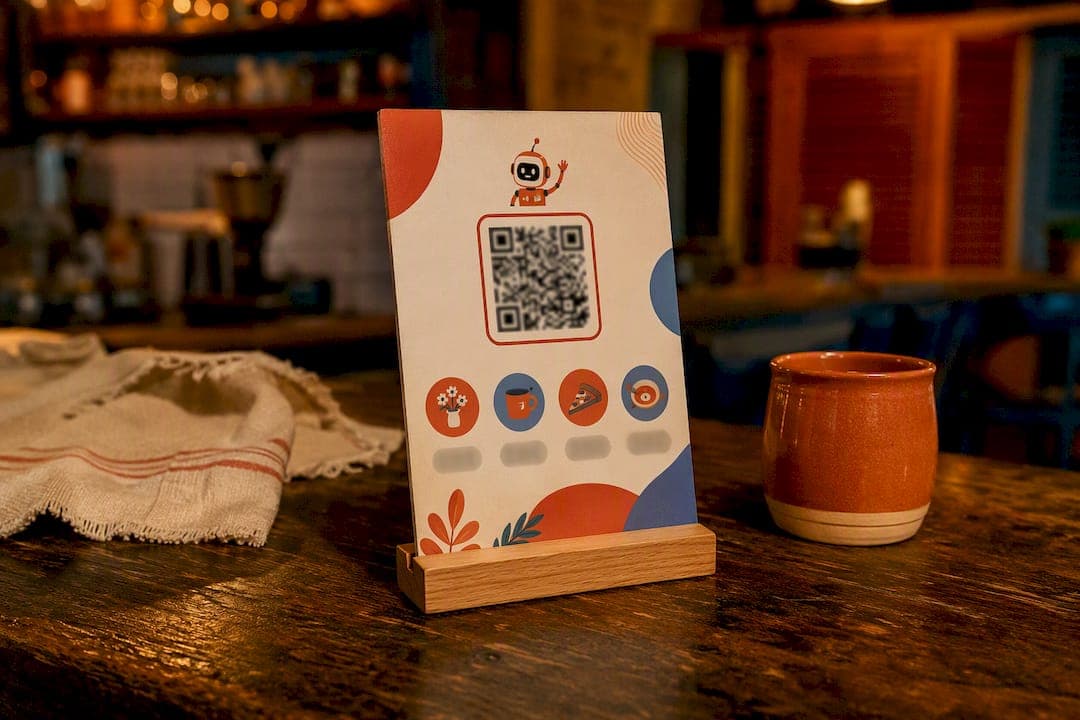
A staff photo and first name on the landing page changes how guests relate to the transaction. They're not tipping "the restaurant." They're tipping Maria, who just refilled their water three times without being asked. Platforms that pair tipping with a visible staff profile consistently see stronger engagement because guests know who they're rewarding.
Beyond the photo, a few details separate a sign that gets scanned from one that gets walked past:
- Print suggested amounts directly on the sign, not just inside the app, so guests decide before they even lift their phone.
- Keep the caption short and low-pressure: "Tip $1 to $5, thank you!" beats a paragraph explaining tipping culture.
- Laminate outdoor signs or use vinyl stickers so a patio code survives rain and wiping down tables.
- Pair the QR code with a small physical cue, a tip jar or a table tent, so guests without their phone out still notice it.
Pro Tip: *Print your test sign and hand your phone to a coworker who's never seen it. If they hesitate for more than three seconds trying to figure out what to do, redesign the caption before it goes anywhere near a guest table.*
How Should You Onboard Staff for QR Tipping?
The biggest early decision is individual profiles versus pooled distribution, and it shapes everything downstream. Individual profiles give each worker direct ownership of their tips and their own public rating, which tends to boost personal accountability and guest rapport. Pooled tipping spreads earnings evenly across a shift, which works better in kitchens or fast-turnover counters where guest-facing attribution gets fuzzy.
Whichever model you pick, a short onboarding checklist prevents most disputes before they start:
- Set up each worker's profile and photo before their first shift with a live QR code.
- Run a five-minute training on how to check their balance and what a payout timeline looks like.
- Give managers a simple reconciliation template that matches shift schedules against tip totals.
- Publish the pooling rules in writing, and share reporting with the team on a regular cadence.
Transparency here matters more than the model you choose. A pooled system that never shows staff the numbers breeds more resentment than an unequal individual system that's fully visible.
Who Pays the Fees on QR Code Tips?
Every card or digital wallet transaction runs through a payment processor, and that processor takes a cut regardless of what platform sits on top of it. Stripe's standard processing fee applies the same way whether the tip goes through a restaurant platform or a personal payment link, and no software provider controls that rate.
Where platforms differ is what they add on top:
- RESTOBOT charges 0% commission on tips. Only the standard Stripe processing fee applies, and the worker keeps the rest.
- Personal payment links avoid any platform fee entirely, but you lose reporting, staff profiles, and dispute support if a guest claims a payment error.
- Some competing tipping apps layer their own service fee on top of processing costs, quietly shrinking what staff actually take home.
Before committing to any provider, check its refund and chargeback policy. A tip that gets disputed weeks later shouldn't leave a server owing money out of pocket.
What Should You Track for Tip Reporting and Bookkeeping?
Every tip transaction needs a paper trail, even a digital one. At minimum, your records should capture the timestamp, the payment method, the recipient, the settled amount, and a reference or order ID tied to the shift.
A few habits keep that data usable instead of just collected:
- Export transactions as CSV on a weekly basis so accounting can match them against payroll.
- Reconcile tip totals against POS shift reports before closing out each pay period.
- Keep a running log per staff member if you're using individual profiles, so disputes get resolved with a timestamp instead of a memory.
One caveat worth flagging early: tax treatment and labor rules around tip pooling and reporting vary significantly by country and even by state. What counts as reportable income, how service charges get classified, and whether pooling is legal at all differs enough that a local accountant or labor attorney should review your specific setup before you finalize a policy.
Why RESTOBOT's Tipping Feature Fits Hospitality Workers
RESTOBOT built its Tips feature around a simple idea: a server shouldn't need their employer's permission to get paid for good service. Any hospitality worker can create a profile and start collecting QR tips, whether or not their restaurant runs on RESTOBOT at all.
What that profile actually includes:
- 0% platform commission on every tip, with only the standard payment processor fee deducted.
- A public profile with photo, name, and guest ratings, so tips build a reputation tied to the person, not just the shift.
- Instant QR generation that plugs into a restaurant's existing website and ordering setup if the venue is also on the platform.
- Reporting dashboards that separate individual tip data from venue-wide sales, so payroll reconciliation doesn't require manual sorting.
- Wallet integration through Apple and Google, connecting tipping to the same loyalty card infrastructure many venues already use for repeat guests.
| Feature | What it means for you |
|---|---|
| 0% commission on tips | Only Stripe's processing fee applies; workers keep the rest. |
| Individual profiles | Works with or without a venue subscription. |
| Reporting dashboard | Separates tip data from venue sales automatically. |
Why Does My QR Tip Code Keep Failing?
Most QR tipping problems trace back to five recurring mistakes, and nearly all of them are fixable in minutes.
The code won't scan at all. This usually means the code is too small, printed with low contrast, or laminated with a glare-heavy finish. Aim for at least a 2 inch square and test under the actual lighting the sign will live in, not the bright office where you printed it.
The link opens but shows an error. A static code pointing to an expired or deleted payment link breaks silently. This is the most common argument for a dynamic code on any venue-managed setup, since you can redirect it without reprinting a single sign.
The guest pays, but the worker never sees it. Check whether the payment actually settled to the intended account or got caught in a pending state. Card payments through Stripe or similar processors typically clear within a couple of business days, and a payout that seems "missing" is often just still in transit.
Guests are confused about how much to tip. If your suggested amounts aren't visible before the scan, on the printed sign itself, guests hesitate or abandon the payment screen entirely. Move the suggested amounts from the app onto the physical sign.
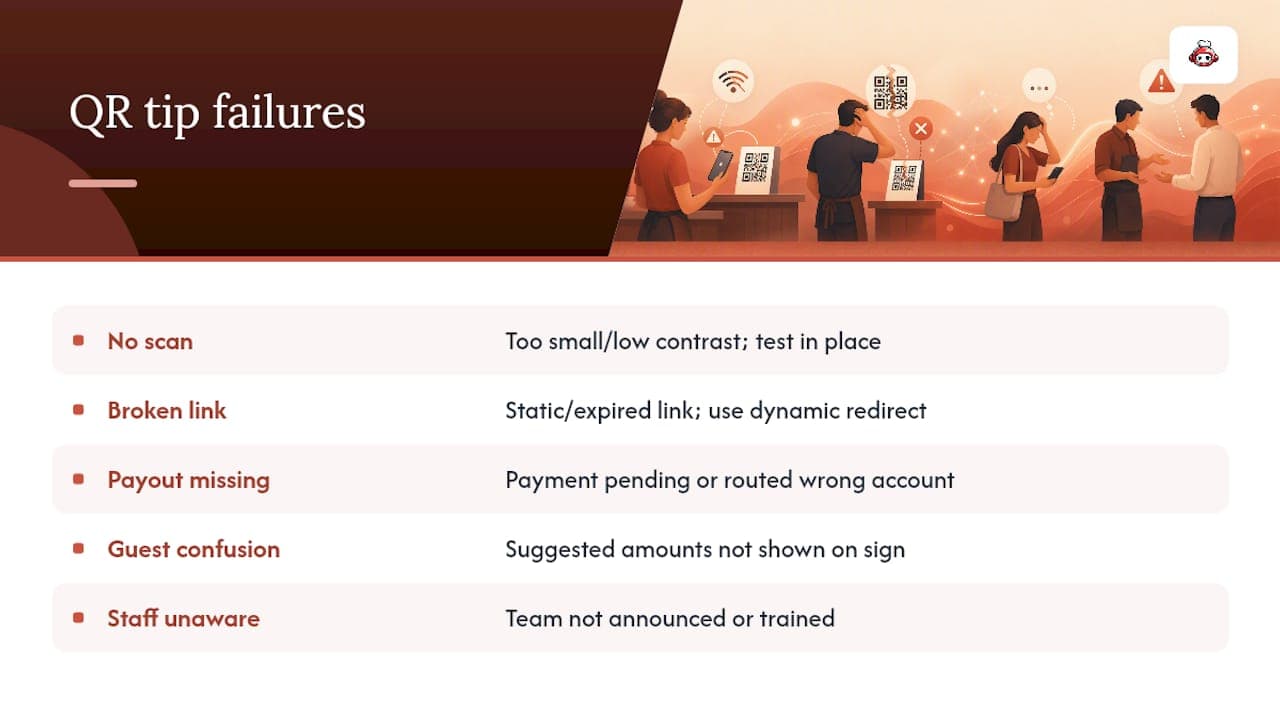
Staff don't know their code is live. A surprising number of QR tipping rollouts fail simply because nobody told the team the code existed or where it pointed. Treat the QR launch like any other operational change: announce it, demo it, and confirm every staff member has tested their own scan before their first shift with it live.
How Do You Integrate QR Tipping With an Existing POS System?
Most restaurants don't want a tipping tool that lives in total isolation from everything else running the floor. Integration usually comes down to three practical questions.
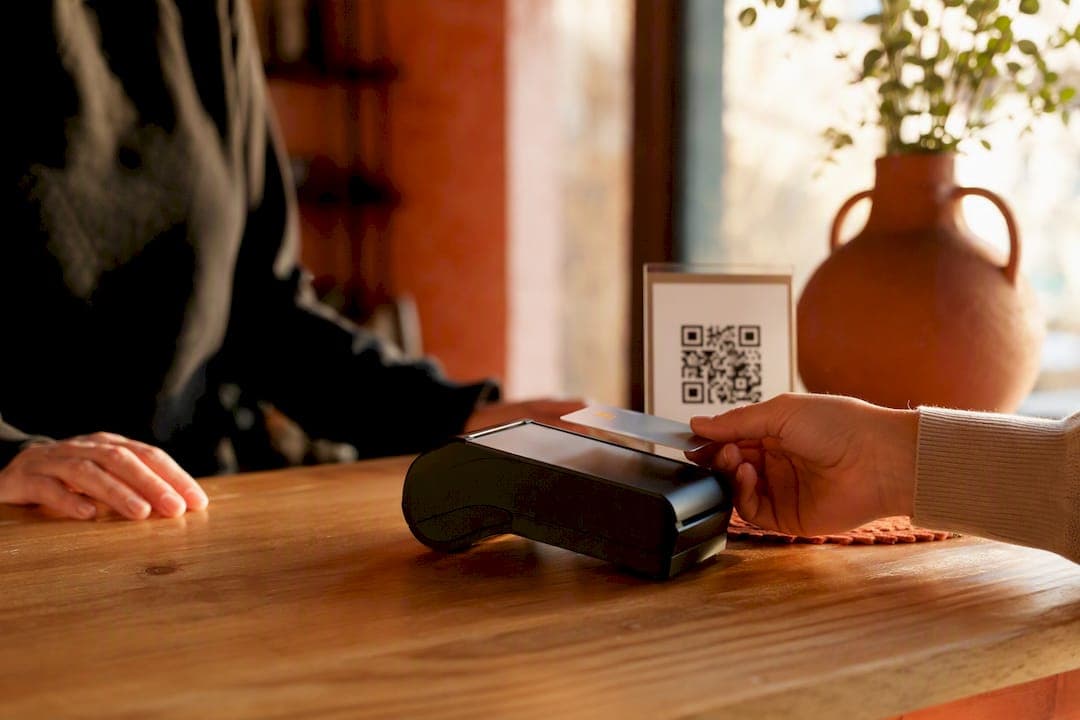
Does the tip need to touch the receipt? Some venues want tip amounts to print on the customer receipt for record-keeping; others keep tipping entirely separate from the sale, which is common when tips route directly to a worker's personal profile rather than the venue's account. Decide this before you launch, since retrofitting receipt logic later means reprinting templates and retraining staff.
Does your POS support third-party payment plugins? Systems like Dotykacka and Syrve, among others, increasingly support add-on integrations that let a tipping flow sit alongside your existing checkout without forcing a full system replacement. RESTOBOT's POS integration is built specifically to slot into this kind of existing setup rather than replace it.
Where does reconciliation happen? If tips settle to individual staff wallets, your POS reports and your tip reports are two separate ledgers, and reconciliation happens by matching shift schedules against timestamps. If tips run through the venue's own account, you'll want tip totals to appear as a line item in your daily close so nothing gets double counted or missed at month end.
Whichever path you choose, test the full loop, order, payment, tip, and reconciliation, during a slow shift before rolling it out on a busy Friday night.
What Hospitality Operators Get Wrong About QR Tipping
The conventional advice treats QR tipping as a technology decision: pick a generator, print a code, done. That misses where the actual conversion happens. The QR code is just the delivery mechanism. The signage, the suggested amounts, and whether a guest can identify who they're tipping do the real work.
Most venues also overthink the platform choice and underthink the staff experience. A personal payment link costs nothing and launches in five minutes, but it leaves workers without reporting, dispute protection, or a public reputation that follows them between shifts. That tradeoff gets glossed over constantly in generic setup guides.
If you're prioritizing one thing first, prioritize staff trust in the payout, not the technology. A server who isn't sure when their tip money actually lands, or who worries a chargeback will silently claw back a night's earnings, will stop caring about the QR code entirely. Get the settlement and reporting right before you spend another minute on sign design.
Get Commission-Free QR Tipping Live Today
Personal payment links get you started fast, but they leave you juggling reconciliation by hand and offer staff no reporting or public reputation once the shift ends. RESTOBOT closes that gap by pairing commission-free tipping with the reservation, ordering, and loyalty tools most venues already need, so a server's tip QR sits inside the same system as the table booking and the loyalty card, not three disconnected apps.
Set up takes a single confirmed application, and your restaurant website with embedded QR tipping goes live the same day, no development team required. Staff can activate a personal tipping profile even before the venue finishes onboarding. Check the QR payments and tips feature page to see what a live setup looks like, then start your application to get your first QR code printed this week.
Sources
FAQ
Is a 10% Tip Disrespectful?
It depends heavily on context and location, since tipping norms vary widely by country and service type. In markets where tipping is customary for table service, 10% is often seen as a baseline, but actual amounts vary widely, and tipping is rarely considered disrespectful for counter service or quick transactions.
How Do You Accept Tips With a QR Code?
Create a payment link through a provider like PayPal.Me, Venmo, or Stripe, then generate a QR code pointing to that link and display it with a photo and suggested amounts. Platforms like RESTOBOT skip the manual setup by generating a tipping profile and QR code automatically.
Is It Safe to Scan a QR Code in a Restaurant?
Scanning a QR code from a printed sign at a legitimate business is generally safe, since your phone simply opens a web link, the same as clicking a URL. The main risk is a tampered sticker placed over a legitimate code, so check that the printed code matches the venue's official signage before entering payment details.
What App Lets People Tip You With a QR Code?
Several tools support QR-based tipping, from generic link generators paired with PayPal or Venmo to dedicated hospitality platforms. RESTOBOT's Tips feature lets any hospitality worker create a free profile and QR code for direct, commission-free tips, independent of whether their employer uses the platform.
Recommended
- Apple Wallet and Google Wallet loyalty cards for restaurants — end of paper stamp cards | RESTOBOT | RESTOBOT
- How to get 100 Google reviews per month for your restaurant — automatically | RESTOBOT | RESTOBOT
- RESTOBOT Blog — guides for restaurants | RESTOBOT | RESTOBOT
- Telegram bot vs mobile app for restaurants — comparison 2026 | RESTOBOT | RESTOBOT