

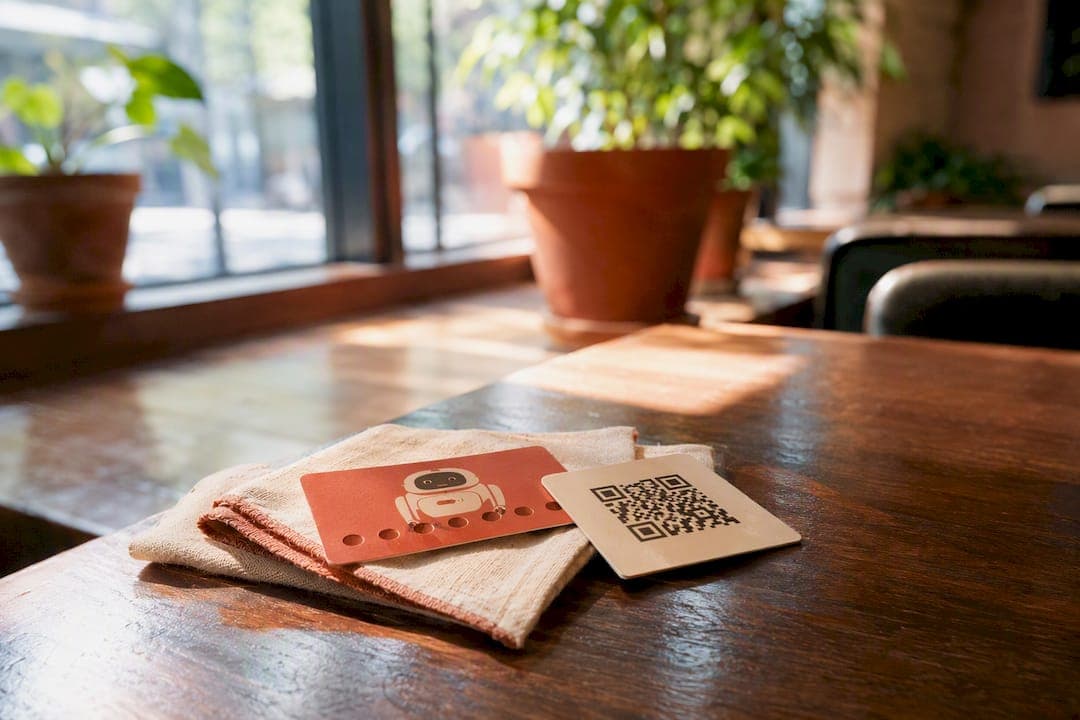
Skip the punch cards. Skip the app development budget too. If you're picking a digital loyalty system for your restaurant, go with a QR-enrolled Apple Wallet or Google Wallet pass, built as a stamp card or points card depending on your traffic pattern. It works because there's no app to download, the card sits on the customer's lock screen where they'll actually see it, and staff can stamp it in about the time it takes to hand back a receipt.
- No app friction: customers scan a QR code once and the card lives in Wallet forever.
- Lock screen visibility: unlike a paper card buried in a wallet, a Wallet pass can surface reminders near your location.
- Fast staff workflow: one scan at checkout, no fumbling with a stamp pad or a loyalty app login.
RESTOBOT builds this exact flow directly into its restaurant platform, with Apple Wallet and Google Wallet passes ready to issue the same day you sign up.
Key Takeaways
A QR-enrolled Apple Wallet or Google Wallet loyalty pass reduces enrollment friction and drives measurable repeat-visit gains without requiring a restaurant app.
| Point | Details |
|---|---|
| Choose the right mechanic | Use stamp cards for frequent, lower-spend visits and points for higher-check dinner service. |
| Design for completion | Set reward value around 5 to 10 percent of spend and a 4 to 8 visit completion window |
| Place QR codes at the moment of payment | Table tents and receipts outperform website links because customers already have their phone out. |
| Track the right numbers | Watch repeat visit lift and redemption rate at the 30 and 90 day marks, not just sign-ups. |
| RESTOBOT as the ready option | RESTOBOT issues Apple and Google Wallet passes with QR self-join and zero order commission, live the same day you sign up. |
Table of Contents
- How Digital Loyalty Cards for Restaurants Actually Work
- Stamp Card, Points, or Membership: Which One Fits Your Restaurant?
- How to Launch a Wallet-Pass Loyalty Program in Your Restaurant
- Wallet Integration, QR Strategy, and POS Considerations
- Costs, Timeline, and What ROI Actually Looks Like
- Why RESTOBOT Fits the Wallet-Pass Playbook
- Getting Staff Comfortable With the New System
- What Most Restaurants Get Wrong About Loyalty Programs
- Launch Your Loyalty Program With RESTOBOT
- Sources
- FAQ
How Digital Loyalty Cards for Restaurants Actually Work
A wallet pass is just a digital card that lives in Apple Wallet or Google Wallet instead of a drawer full of paper stamp cards. Customers add it three ways: scanning a QR code at the table, tapping a link in a text message, or clicking through from an email receipt. Once it's added, it updates automatically. No app store, no login screen, no forgotten password three visits later.
On the staff side, the workflow needs to survive a Friday dinner rush. Here's the typical sequence:
- Customer opens their Wallet app or shows the pass on their lock screen.
- Staff scans the pass barcode with a phone-based scanner app or a POS-linked scanner.
- The system logs a stamp or point and updates the pass instantly, even without an internet connection if the scanner app queues offline scans.
Google's own Wallet developer documentation confirms passes update in real time and can be distributed through a REST API for web, email, or SMS, which is exactly how most restaurant loyalty tools handle enrollment.
Placement matters more than most managers expect. A QR code buried on a website footer gets ignored. One printed on a table tent, a receipt, or a menu insert gets scanned while the customer is still holding their phone from paying the bill.
Pro Tip: *Put the QR code where a customer's eyes already land right after paying, like the receipt or the check presenter, not somewhere they have to go looking for it.*
Stamp Card, Points, or Membership: Which One Fits Your Restaurant?
The mechanic you choose should match how often people visit and how much they spend, not what looks trendy.
- Stamp cards fit high-frequency, lower-ticket spots: coffee counters, quick-service lunch spots, casual breakfast places. Buy nine coffees, get the tenth free is simple enough that customers actually understand the payoff.
- Points programs fit dinner-focused restaurants with higher average checks, where a flat stamp doesn't reflect the range between a $30 table and a $150 one. Points let you reward big spenders proportionally.
- Memberships or dining clubs make sense when you have a loyal base willing to pay upfront for guaranteed perks, like a wine bar offering a $15/month tier with a free glass and priority booking.
Vendor guidance and case examples in the restaurant loyalty space converge on a few concrete defaults: aim for a reward worth roughly 5 to 10 percent of average spend, and design the card so a regular customer completes it in four to eight visits. Shorter than four visits and the reward feels cheap to give away that often; longer than eight and most customers lose interest before they finish.
A stamp card that never gets completed isn't a loyalty program. It's decoration.
How to Launch a Wallet-Pass Loyalty Program in Your Restaurant
Getting a wallet-pass program running doesn't require a development sprint. It requires an afternoon and a print job.
- Design the card. Pick your logo, decide the reward (free item, dollar discount, percentage off), and set the rule: stamp per visit, per $10 spent, or per specific item.
- Generate your QR self-join link. This is the single most important asset in the launch. Print it onto table tents, receipt stickers, and a menu insert.
- Train staff on the stamping flow. Every server or cashier needs a per-staff login tied to the scanner app, both to keep stamps traceable and to stop a staff member from stamping their own account repeatedly.
- Soft launch for a week. Run it with regulars first, fix any scanning hiccups, then push it wider once the flow feels smooth.
- Set a measurement checkpoint at 30 and 90 days. Compare repeat visit rates before and after launch.
Pro Tip: *Give every new sign-up a head start of one free stamp. It costs you almost nothing and it measurably increases how many people actually finish the card instead of abandoning it after visit one.*
The technical build, meaning the actual pass design and QR generation, takes minutes once you're on a platform built for it. The bottleneck is almost always printing and staff briefing, which is a same-day task, not a multi-week rollout. Assign one person to own the launch checklist so nothing falls through during a busy shift change.
Wallet Integration, QR Strategy, and POS Considerations
Google Wallet and Apple Wallet both let a restaurant issue passes that update automatically. Google's system runs on a REST API and Android SDK, which most restaurant loyalty vendors build against rather than requiring you to code anything yourself. On the customer side, Google's own support documentation walks through exactly how a loyalty card gets added and scanned at checkout, which is worth reading if your team wants to understand the customer's exact steps.
A few decisions actually matter when you're evaluating a vendor or talking to your IT contact:
- Shared QR vs. unique-per-customer QR. A single shared QR code is easy to print everywhere but gives you no individual tracking. A unique code per customer costs more setup effort but lets you see who's actually returning.
- Scanner app vs. deep POS sync. Simple stamping only needs a phone-based scanner. Points tied to spend amount or item type usually needs a POS connection.
- Data fields collected. Email and phone number are the two fields that actually enable marketing follow-up later, so don't skip them at signup even if the form gets one field longer.
Costs, Timeline, and What ROI Actually Looks Like
Vendor pricing in this space usually falls into monthly tiers based on number of locations or number of active cards, with some charging per-stamp fees once you cross a card volume, which is worth asking about directly before signing anything. The design work itself takes minutes. Printing QR table tents or receipt stickers takes a few hours. Seeing a measurable shift in repeat visits typically takes 30 to 90 days of real customer traffic.
QR-based loyalty programs that are well-targeted often show 20 to 40 percent increases in repeat visits, which is the range worth benchmarking against once your own numbers come in.
| Metric | What to track | Why it matters |
|---|---|---|
| Repeat visit lift | Visits per enrolled customer, before vs. after | Direct signal the program is changing behavior |
| Redemption rate | Percent of completed cards actually redeemed | Low redemption means the reward or card length is off |
| Revenue per regular | Average spend of enrolled vs. non-enrolled customers | Shows whether loyal customers are also higher-value ones |
For a lunch spot with typical ticket average, a stamp card offering a free item after multiple visits costs roughly a modest amount per visit in reward value, roughly one-tenth of the ticket price. If that program pulls even a modest chunk of occasional visitors into a weekly habit, the added visit frequency covers the reward cost fast. As Harvard Business Review points out, the real payoff of retention efforts shows up in customer lifetime value, not the sign-up count.
Why RESTOBOT Fits the Wallet-Pass Playbook
RESTOBOT builds the exact approach this article recommends directly into its restaurant platform, rather than requiring you to stitch together separate wallet, QR, and marketing tools.
- Issues Apple Wallet and Google Wallet passes with QR self-join, matching the no-app-friction model.
- Runs loyalty alongside integrated marketing campaigns, so a stamped card can trigger a follow-up offer.
- Charges zero commission on orders, unlike marketplace platforms that take close to 40% including VAT.
- Sets up a live restaurant site and ordering system fast, since site creation happens automatically once an application is confirmed.
- Includes a standalone Tips feature so individual staff can collect commission-free digital tips regardless of the loyalty program.
Restaurants running multiple locations get the same wallet-pass setup across every site from one dashboard, without rebuilding the program location by location.
Getting Staff Comfortable With the New System
A wallet-pass loyalty program lives or dies on whether your staff actually uses it correctly during a rush. The scanning motion itself takes seconds, but the judgment calls around it need a five-minute walkthrough before launch, not a memo nobody reads.
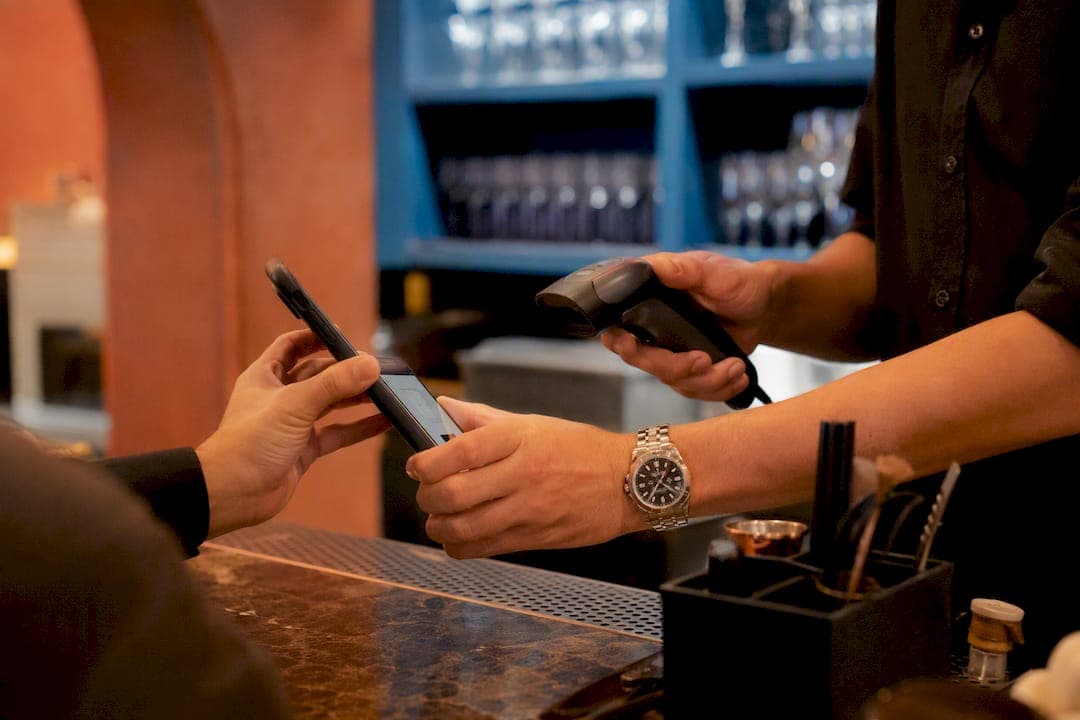
Cover three things in that walkthrough. First, what to do when a customer's phone won't scan, usually a dead battery or low signal, which means having a manual lookup by phone number or name as backup. Second, how to handle a customer who insists they should already have stamps from a previous visit but never enrolled. The honest answer is no retroactive stamps, but offer to enroll them now so the next visit counts. Third, what an offline scan queue looks like on the scanner app, so a server doesn't panic and think a stamp got lost when the restaurant's Wi-Fi drops during dinner service.
Assigning each staff member their own login for the scanner app solves two problems at once. It keeps every stamp traceable to whoever issued it, which matters if you ever need to investigate a fraud pattern, and it gives new hires a shorter learning curve since their training only covers their own login flow. Run a mock rush during a slow shift, have two servers stamp a handful of test cards, and fix any confusion before a Saturday night makes the mistakes expensive. Most troubleshooting after that first week is just reminding staff to actually mention the program to new customers, since the technology rarely fails once it's set up correctly.
What Most Restaurants Get Wrong About Loyalty Programs
The conventional advice on restaurant loyalty still leans on app downloads and complicated tier systems, and both miss what actually drives repeat visits. An app download is a real barrier. Customers don't want a new icon on their home screen for a restaurant they visit twice a month, no matter how good the rewards are. A wallet pass sidesteps that entirely because it lives somewhere the customer already checks.
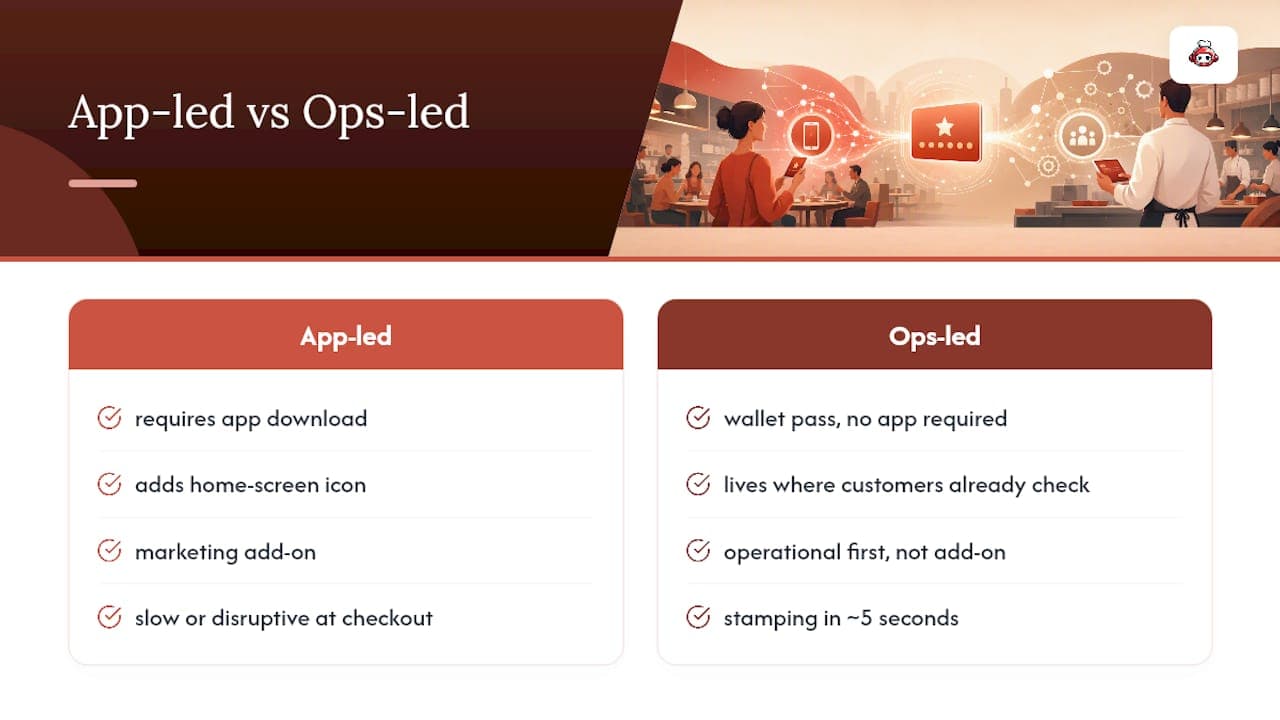
The bigger mistake is treating loyalty as a marketing add-on instead of an operational one. A program only works if stamping takes staff five seconds and never disrupts the line at checkout. Plenty of restaurants pick a loyalty tool based on its rewards catalog and ignore whether the scanning flow actually holds up during a Friday rush. That's backward. Speed and reliability at the point of stamping matter more than how clever the reward tiers look on a sales deck.
Prioritize the boring stuff first: QR placement, offline-capable scanning, and staff training. Get that right and the reward mechanic almost doesn't matter, a simple stamp card will outperform an elaborate points system that nobody can operate consistently. That's the gap between what loyalty software promises and what actually keeps a regular coming back. RESTOBOT was built around that same operational logic rather than around a features list.
*— ADMIN*
Launch Your Loyalty Program With RESTOBOT
RESTOBOT gets a wallet-pass loyalty card live the same day you sign up, not weeks into a development queue. Your QR self-join link, Apple Wallet and Google Wallet passes, and staff scanner access come built into the same dashboard that runs your online ordering, reservations, and reviews, so loyalty isn't a bolted-on extra you have to manage separately. Because RESTOBOT takes zero commission on orders, every dollar a loyalty member spends stays yours, unlike marketplace platforms that quietly take a third of the order before you see it. Site and system setup happens automatically the moment your application is confirmed, and most restaurants are stamping their first cards within the same week. Visit RESTOBOT to set up your digital loyalty program and see the dashboard for yourself.
Sources
FAQ
What Is the Best Digital Loyalty Card App for Restaurants?
The best option supports Apple Wallet and Google Wallet passes with QR self-join, since that removes the app-download barrier entirely. Platforms built specifically for restaurants, like RESTOBOT, also connect loyalty to ordering and marketing instead of running it as an isolated tool.
What Is the Best Loyalty App for Restaurants?
There's no single universal answer, since the right choice depends on whether you need deep POS integration or just simple wallet-pass stamping. Focus on wallet integration, fast staff workflow, and whether it connects to your existing ordering system.
Is There a Free Digital Loyalty Card Available?
Some vendors offer free tiers for very small volumes, but most restaurant-grade loyalty tools with wallet integration and marketing features run on a paid monthly plan. Compare pricing structures carefully, since some charge per-stamp fees once you exceed a card volume.
Can I Put My Loyalty Card on My Phone?
Yes. Google Wallet's own support documentation confirms customers can add a restaurant loyalty card directly to their phone and use it via barcode or membership number at checkout, the same way it works with Apple Wallet.
Recommended
- Apple Wallet and Google Wallet loyalty cards for restaurants — end of paper stamp cards | RESTOBOT | RESTOBOT
- RESTOBOT Blog — guides for restaurants | RESTOBOT | RESTOBOT
- Telegram bot vs mobile app for restaurants — comparison 2026 | RESTOBOT | RESTOBOT
- How to get 100 Google reviews per month for your restaurant — automatically | RESTOBOT | RESTOBOT