

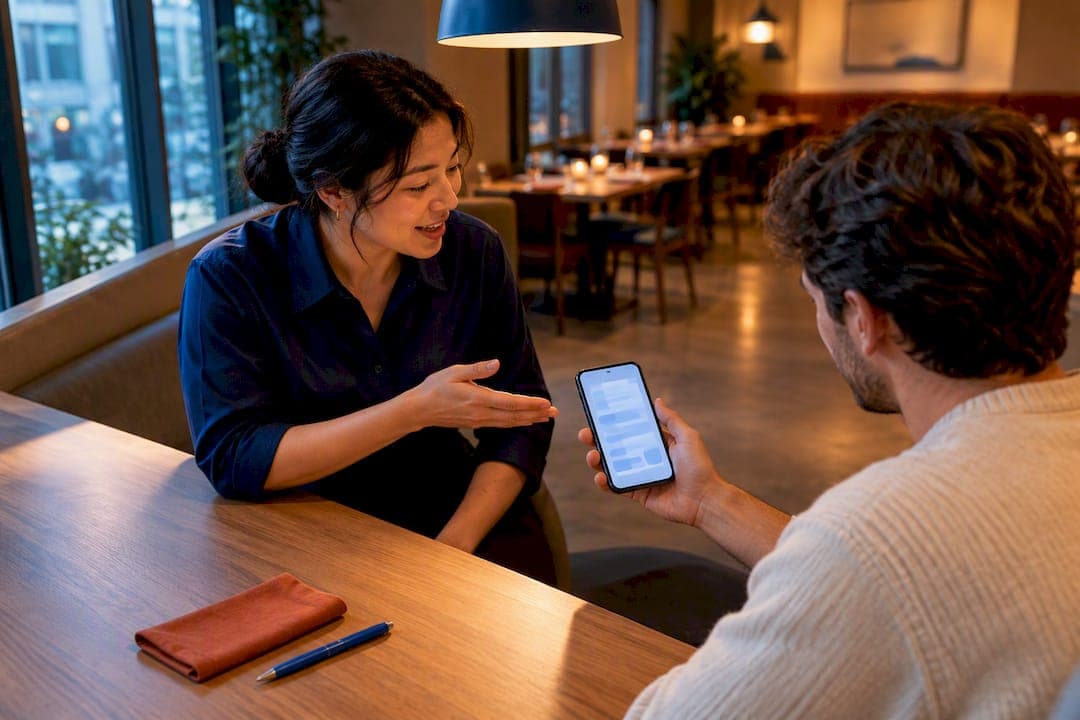
Cut no-shows fastest by stacking four moves in order: automate confirmation and reminder texts with a one-tap cancel link, make canceling genuinely easy while running a short awareness push, require card holds or deposits only for prime-time and large-party bookings, and turn every no-show seat into a fast re-offer through a digital waitlist. Reminder sequences alone are tied to meaningfully fewer no-shows in hospitality research, and you can have the reminder cadence live within 48 hours.
***
TL;DR:
>
- Implementing automated reminders with one-tap cancel links reduces no-shows significantly without guest friction, especially when sent 48 hours before the reservation. - Card holds or deposits are most effective for high-risk bookings such as weekend, large parties, or special events—reserved only when no-shows directly impact revenue. - Matching cancellation policies to reservation risk, with clear communication and short cutoff times, improves compliance and guest trust. - Quickly re-offering no-show seats through automatic waitlist notifications minimizes lost revenue and fills tables more efficiently. - An integrated reservation system that combines reminders, cancel links, holds, and waitlists streamlines operations and enhances recovery of unused tables.
***
Table of Contents
- Which no-show tactic to use and when
- Timing your confirmations and reminders for maximum show rate
- Card holds, pre-authorizations, and deposits done right
- Setting a cancellation policy that protects both revenue and bookings
- Turning a no-show into a recovered seat, not a lost one
- Scripts and wording that keep guests on your side
- What actually moves the needle over 90 days
- Putting these tactics into an integrated reservation system
- Sources
- FAQ
Which no-show tactic to use and when
Not every booking carries the same risk, so matching the tactic to the reservation saves you from annoying regulars while still protecting your busiest slots.
- Low-risk bookings (weekday, small party, repeat guest): automated reminders only. No hold, no deposit, just a confirmation text and a day-before nudge.
- Medium-risk bookings (weekend, new guest, party of 4 to 6): reminders plus an explicit one-tap cancel link and a light late-cancellation fee disclosed at booking.
- High-risk bookings (Friday or Saturday prime time, parties of 7 or more, holidays, tasting menus): card hold or deposit required, confirmed by text 24 hours out.
- Any no-show that happens anyway: immediate re-offer through a digital waitlist so the seat does not sit empty.
Reminders are the cheapest lever and the one to build first: they require no guest friction and set up the habit of guests expecting a text before they arrive. Card holds and deposits carry the most protection but also the most guest resistance, so reserve them for the bookings where a no-show actually hurts, not every table on the floor.
Pro Tip: *Run reminders and one-tap cancel for two full weeks before adding any deposit requirement. You will see which nights and party sizes still no-show despite reminders, and that data tells you exactly where to apply holds.*
Timing your confirmations and reminders for maximum show rate
The cadence that works best follows a simple rhythm: a confirmation at booking, a reminder 24 hours out, and a final nudge 2 to 4 hours before arrival. For high-risk bookings, prioritize SMS over email since text messages get opened faster and prompt quicker action.
- 48 hours before: a confirmation message with date, time, party size, and a link to change or cancel.
- 24 hours before: a reminder that repeats the arrival window and contact info, with the cancel link still visible.
- 2 to 4 hours before: a final short nudge, ideal for catching same-day plan changes before the table is set.
- Every message should include a one-tap cancel option so a guest can back out with a tap instead of an awkward phone call.
Automated reminders sent 48 to 24 hours before a reservation are associated with meaningfully fewer no-shows, according to Cornell research on reservation systems, which points to reminder timing as one of the more reliable levers available to operators. Track effectiveness by comparing your no-show rate before and after you turn reminders on, and watch click-through rates on the cancel link itself: a rising cancel rate paired with a falling no-show rate means the system is working as intended.
Card holds, pre-authorizations, and deposits done right
Holds and deposits protect revenue on the bookings that actually cost you money when a guest skips: prime-time weekend slots, large parties, and special events like tasting menus or holiday sittings. Skip them for casual daytime bookings and regulars, where the friction outweighs the protection.
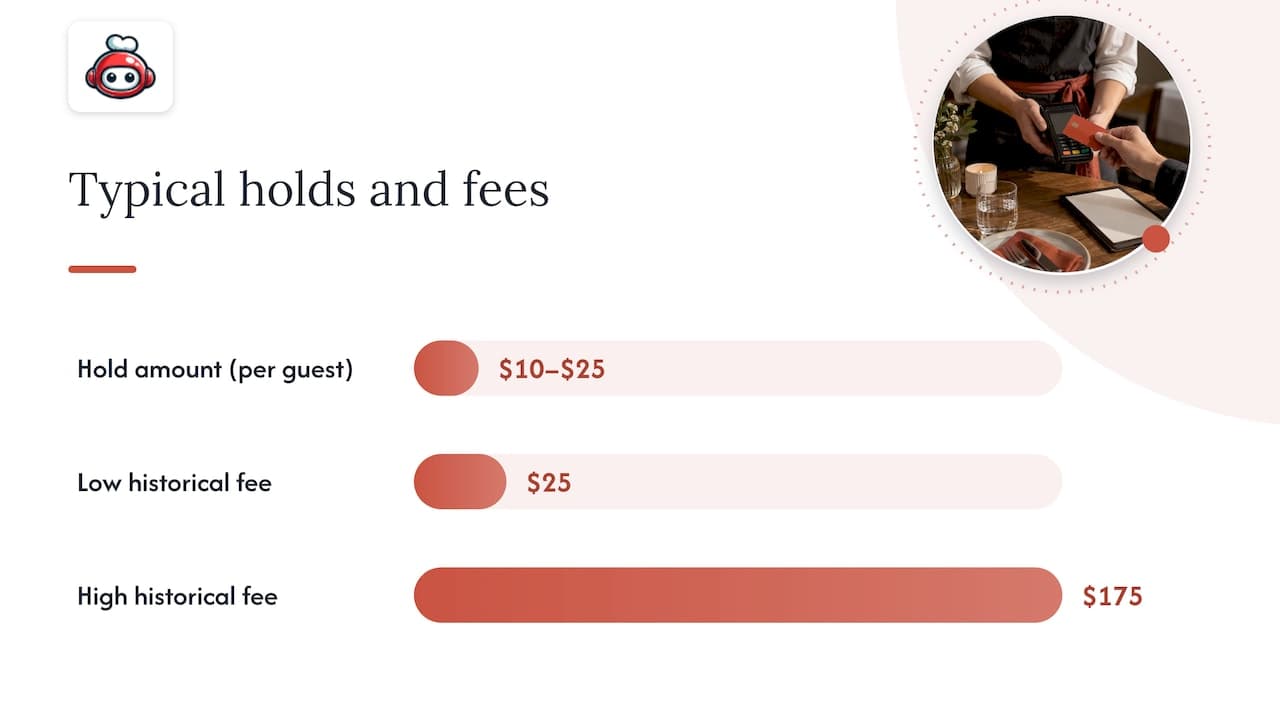
- Hold amount: a flat per-person fee (say $10 to $25 per guest) or a flat table fee, whichever is easier for guests to understand.
- Pre-authorize, don't capture: hold the card but only charge it if the guest fails to show or cancels past the cutoff.
- Refund window: state clearly that canceling before a set cutoff, such as 24 hours out, releases the hold with no charge.
- Consent language: tell guests at booking exactly what the hold covers and when it converts to a charge, in plain words, not fine print.
Historical late-cancellation fees for high-end bookings have ranged from roughly $25 to $175 per guest, according to academic reservation research from Kellogg, though the right number depends on your margins and how easily you can re-offer the seat.
Pro Tip: *Train staff to frame the hold as a booking guarantee, not a penalty. "We just hold the card to guarantee your table, and it's released automatically if you cancel by Thursday" lands far better than reciting a policy.*
Setting a cancellation policy that protects both revenue and bookings
Strict penalties reduce no-shows but can also scare off bookings altogether, while lenient fees combined with easy cancellation and a short awareness campaign can cut no-shows without shrinking your reservation volume, according to research on cancellation policies and awareness campaigns. The same study found that guests were more likely to honor a booking when canceling was simple and when they understood why it mattered, not just when the penalty was harsh.
The pattern that works: a clear cutoff time, a small late fee rather than a punitive one, a cancellation channel that takes seconds, and language that explains the impact on staff and other diners rather than just threatening a charge.
Two templates you can copy directly:
- Lenient version: "Plans change, we get it. Cancel or update your reservation anytime up to 2 hours before your table, no charge, just reply CANCEL to this text or tap the link above."
- Deposit/fee version: "To hold your table for [party size] on [date], we place a small $[X] hold on your card. Cancel by [cutoff] and it's released automatically. This helps us make sure your seat, and every other guest, is honored on our busiest nights."
Visible, plain-language policy copy that explains the reasoning behind it improves guest compliance more than a strict fee posted without context, per research on cancellation policy fairness.
Turning a no-show into a recovered seat, not a lost one
A no-show does not have to mean an empty table for the rest of the night. Economic modeling of reservation systems recommends re-offering unused seats quickly, since a short hold window increases the odds that a table can be reassigned before the loss is permanent, according to the Kellogg reservations research.
- Set a brief hold window for casual dining and a slightly longer one for fine dining, then release the table automatically once it passes.
- Auto-notify your digital waitlist the moment a table opens, rather than waiting for a host to notice and manually call down the list.
- Have your reservation system flag the freed table to both the host stand and the POS at the same time, so the reassignment does not stall on a manual handoff.
- Keep the published hold window visible to guests too: knowing a table is held for only 15 minutes nudges on-time arrivals.
Scripts and wording that keep guests on your side
The words you use matter as much as the policy itself. A confirmation that reads like a warning creates resentment, while one that reads like a courtesy gets compliance.
- Confirmation text: "You're all set for [time] on [date]. Need to change plans? Just tap here, no calls needed."
- Card-capture script: "We just need a card to guarantee the table. It's only charged if we don't hear from you by [cutoff], and you'll get a text confirming the hold right away."
- Place policy language in three spots: the booking page itself, the confirmation message, and the final receipt, using identical wording each time so nothing feels like a surprise.
- Roleplay the upset-guest scenario with staff before it happens live: practice one calm response to "why was my card charged" so the first real instance isn't improvised.
What actually moves the needle over 90 days
Start with reminders and one-tap cancel on the 48-24-2 cadence, measure your no-show rate for two weeks, then layer in card holds only for the bookings still showing losses. Awareness messaging and staff training come next, once automation is stable and the team trusts the system.
The mistake most operators make is reaching for a strict deposit policy first because it feels like the strongest lever. It's usually the last one you need. A well-timed reminder and an easy cancel button solve most of the problem before a single card gets held, and layering deposits too early just adds friction to bookings that were never going to be a problem. Track your no-show rate and rebook rate monthly and expect the biggest drop in the first month automation goes live, not the month you finally add a fee.
*— ADMIN*
Putting these tactics into an integrated reservation system
Building reminder cadences, cancel links, holds, and a waitlist as separate tools means stitching together software that was never designed to talk to each other. RESTOBOT bundles the pieces this playbook depends on into one reservation flow, so a no-show at 7 PM turns into a recovered seat by 7:05, not a gap the host notices an hour later.
- Automated SMS and email reminders on the 48-24-2 cadence, sent from the same system that holds the booking.
- One-tap cancel links embedded directly in every confirmation and reminder.
- Configurable holds for high-risk bookings, applied only to the party sizes and time slots you choose.
- A digital waitlist that auto-notifies the next guest the moment a table frees up.
- Built-in tips and guest engagement tools that keep staff invested in the guest experience around the table, not just the booking itself.
The platform deploys rapidly and does not charge commission on orders or tips, so the reservation upgrade does not add a revenue cut. Compare plans, including LOYALTY, MENU, and FULL, on the RESTOBOT pricing page, or look at how individual staff can start collecting tips with no commission taken, independent of whether the venue itself is on the platform.
Sources
- Research: Reservation times increase restaurant revenue — Cornell Business
- The Effects of Restaurant Cancellation Policies and No‐Show Awareness Campaigns on Reservation Behaviors
- Reservations (academic paper) — Kellogg / Northwestern
- OpenTable launches initiative to combat diner no-shows | Restaurant Dive
FAQ
What is the 30/30/30 rule for restaurants?
There is no single, widely recognized "30/30/30 rule" documented in the research behind this guide. If you have heard the term locally, it likely refers to a specific reminder or staffing cadence a particular operator or platform uses, so treat it as informal shorthand rather than an industry standard.
What happens if I don't show up to a restaurant reservation?
Consequences depend entirely on the restaurant's own policy: some venues simply note the no-show, while others charge a card hold or deposit that was disclosed at booking. Restaurants that use card pre-authorizations for high-risk bookings, such as prime-time weekend slots or large parties, typically convert that hold into a charge once the cutoff passes.
Does OpenTable penalize you for not showing up?
Reservation platforms including OpenTable have introduced initiatives such as extra reminders and labeling likely no-shows as tools to reduce missed reservations, according to reporting on OpenTable's no-show initiative.
What are the three C's in a restaurant?
This isn't a term covered by the research behind this guide, and definitions vary depending on who is using it, so there's no single reliable answer to give here.