

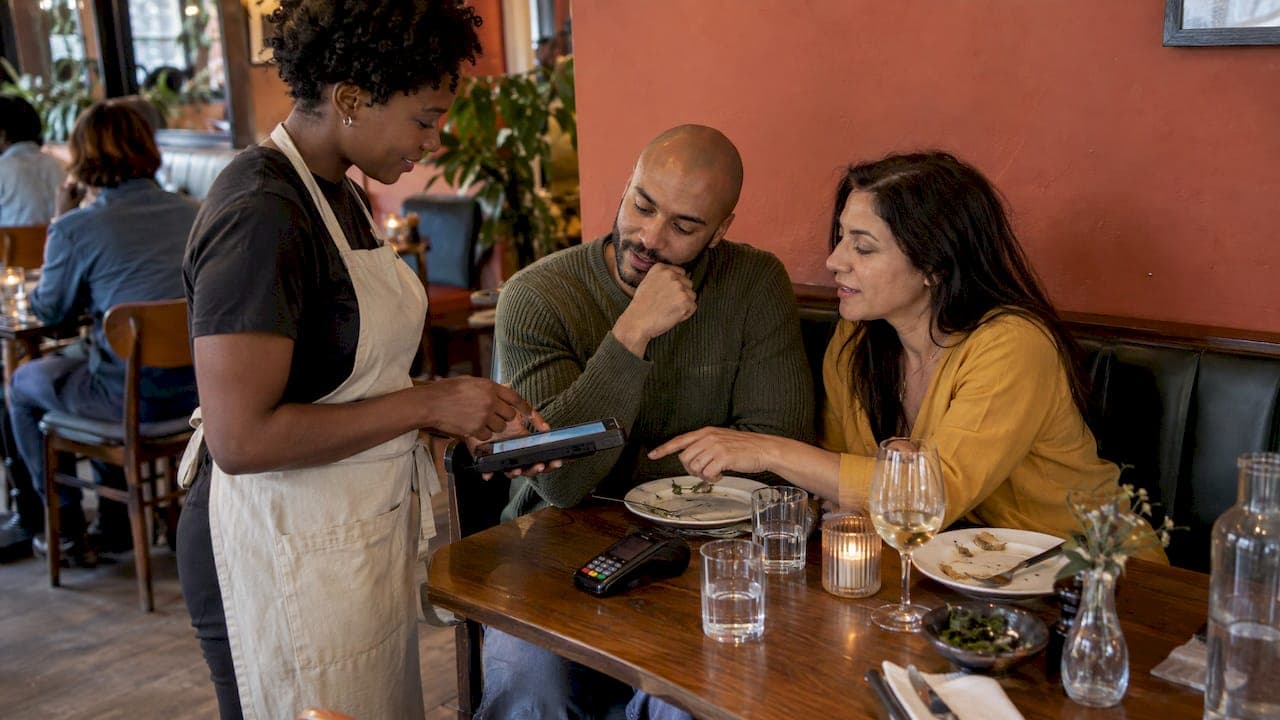
Payment friction is every small obstacle between a guest saying "we're ready to pay" and the money landing in your account: waiting for the card machine, arguing over who had the starter, a checkout form that asks for too much. You reduce it by letting guests pay on their own phone at the table, letting them pay for just their own items, keeping the hardware and software reliable, and removing fees that eat into every order. This guide walks through where friction hides and what to change first.
Table of Contents
- Where payment friction actually happens
- Fix the bill first: let guests pay for their own share
- Make the QR code easy to scan
- Make tipping a one-scan moment
- Don't replace people with phones
- Reduce friction on online and delivery orders
- Measure whether it worked
- Our perspective
- Getting started with RESTOBOT
- A short checklist for your next shift
- FAQ
- Sources
Where payment friction actually happens
Most owners picture friction as a slow card terminal. In practice it appears at several points in the journey.
At the table. A 2025 study presented through the ACM describes payment as the final point of interaction in a restaurant visit and a critical service touchpoint. The same research identifies bill-splitting as a source of delays, confusion and extra staff workload. Anyone who has watched a waiter work out who owes what for a table of eight knows the scene.
At the till or terminal. Readers that do not respond, chip failures and repeated attempts all add seconds, and guests notice. Reliability is a friction-reduction strategy in its own right. Contactless is only quicker if it works the first time.
Online. A checkout that forces account creation, hides delivery costs until the last step or offers only one payment method sends guests back to a marketplace app.
On the money side. Friction is not only the guest's problem. Third-party marketplaces such as Uber Eats, Glovo, Bolt Food, Wolt, Just Eat and Pyszne charge 30% of the net order value plus VAT, almost 40% in total. That cost is a friction of its own: it is the reason many owners nudge regulars to order direct and then discover their own ordering flow is clumsy.
Fix the bill first: let guests pay for their own share
The single most useful change for table service is to stop making the bill a group project. The ACM researchers found that allowing diners to pay individually for what they consumed can shorten payment, reduce clarification and negotiation, cut errors and keep staff interaction intact.
In practical terms:
- Put a QR code on every table, or on the printed bill, that opens the order or bill on the guest's phone.
- Let each guest select their own items, or an equal share, and pay by card or wallet.
- Have staff confirm the table is settled, rather than process several cards by hand.
- Keep the server present. The same researchers argue that payment is part of the service, so the aim is to remove logistics, not conversation.
Our guide to setting up table ordering by QR code covers the order side of this flow, and the guide to QR payments without marketplace fees covers the payment side.
Make the QR code easy to scan
A QR code that fails is worse than no QR code, because the guest has now wasted time and still has to flag someone down. A few tested rules take most of the risk away.
Size and distance
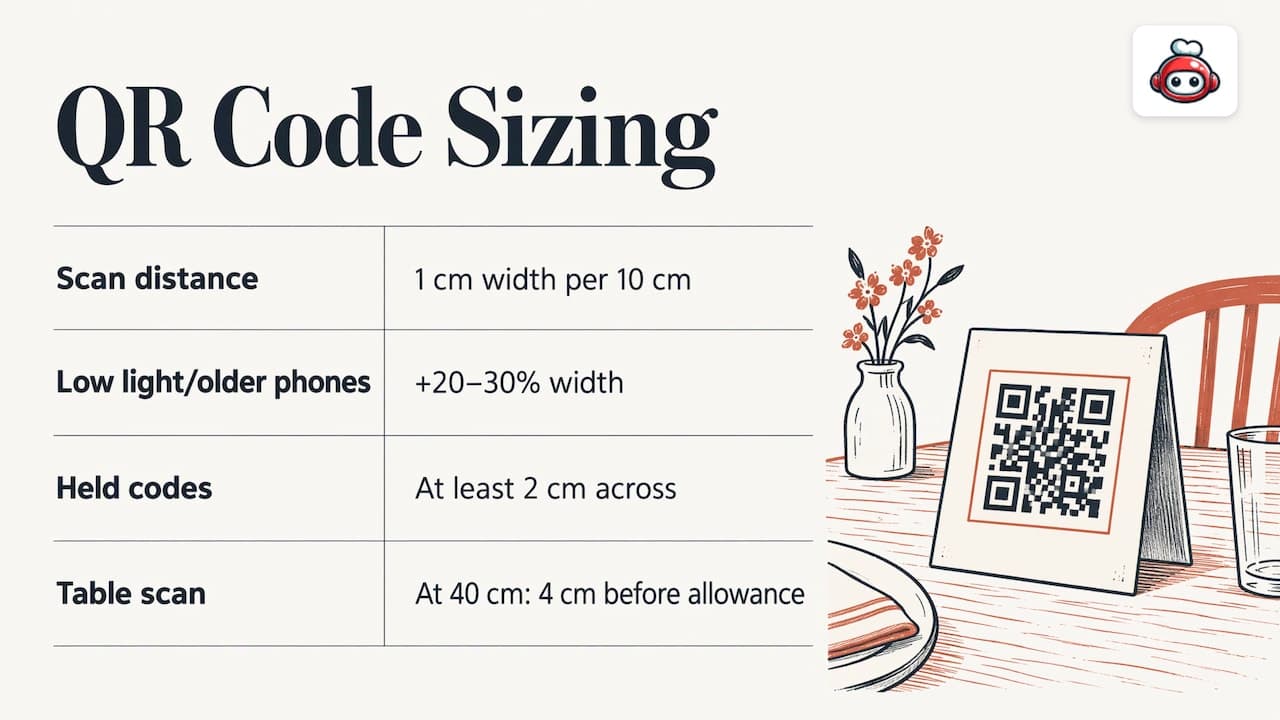
QRplify's checklist gives a simple sizing rule: make the code 1 cm wide for every 10 cm of scanning distance, and add 20 to 30 per cent for dim light or older phones. On anything people hold, such as a bill folder or table card, print at least 2 cm across.
A restaurant table is dimly lit by design, so lean towards the larger end. A code that sits flat on a table, scanned from about 40 cm, should be at least 4 cm wide before you add the allowance for low light.
Contrast and the white border
The same checklist asks for a clear margin four squares wide on every side and dark code on a light background, with a contrast ratio of at least 3.5:1 between the two colours. Practically:
- Print dark on light. Avoid inverted designs (white on black) and gradients, which many phone cameras read poorly.
- Never crop the white border to make the code fit a design. Designers do this often, and it is a common cause of failures.
- Use a matte finish or laminate. Glossy surfaces under spotlights create glare that blocks the camera.
Branding without breaking it
A peer-reviewed study in the Journal of Culinary Science & Technology surveyed 325 consumers and found that app design quality and time-saving significantly improved intention to use QR codes in restaurants. The authors recommend codes that are visually appealing, clear, readable and relevant to the restaurant menu. So add your logo or a short line such as "Scan to pay your share", but leave the code itself plain and high contrast.
Placement
Put the code where the guest's eyes already are at the end of the meal: on the bill presenter, on a small table card, or at the till. Test it from the position a guest actually sits or stands in, with at least two different phones, before you print fifty copies. Check codes regularly to make sure nobody has stuck another sticker over them.
If your menu also lives behind a QR code, our online menu QR code guide shows how to set that up so the menu and payment codes do not compete for attention.
Make tipping a one-scan moment
Tipping is part of the payment journey, and it is one of the places guests hesitate most. If they have paid by card and the machine asks for a gratuity in front of the server, some will skip it simply because it feels awkward. A separate QR code for tips removes the social pressure and the extra steps.
With RESTOBOT, a hospitality worker creates a personal profile and the guest scans a QR code, picks an amount, and can rate the worker and leave a comment. The money goes straight to the worker's own account, and the platform takes no commission on tips. The worker sets the payout schedule in the payment provider. Because the rating attaches to the person rather than the venue, good service builds a public reputation that the worker takes with them.
Two details matter for friction:
- Placement. Put the tip QR code on the bill folder or the table card next to where guests already decide on a gratuity, with one short line saying what it is for.
- No signup for the guest. The guest scans, chooses an amount and pays. The profile and rating are for the worker.
Our separate walkthrough, QR code tipping and how to set it up, covers wording and placement in more depth, and getting tips to the bank explains the payout side for servers. For questions about taxes on tips, the short answer is that they are the worker's own responsibility.
Don't replace people with phones
Digital payment should not become a way to hide the team. The ACM researchers argue that digital optimisation should remove logistical work without eliminating meaningful contact between staff and guests. That fits what good restaurants already do: the server still brings the bill, smiles, asks about the meal and points to the QR code, and the phone handles the arithmetic.
There is also an inclusion question. Business.com's review of mobile payments in restaurants notes that they can be fast, convenient and relatively secure, and that some guests lack suitable phones or prefer cash or cards. The sensible answer is to offer QR payment as the quick default while keeping a card or cash route available for anyone who wants it. Friction falls for the majority, and nobody is shut out.
Reduce friction on online and delivery orders
The same principles apply away from the table.
- Offer more than one way to pay. Cards, Apple Pay and Google Pay cover most guests. RESTOBOT also supports a range of payment methods including cryptocurrency, for venues whose customers use it.
- Let guests order where they already are. Ordering through your own website or a Telegram bot means no app download.
- Keep the flow short. Menu, basket, payment. Every extra field loses someone.
- Own the relationship. When guests order directly, you hold their details and can reward them with a loyalty card in Apple Wallet or Google Wallet.
The cost side is easy to calculate. A marketplace takes 30% of the net order value plus VAT, almost 40% in total. Direct ordering on RESTOBOT carries 0% commission: you pay only the monthly subscription. Our article on replacing marketplace commissions with your own online payments works through the maths for a typical week of orders.
Measure whether it worked
Do not change everything and hope. Pick a few measures before you start and look at them for a few weeks afterwards:
| Measure | What it tells you | How to check |
|---|---|---|
| Time from "bill please" to table settled | Whether split payment is saving time | Time a handful of tables per shift, before and after |
| Failed or repeated payment attempts | Whether hardware or checkout is reliable | Payment provider reports, plus staff notes |
| Share of tables using the QR code | Whether the code is visible and scans easily | Orders or payments per table through the dashboard |
| Online checkout completion | Whether the web or Telegram flow loses people | Baskets started versus orders paid |
| Tips per guest scan | Whether the tip prompt is placed well | Worker profile history |
Change one thing at a time. If you move the QR code to the bill folder and rewrite the call to action in the same week, you will not know which one helped. Staff feedback counts too: servers will tell you quickly if guests keep asking where to scan.
Our perspective
We built RESTOBOT on a simple belief: payment should be the easiest part of a meal, and it should not cost a restaurant a third of its order value.
Friction usually comes from fragmented tools. One system for the website, another for orders, a marketplace for delivery, a card machine at the table, a paper stamp card by the door. Each handover is a place where guests drop out and where staff lose time. Our platform is designed to bring those pieces together: a website with the menu and reservations built in, ordering through the site and a Telegram bot, QR pay at the table, loyalty cards in Apple Wallet and Google Wallet, and delivery coordinated with couriers such as Wolt Drive. A venue can launch in one day.
The same thinking applies to tipping. We believe a gratuity should reach the person who earned it, without a middleman taking a cut. That is why our tipping feature sends funds straight to the worker's own account with no commission, lets guests rate and comment, and builds a reputation that belongs to the worker. A waiter can register alone, even if the venue is not on RESTOBOT.
Our advice to any owner: remove the steps guests notice, keep the human moment at the table, and keep the money you earn.
the author
Getting started with RESTOBOT
If you want to put these ideas into practice without stitching several tools together, RESTOBOT's plans start with LOYALTY from €39 per month (€29 per year), MENU from €69 per month (€59 per year) and FULL from €119 per month (€99 per year). Online tipping is available on all plans, and workers can also register on their own. You pay a subscription and nothing per order. See the plans and pricing to choose the level that fits your venue, or let your team set up their own tip profiles today.
A short checklist for your next shift
- Watch three tables pay and note every pause.
- Add a QR code at each table that lets guests pay for their own items.
- Print it at least 4 cm wide, dark on light, with an uncropped white border and a matte finish.
- Test it from the seat with two different phones.
- Keep a card and cash option, and have staff mention the code as they bring the bill.
- Add a tip QR code so gratuities need one scan, not a conversation.
- Compare settle times and failed payments after two weeks.
FAQ
What is payment friction in a restaurant?
It is anything that slows or complicates paying: waiting for the bill, working out who owes what, a terminal that fails, or a clumsy online checkout. Research on restaurant payment names the final settlement, and especially bill-splitting, as a common source of delay and confusion.
What is the quickest way to cut it?
Let guests pay for their own share from a QR code at the table. This removes the mental arithmetic and the repeated card handling for staff, and it keeps the server free to look after other tables.
How big should a payment QR code be?
A common rule is 1 cm of width for every 10 cm of scanning distance, with extra allowance for dim light. On anything guests hold, print at least 2 cm across. Keep a clear white border and dark-on-light colours.
Can a waiter get tips if the restaurant isn't on RESTOBOT?
Yes. A worker can register alone and create a personal tip profile, and guests tip by scanning the QR code. Funds go to the worker's own account, with no commission from the platform. Taxes on tips are the worker's own responsibility.
Does digital payment suit every guest?
Not every guest wants to use a phone, so keep a card or cash option alongside the QR code. That way the faster route is there for most guests and nobody is excluded.