

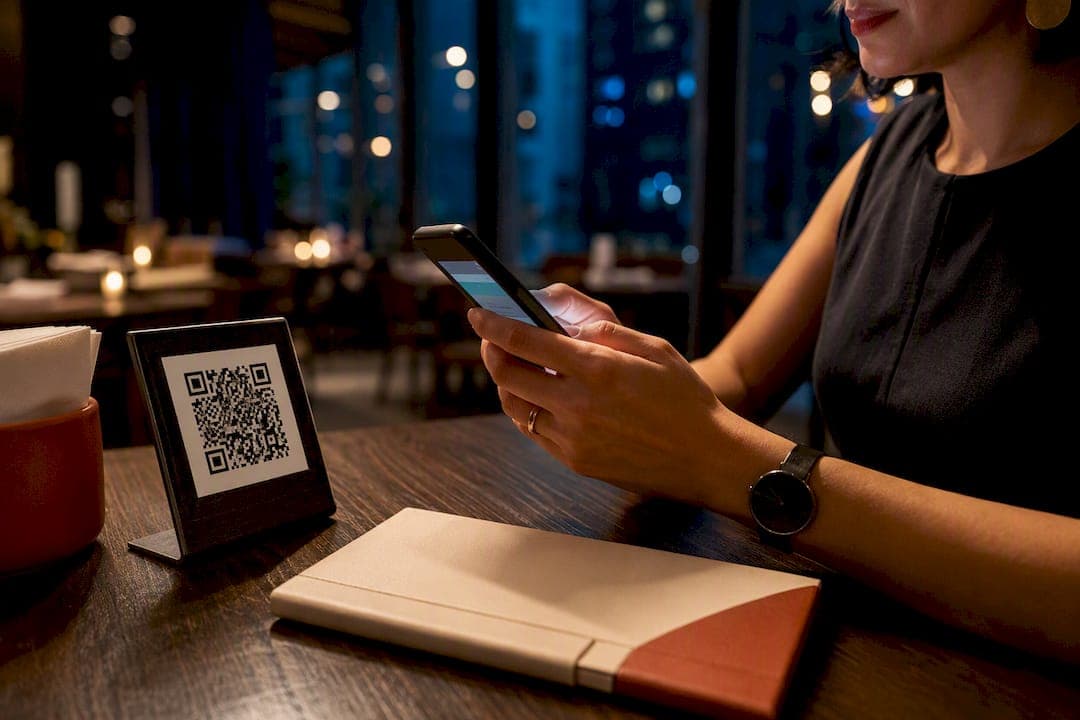
Yes, QR-code payments belong in most sit-down restaurants: they cut check-close time, capture more tips, and cost far less than new terminals. The main catch is that a sloppy rollout, an unprotected sticker at table twelve, an untrained server, undoes most of the benefit. Get the setup and security right and the payoff shows up fast.
***
TL;DR:
>
- Most QR code payment setups rely on merchant-presented codes displayed at tables, with dynamic codes providing faster reconciliation and automatic check matching. - Faster table turnover and reallocated staff time are primary operational benefits, with prompts and default tips often increasing tips captured. - A proper rollout includes clear signage, staff training, a backup static code, and testing fallback procedures to prevent failures and scams. - Costs mainly involve per-transaction fees, laminated displays, and staff training, with subscription models offering avoidance of delivery commissions for better margins. - Tracking key metrics like time-to-payment and table turnover over 90 days helps measure QR payment success and identify issues such as errors or low adoption.
***
Table of Contents
- How Do QR-Code Payments Work in a Restaurant?
- What Operational Benefits Come from QR Payments?
- How Do You Set Up QR Payments Step by Step?
- What POS and Payout Setup Do You Need?
- How Do You Prevent QR Code Fraud and Scams?
- How Do Tipping and Split Bills Work with QR Pay?
- What Does QR Payment Setup Actually Cost?
- How Does a Platform-First QR Rollout Actually Work?
- What Should You Track in the First 90 Days?
- Common Pitfalls With QR Payments in Restaurants
- Get QR Pay-at-Table Running Without the Commission Cut
- Where to Verify the Standards and Provider Rules
- Sources
- FAQ
How Do QR-Code Payments Work in a Restaurant?
Every QR payment flow at a restaurant falls into one of two categories. In a merchant-presented setup, your restaurant displays the code (on a table tent, a check folder, a receipt) and the guest scans it with their phone to pay. In a consumer-presented setup, the guest shows a code from their banking or wallet app and your staff scans it with a phone or scanner. Sit-down restaurants overwhelmingly use merchant-presented codes since guests are already seated with their phones out.
The second choice that matters is static versus dynamic codes. A static QR code never changes. Print it once, laminate it, and it works for months, but it also can't carry order details, so the guest usually has to enter a check number or amount manually. A dynamic QR code gets generated per transaction, often already loaded with the amount and order ID, so payment matches automatically to the right ticket. Stripe notes that QR payments need no special hardware and can run either way, but dynamic codes close the loop faster.
The typical flow: guest scans, a payment link opens in their phone's browser or wallet app, they confirm the amount, add a tip, and pay. Funds settle to your processor, then to your bank account on whatever schedule your provider uses. No app download required for the guest in most implementations.
Standards matter more than owners assume. EMVCo's QR Code specification defines both presentation modes and a QR Payment Mark that signals a standardized payload. A code carrying that mark is far more likely to open cleanly in whatever banking app your guest happens to use, rather than throwing an error or a blank page.
- Merchant-presented codes fit table service; consumer-presented fits counter service and quick pay.
- Static codes are cheaper to deploy; dynamic codes reconcile automatically.
- EMV QR compliance reduces "my phone won't scan this" complaints at the table.
What Operational Benefits Come from QR Payments?
The clearest win is table turnover. When a guest can pay the moment they're ready, without waiting for a server to notice, run the card, and return with a receipt, that whole loop shrinks from minutes to seconds. Multiply that across a busy Saturday night and you're seating more covers per hour without adding a single table.
Labor gets reallocated rather than just reduced. Servers stop circling the room hunting for check-closing windows and spend that time on refills, upsells, and actual hospitality. One Stripe-cited pattern is worth noting: pure pay-at-table QR mostly saves server time chasing checks, while pairing it with order-and-pay flows also speeds table turns more broadly.
Tipping tends to improve too. Digital tip prompts with preset percentages nudge guests toward a default, and industry guidance suggests QR flows can lift tip capture and speed checkout when signage is clear, though results vary by guest demographics and how well staff explain the process.
Statistic Callout: EMVCo's own QR Payment Mark exists specifically because a standardized payload increases the odds a guest's banking app reads the code correctly on the first try, cutting the fumbling that kills momentum at the table.
- Faster check close means more covers per shift without more staff.
- Tip defaults built into the payment link often outperform verbal tip requests.
- Every scan generates a data point you can feed into loyalty and repeat-visit tracking.
How Do You Set Up QR Payments Step by Step?
Before you order a single sticker, decide what job the QR code is doing. That decision shapes everything downstream.
- Pick the scope. Are you doing pay-only (guest still orders through a server), order-and-pay (guest orders and pays from their phone), or full table ordering with QR-based menus? Pay-only is the fastest to launch; full ordering takes longer but captures more data.
- Choose your payments provider. Confirm it supports the cards and wallets your guests actually carry (Apple Pay, Google Pay, major card networks) and ask directly whether it issues EMV QR compliant codes.
- Decide static or dynamic. Small cafés with simple checks can get away with static per-table codes. Full-service restaurants with variable check amounts should use dynamic, per-transaction codes tied to an order ID.
- Generate the codes and map them to tables. Each table needs its own code if you're going dynamic, or a shared static code with manual entry if you're going simple.
- Print durable, tamper-evident displays. Laminated cards, embedded table-tent inserts, or printed stickers under a clear protective layer all work. Avoid anything a guest could peel off and swap.
- Train staff on the full flow, including what to do when a scan fails, how split bills work, and how tip prompts appear to the guest.
- Run a live test before opening the doors: split a check three ways, add a tip, decline a payment on purpose, and confirm the fallback path works.
Pro Tip: *Print two backup static codes and keep them in a drawer at the host stand. When a laminated table code peels or a phone camera won't focus on a glare-covered card, you swap it in thirty seconds instead of pulling a guest away from their table.*
For restaurants doing full table ordering rather than pay-only, a step-by-step QR table ordering playbook walks through menu structuring and kitchen routing in more detail.
What POS and Payout Setup Do You Need?
The decision that determines how clean your books stay is whether the QR code is a standalone payment link or fully wired into your point-of-sale system. A standalone link (just a way to collect money) is simple to deploy but leaves you manually matching payments to tickets at the end of the night. A fully integrated setup, where the QR payload carries the order ID or table number, posts the payment straight to the right check in your POS.
That's the real value of dynamic codes: embedding an order ID or table ID in the payload means the payment reconciles itself instead of requiring a manager to cross-reference a spreadsheet. Providers like PayMongo describe this as browser-based order-and-pay with dashboard reconciliation built in, no separate guest app needed.
Payout timing varies by processor, so ask directly: some settle next business day, others hold funds two to three days. That gap affects your cash flow planning more than most owners expect going into launch.
Every implementation needs a fallback. Phones lose signal, cameras won't focus in dim lighting, guests occasionally just don't want to scan anything.
- Keep at least one card terminal or manual entry option live at all times.
- Train staff to recognize a failed scan quickly rather than letting a guest struggle.
- Confirm your provider's dashboard shows both QR and terminal transactions in one reconciled feed.
- Ask your processor directly what happens to a declined dynamic code, does it expire, or can it be retried.
Mobile wallets add another layer worth understanding before launch, since a meaningful share of QR-initiated payments route through Apple Pay or Google Pay rather than a typed-in card number.
How Do You Prevent QR Code Fraud and Scams?
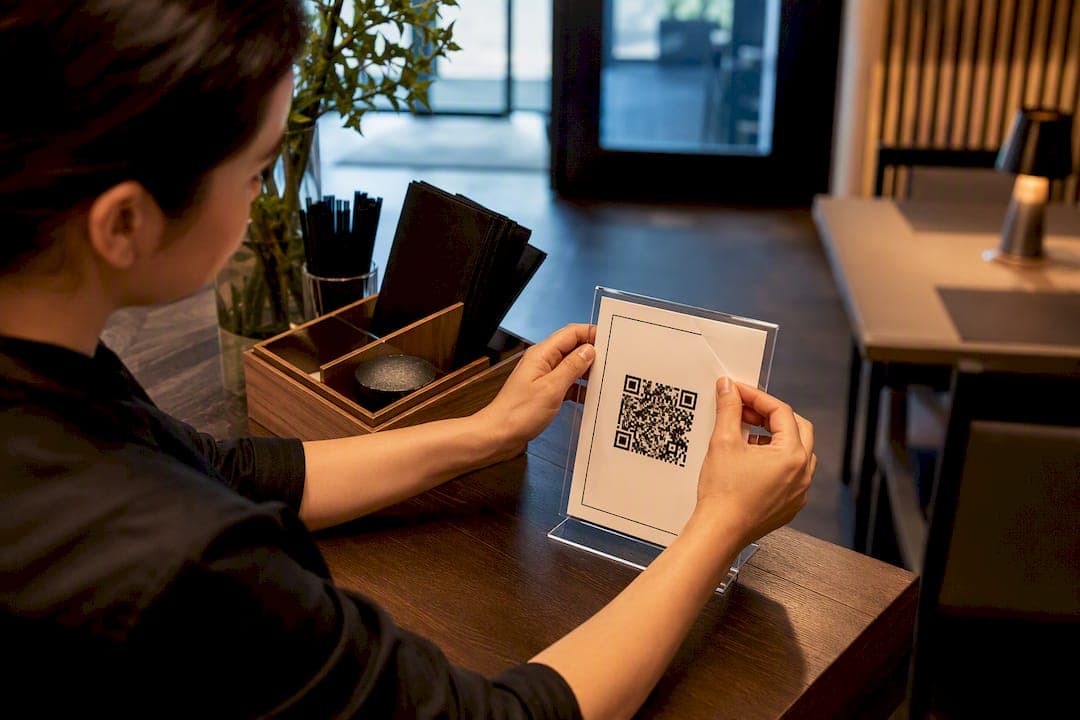
The single most common QR scam in restaurants is embarrassingly low-tech: someone prints a fraudulent sticker and pastes it over your legitimate table code, redirecting payment to their own account. Guests never notice because the sticker looks identical.
The fix is mostly physical, not digital. Laminate codes into table tents rather than leaving loose stickers, and have a manager or shift lead do a quick visual sweep of table codes at the start of each shift, the same way you'd check that menus aren't torn.
On the technical side, prefer a proper payment link generated by your provider over a bare URL, and push for EMVCo-compliant codes wherever your processor supports them. Modern Treasury notes that dynamic, per-transaction codes tied to a known order ID and a short expiry window make redirected payouts far harder to pull off than a static code sitting on a table for months.
Verify your processor is PCI DSS compliant before you sign anything. That compliance covers how cardholder data gets handled even though you never touch a card number directly in a QR flow.
- Check every table code visually at the start of each shift.
- Use dynamic, expiring codes for higher-value tickets.
- Confirm PCI DSS compliance in writing from your provider.
- Never accept a "just scan this instead" code from anyone who isn't your own staff.
Pro Tip: *If a guest reports being redirected to an unfamiliar payment page, stop taking QR payments at that table immediately, cover the code with a card terminal option, and photograph the sticker before removing it. You'll need that evidence if you report it to your processor.*
How Do Tipping and Split Bills Work with QR Pay?
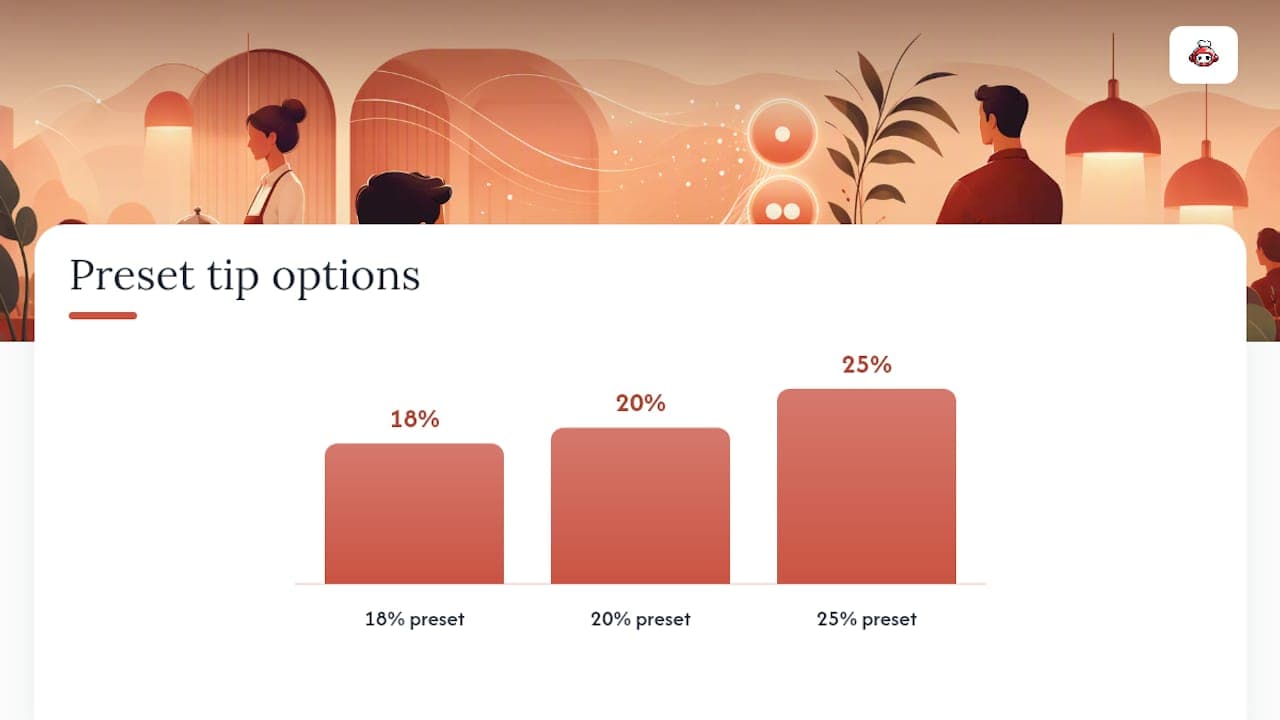
A well-designed tip prompt with preset percentage buttons (18%, 20%, 25%) tends to outperform a blank tip field, since most guests default to whatever's already highlighted. Local rules on tip pooling and disclosure vary by jurisdiction, so confirm your prompts match your state's or country's requirements before rolling them out chainwide.
Split bills are where most QR flows show their limits. Even-split (divide the total by number of diners) works cleanly in almost every system. Item-level splitting, where each guest pays only for what they ordered, requires a more sophisticated dynamic setup and isn't universally supported.
Not every guest wants to scan anything, and that's fine. The National Restaurant Association recommends keeping a card terminal or paper check on hand for guests who decline the QR workflow entirely, whether from unfamiliarity, accessibility needs, or simple preference.
- Preset tip percentages capture more tip revenue than open fields.
- Even-split works everywhere; item-level split needs a dynamic, order-aware system.
- Always keep a non-scan payment path visible and offered, not hidden.
- A one-line staff script ("Feel free to scan the code on the table, or I'm happy to bring a card machine") removes the awkwardness entirely.
A dedicated QR tipping setup can run independently of your main payment flow, letting individual servers collect gratuities directly.
What Does QR Payment Setup Actually Cost?
Most QR payment providers charge a per-transaction processing fee rather than a flat license cost, similar to card processing, though the exact rate depends on your provider and card mix. Subscription-model platforms flip that structure: a fixed monthly fee covers ordering and payment tools with no per-order cut taken.
One-time costs are modest: laminated table displays, a backup printer for replacement codes, and staff training time. Recurring costs beyond processing fees usually amount to occasional sticker replacement and periodic staff refreshers when you onboard new hires.
Statistic Callout: Marketplace delivery commissions commonly run near 30% of the order total before tax, a structural cost that a subscription-based, commission-free ordering model simply doesn't carry, since it charges a flat fee regardless of order volume.
Settlement timing shapes your cash flow more than owners expect. A processor that pays out next-day versus one that holds funds for 72 hours changes how tightly you need to manage payroll timing around QR-heavy weekends.
- Ask for the exact per-transaction rate in writing, not a rounded estimate.
- Budget for sticker and table-tent replacement every few months.
- Compare subscription cost against your actual delivery commission spend before switching models.
- Confirm payout schedule (next-day vs multi-day) before your first weekend rollout.
How Does a Platform-First QR Rollout Actually Work?
RESTOBOT's own deployment path shows what a fast rollout looks like in practice. A restaurant's site and menu go live automatically the moment an application is confirmed, typically within minutes, with QR pay-at-table built into that same site rather than bolted on as a separate app.
Because RESTOBOT takes no commission on orders, the QR-driven order and payment volume flows straight to the restaurant's bottom line, only the standard processor fee applies, the same as it would anywhere. Staff also get access to standalone tipping profiles: a waiter or bartender can set up guest tipping through a personal QR code and receive funds directly, with zero platform commission, whether or not their restaurant even uses RESTOBOT.
Owners running this setup tend to report the same short list of wins: faster settlement visibility through the dashboard, higher tip capture once guests see a clear prompt, and simpler loyalty sign-up since a QR scan can also add a guest straight into a digital loyalty card.
- Site and QR pay-at-table live within minutes of application approval.
- Zero commission on orders; only standard processor fees apply.
- Staff tipping profiles work independently of the restaurant's own plan.
- Loyalty enrollment can piggyback on the same scan guests already used to pay.
What Should You Track in the First 90 Days?
Launch week isn't the finish line, it's the point where you start measuring whether the rollout actually worked.
- Pre-launch: finalize your provider, generate and laminate codes, place signage, and run staff training with a live mock transaction.
- Launch day: test the fallback path deliberately (decline a payment on purpose) before your first real guest scans anything.
- 30-day check: track average time-to-pay and table turnover against your pre-launch baseline.
- 60-day check: watch tip-per-check and payment error/decline rates; a rising error rate usually points to a signage or code-quality problem, not a guest problem.
- 90-day check: run a small signage A/B test (table-tent wording, tip-default percentage) to see if adoption climbs further.
| Metric | What to watch | Why it matters |
|---|---|---|
| Time-to-pay | Minutes from check request to payment confirmed | Direct measure of turnover speed gained |
| Table turnover | Covers per table per shift | Revenue impact of faster checkout |
| Tip-per-check | Average tip percentage captured | Shows whether prompts are working |
| Payment error rate | Failed or declined scan attempts | Flags tampering, signage, or connectivity issues |
Common Pitfalls With QR Payments in Restaurants
The mistake I see most often isn't technical, it's placement. Owners laminate a beautiful code, then stick it where glare from an overhead light makes it unscannable half the day. Fix that before you fix anything else.
The second mistake is undertraining. A server who can't calmly explain a failed scan turns a minor hiccup into a guest who never uses the code again. Script it, rehearse it, move on.
The third, and the one owners regret longest, is choosing a platform for the sign-up bonus instead of the margin math. A per-order commission model quietly erodes exactly the revenue QR payments were supposed to protect. Platform choice compounds every single week you run it.
*— ADMIN*
Get QR Pay-at-Table Running Without the Commission Cut
There's more than one way to get QR payments live, a standalone payment link from your processor, a bolt-on app, or a fully built platform. For restaurants that want speed without stitching three tools together, RESTOBOT gets your site, menu, and QR pay-at-table workflow live within minutes of approval, and it charges zero commission on every order that comes through it, only the standard processor fee applies. Staff also get their own commission-free tipping profiles, independent of whatever plan the restaurant runs. If you're comparing that against a marketplace cut that regularly runs near 30% of order value, the math tends to settle the decision fast. You can also lean on free planning resources like Served's restaurant tools while you map out signage and table layout. Start a RESTOBOT demo to see the QR pay-at-table setup running on your own menu before you commit to anything.
Where to Verify the Standards and Provider Rules
For the technical specification behind merchant-presented and consumer-presented codes, EMVCo's QR code documentation is the primary source, including the QR Payment Mark that signals standardized, interoperable payloads.
For cardholder data handling obligations that apply regardless of your QR provider, PCI Security Standards Council publishes the current merchant guidance directly.
For how QR payments behave in practice, static versus dynamic tradeoffs, offline display scenarios, and payment-link mechanics, Stripe's comparison of NFC and QR payments and Modern Treasury's QR payments overview both walk through the mechanics from the provider's side.
Sources
FAQ
How Do You Pay at a Restaurant Using a QR Code?
Scan the code displayed at your table with your phone's camera, confirm the amount that opens in your browser or wallet app, add a tip if prompted, and complete payment, no app download required in most setups.
Can Every Restaurant Accept QR Code Payments?
Most restaurants can accept QR payments as long as their payment processor supports QR-based payment links; standalone options and platforms like RESTOBOT make this available even to small, independent operators without custom development.
Who Actually Accepts QR Code Payments?
Sit-down restaurants, cafés, and quick-service counters increasingly accept QR payments, and providers ranging from major processors to restaurant-specific platforms now support merchant-presented QR codes as a standard checkout option.
Is It Safe to Scan a QR Code in a Restaurant?
It's generally safe when the code is on a laminated, tamper-checked display from a PCI DSS compliant provider using proper payment links; the main risk is a fraudulent sticker pasted over a legitimate code, which regular staff checks catch quickly.