

Multi-location reservations means taking and managing bookings for several restaurants from one connected system. Each venue keeps its own tables, hours and rules, while the group sees every booking, guest and report in one place. The aim is that a guest can book any of your venues in a couple of taps, and your managers never juggle separate diaries, spreadsheets or phone notes.
This guide covers what a multi-location system does, how to split control between head office and each site, what to compare before you choose, and how to roll it out in a sensible order.
TL;DR
- A multi-location reservation system gives every venue its own availability and rules, plus one shared view of bookings, guests and reporting for the group.
- Centralise what must be consistent (guest data, branding, confirmations, reporting). Leave local what depends on the room (tables, shifts, turn times).
- Compare channels, staff permissions, guest messaging, reporting and how the tool sits alongside your ordering and loyalty setup, not just the headline price.
- Pilot with one or two venues, fix your booking rules, then copy the setup across the rest.
- RESTOBOT includes reservation management through your website, Google Maps and Telegram, inside a platform that also covers ordering, loyalty and reviews.
Table of Contents
- What a multi-location reservation system actually does
- What to centralise and what each venue should control
- Setting up availability, tables and rules across several sites
- The guest journey across locations
- Reporting and integrations that matter for groups
- What to compare when choosing a system
- A rollout plan that works
- Our perspective
- Where RESTOBOT fits
- FAQ
- Sources
What a multi-location reservation system actually does
A single-venue booking tool answers one question: is there a table at this time? A multi-location system answers that for every venue at once, and adds a second layer: what is happening across the group?
In practice it has three parts:
- A guest-facing booking path. The guest picks a venue (or lands on a venue's own page), chooses a date, time and party size, and gets a confirmation.
- A venue-level workspace. The manager at each site sees that site's bookings, edits availability and handles walk-ins and no-shows.
- A group-level view. Owners and area managers see bookings, covers and guest history across all sites, and can change shared settings once rather than ten times.
The value comes from the third part. Without it, you have several independent booking tools that happen to have the same logo on them.
What to centralise and what each venue should control
The most common mistake in multi-site booking is deciding everything centrally or nothing centrally. A workable split looks like this.
| Area | Best set at group level | Best set at venue level |
|---|---|---|
| Brand and booking page look | Logo, colours, tone of voice, wording | Venue photos, address, local details |
| Guest data | One guest record, consistent consent wording | Local notes (a regular's favourite table) |
| Confirmations and reminders | Template, language, sender identity | Venue-specific details such as parking or entrance |
| Booking rules | Sensible defaults (party-size limits, cancellation wording) | Opening hours, service periods, turn times |
| Tables and capacity | Nothing, apart from naming conventions | Floor plan, table sizes, bar and terrace seating |
| Staff access | Who can see group-wide data | Who can edit that venue's diary |
| Reporting | Shared metrics and definitions | Day-to-day service view |
The logic is simple. Anything the guest should experience the same way everywhere is central. Anything that depends on a physical room or a local team is local.
Why capacity must stay local
A 40-seat neighbourhood bistro and a 120-cover waterfront site cannot share a booking pace. Pushing a group-wide "two-hour table" rule onto both will either leave seats empty or cause queues. Let each manager set service periods and turn times, and review them together once you have a few weeks of data.
Why guest data should be central
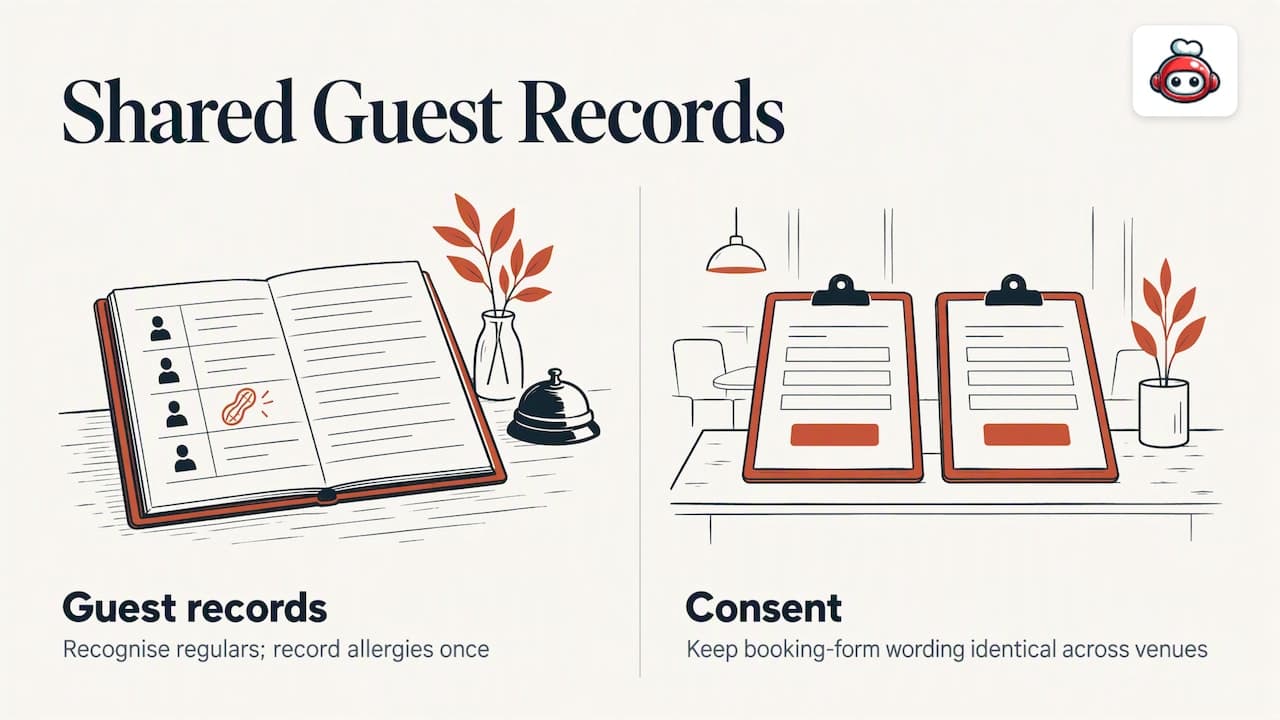
If a guest books your second venue after dining at your first, the group should know. Shared guest records let you recognise regulars, record allergies once, and avoid asking someone to re-enter details they gave you last month. Be clear about consent in your booking form wording, and keep that wording identical across venues.
Setting up availability, tables and rules across several sites
Before you open any software, do this groundwork on paper. It takes an afternoon and saves weeks of clean-up.
Step 1: Write one rulebook with local exceptions
List the rules every venue shares: maximum online party size, how far ahead guests can book, what happens with a late arrival, how you word cancellations. Then list the exceptions: the terrace that closes in bad weather, the private room that needs a manager's approval, the bar area that is walk-in only.
Step 2: Map each venue's service periods
For every site, note opening days, lunch and dinner service windows, last booking time and typical turn time by party size. Write them in the same format for every site so differences are easy to spot.
Step 3: Name tables consistently
Use a naming scheme that means something to staff: T1 to T12 for the main room, P1 to P4 for the patio. Consistent naming helps area managers who cover more than one site and makes reports readable.
Step 4: Decide who can do what
Most groups need three levels of access:
- Owner or head office: sees every venue, edits shared settings.
- Venue manager: edits that venue's diary, hours and tables.
- Floor staff: view and update bookings on the day, with no access to settings.
Keep the number of people with full access small. Every extra administrator is another person who can accidentally close next Saturday's dinner service.
Step 5: Plan special cases
Private dining, large groups, event buyouts and set menus often need a human conversation. Decide where those requests land (the venue manager's inbox, usually) and tell guests what to expect on the booking page.
The guest journey across locations
Guests do not think in terms of your group structure. They think: "I want dinner near the station on Friday." Your booking path should respect that.
Choosing a venue
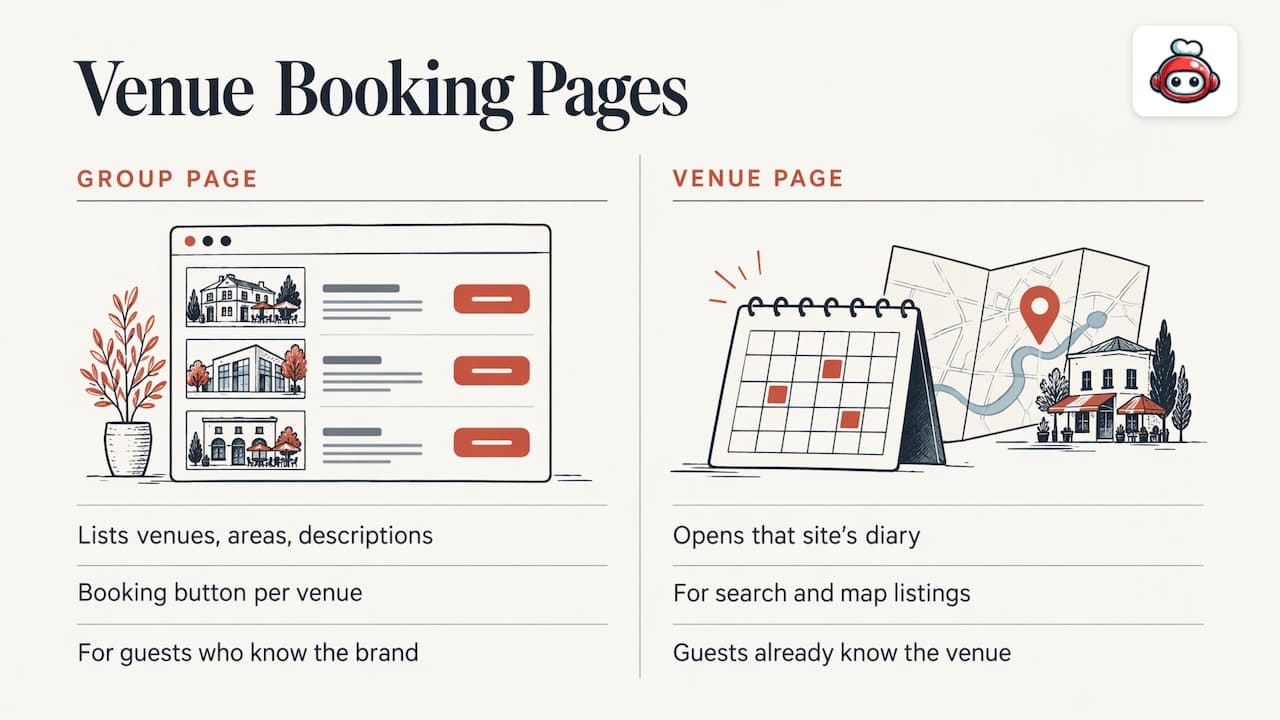
There are two sensible patterns. A group page lists your venues with a short description, area and a clear booking button for each. A venue page goes straight to that site's diary. Most groups need both: the group page for people who know your brand, and venue pages for search results and map listings, where guests already know which site they want.
That second point matters. Many guests arrive from a map listing, not from your website. A booking option on the venue's own listing removes a step, and it is one of the places RESTOBOT's reservation management reaches: bookings can come from your website, from Google Maps and from Telegram.
Making and changing a booking
The path should take under a minute: venue, date, time, party size, name and contact details. Offer a clear way to change or cancel from the confirmation message. Every cancellation the guest makes themselves is a table you can resell, rather than a no-show you discover at 8 pm.
Confirmations and reminders
A confirmation tells the guest the booking exists, and a reminder reduces no-shows. Both should name the specific venue, address and time, because a guest who books two of your sites in one month will otherwise mix them up. Text is often the channel guests respond to fastest, and SMS booking confirmations come with their own local rules about sender identity and replies, so check the requirements in each country you operate in.
Reporting and integrations that matter for groups
Once you have more than two sites, intuition stops being enough. The reports that earn their place are the simple ones:
- Covers by venue, day and service. Where are you full, and where are you empty?
- Booking source. Website, map listing, messaging channel or phone. This tells you where to spend effort.
- No-shows and cancellations by venue. A site with a high no-show rate may need better reminders or a different deposit policy.
- Lead time. How far ahead do guests book at each site?
- Repeat guests across venues. Do customers of one site visit another?
It also helps to set your numbers against the wider market. Published restaurant industry benchmarks give you a financial reference point for the sector, though your own venue-to-venue comparison will be the more useful guide day to day.
Integrations worth asking about
Bookings do not live alone. Ask whether the system connects to:
- your POS, so covers and spend can be compared;
- your website and map listings, so guests book where they find you;
- your loyalty scheme, so bookings and rewards belong to the same guest;
- your ordering channels, if you also take delivery or collection orders;
- your review process, so happy guests are asked for a review at the right moment.
If you also run ordering across sites, our guides on multi-location restaurant ordering and multi-location menu management show how the same group-versus-venue logic applies. For POS questions, see restaurant POS integrations.
What to compare when choosing a system
Pricing pages for these tools vary widely: some charge per venue, some per booking, some per seat, some by feature tier. Compare on the questions below rather than on the first number you see.
| Question | Why it matters |
|---|---|
| How is it priced as you add venues? | A low per-venue price can climb quickly at ten sites. Model your real group size. |
| Which booking channels are included? | Website, map listings and messaging all affect how many guests can reach you. |
| Can venue managers be limited to their own site? | Prevents accidental changes and protects group data. |
| Can shared settings be edited once? | Saves hours every time you change a template or a rule. |
| How good is the group reporting? | You want comparisons across venues without exporting spreadsheets. |
| Does it connect to ordering, loyalty and reviews? | One platform means one guest record and fewer tools to pay for. |
| How fast can a new venue go live? | Matters if you plan to open more sites. |
| Who owns the guest data? | You should be able to export and use your own guest list. |
Two cost traps are worth naming. The first is the stack of separate tools: a booking tool, an ordering tool, a loyalty app and a review tool can each look cheap but add up, and none of them share a guest record. The second is commission. Marketplaces such as Uber Eats, Glovo, Bolt Food, Wolt, Just Eat and Pyszne charge 30% of the net order value plus VAT, almost 40% in total. Reservations are a different product from marketplace delivery, but if your group is moving more guests to direct channels, the same principle applies: pay a predictable subscription, not a share of every sale.
A rollout plan that works
Resist switching every venue on in the same week.
- Pilot with one or two sites. Choose a busy site and a quieter one, so you see both extremes.
- Run old and new in parallel for a short period. Keep your previous diary visible until the team trusts the new one.
- Train by role. Managers need settings and reports. Floor staff need the day view and how to mark arrivals and no-shows.
- Review after a few weeks. Check no-shows, lead time and any rules guests find confusing, then adjust the defaults.
- Copy the setup to the next venues. Reuse templates and rules, and change only the local details.
- Point every listing at the new booking link. Update your website, map listings, social profiles and any printed material.
If you are adding online booking for the first time, our practical guide to adding online reservations walks through the basics at a single venue before you scale up.
Our perspective
Groups rarely struggle because they lack a booking tool. They struggle because bookings, orders, loyalty and reviews live in four places, and none of them knows who the guest is.
>
That is why we built RESTOBOT as one platform. A guest can find you on Google Maps, on your website or in Telegram, book a table, order food, collect loyalty points in Apple or Google Wallet and be nudged to leave a review, all through channels you control. You see it in one dashboard, with real-time control of orders and reservations and a manager mobile app for when you are away from your desk.
>
We also think the economics matter. RESTOBOT charges a monthly subscription and 0% commission on orders. When a marketplace takes 30% of the net order value plus VAT, every guest you move to your own channels is margin you keep.
>
Our advice to growing groups: start with the guest experience you want everywhere, put that in your central settings, and let each venue tune the details. Our platform is designed so a venue can go live in a day, which makes the pilot-then-copy approach realistic.
>
*the author*
Where RESTOBOT fits
If you want reservations, ordering, loyalty and review tools in one subscription, RESTOBOT publishes its plans openly: MENU from €69 per month and FULL from €119 per month, with no commission on orders. See the current plans and what each includes on the RESTOBOT pricing page. Your waiters and bartenders can also collect voluntary gratuities from guests through online tips, which are available on all plans and work even for staff whose venue is not on RESTOBOT.
For related reading, see how zero commission online ordering is priced and how to create a Google review link that guests actually use after a booking.
FAQ
What is a multi-location restaurant reservation system?
It is a booking system that manages several venues from one account. Each venue has its own diary, tables and rules, while the group sees combined bookings, guest records and reports. It replaces separate diaries and spreadsheets with one connected view.
Can each venue set its own booking rules?
Yes, and it should. Opening hours, service periods, table layouts and turn times depend on the room and the team, so venue managers should control them. Keep shared elements such as confirmation wording and branding central, so guests get a consistent experience.
How do guests choose which venue to book?
Most groups offer a group page listing every venue, plus a direct booking link on each venue's own page and map listing. Guests who already know the site go straight to its diary, and those who know only your brand pick from the list.
How should we roll it out across many sites?
Start with one or two pilot venues, run the new system alongside the old for a short period, and train managers and floor staff separately. Once your rules are settled, copy the setup to the other venues and change only local details.
Do we need reservations, ordering and loyalty in one platform?
Not strictly, but it simplifies things. One platform means one guest record, one dashboard and one subscription, instead of several tools that cannot share information. It is easier to train staff on and easier to report across.