

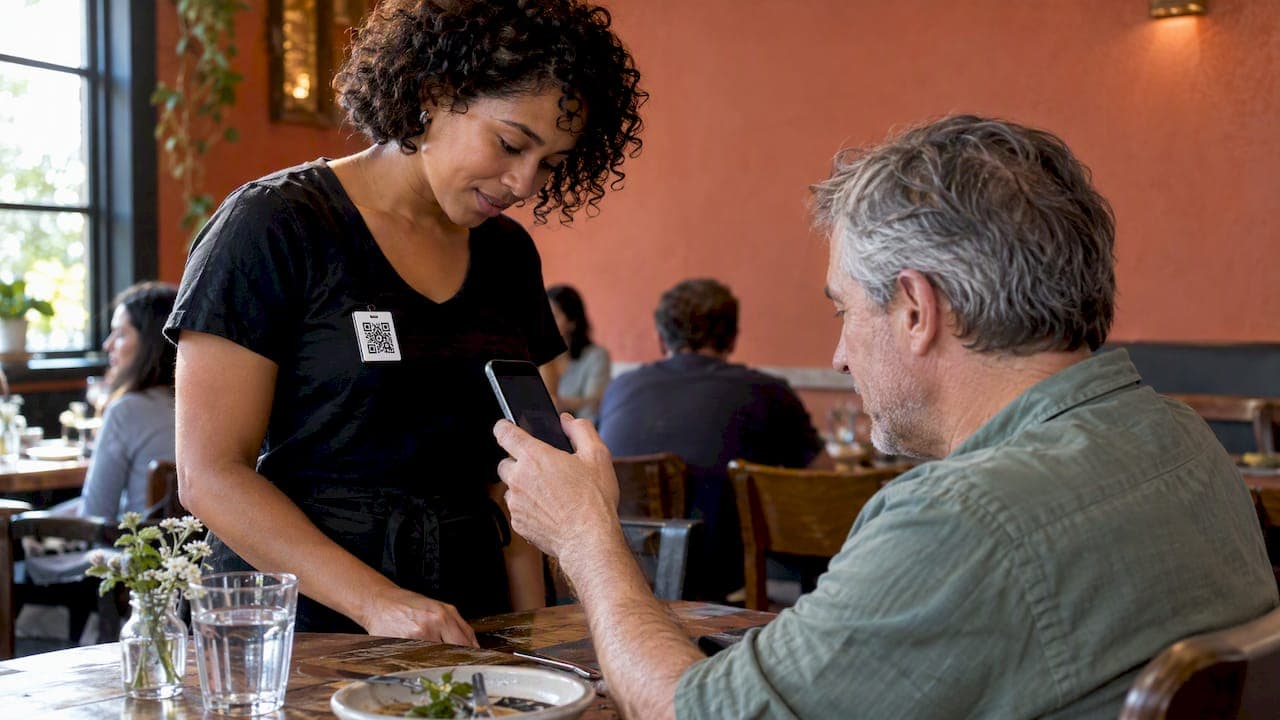
A waiter tipping profile is a personal page, reached by QR code or link, where a guest can rate you, leave a comment and choose an amount to tip. The money goes to your own payment account. You can create one in a few minutes, and you don't need your restaurant's permission or its software. This guide covers what to put on the profile, how guests use it, what to check on fees and payouts, and how the rating becomes a record of your service that you keep.
TL;DR
- A tipping profile is your own page with your name, photo, QR code and link. Guests scan it, pick an amount and pay by card or phone wallet in the browser.
- With RESTOBOT, online tips are available on all plans, and a worker can register alone even if the venue is not on RESTOBOT.
- We take 0% commission on tips. You set your own payout schedule in the payment provider.
- Guests can rate you and comment, so the profile builds a public rating tied to you, not to the venue.
- Before choosing any service, check the fee per tip, the payout schedule and who owns the profile if you change jobs.
Table of Contents
- What a waiter tipping profile actually is
- Why waiters set up their own profile
- How to create your tipping profile
- How guests find and use your profile
- What to check before you choose a service
- Building a reputation that travels with you
- Perspective
- What it means for the venue
- Try it: a profile for you, a platform for your venue
- How much should guests tip in Britain?
- FAQ
- Sources
What a waiter tipping profile actually is
Think of it as a digital version of the tip jar that follows you from shift to shift. You have one profile. It has a QR code you can print on a card, put on a badge or stick to your order pad. It also has a short link you can share.
When a guest scans the code, a page opens in their phone browser. No app download is needed. They see who you are, choose an amount, and pay. Many guests also leave a star rating and a short comment, which appears on your profile.
Three things separate a good profile from a poor one:
- The money goes to you. It lands in an account in your name, not in a venue's pot.
- It belongs to you. It does not depend on which restaurant you work in this month.
- It carries a reputation. Ratings and comments accumulate on your page, so a guest or a future employer can see how you work.
Our Waiter Ratings Online guide goes deeper on the reputation side.
Why waiters set up their own profile
In Britain, tipping is a custom, not a rule. Many guests like to reward good service but are unsure how to do it in a world that has moved to cards. Cash is carried less often, and a guest who wants to tip a card payment is often left asking the question every waiter knows: will this reach the person who served me?
Which? advises diners who are unsure whether a tip will reach the worker to ask the waiter before leaving it. A personal QR code answers that question in advance. The guest can see your name and your photo, and the payment is clearly meant for you.
There are practical gains too:
- No cash handling. Guests who carry no change can still say thank you.
- Tips for the work that cards miss. Bar staff, baristas and runners can each have their own page.
- A record that travels. If you leave a job, the profile and its ratings stay with you.
- Independence. You are not waiting for your employer to adopt a system.
If you want the version written for servers who are watching what they keep, see Keep Every Dollar: 0% Commission Digital Tipping for Servers.
How to create your tipping profile
The steps are similar across services. Here is how it works with RESTOBOT.
- Open the tips page. Go to RESTOBOT online tips and register as an individual worker. The set-up cost is €0.
- Add your public details. Use your first name, or the name guests know you by, and a clear photo. Guests tip people, so a recognisable face helps them tip the right person.
- Choose suggested amounts. Offer a few simple options so guests don't hesitate. Keep the lowest one small enough to feel easy.
- Connect your payment account. The payment provider verifies your identity and your bank details. This is where the money goes, so use an account you own.
- Set your payout schedule. You choose it in the payment provider, not in a venue's back office.
- Print your QR code. Put it on a small card, a badge or a table talker, and test it on your own phone before your next shift.
Your restaurant does not need to use RESTOBOT for any of this. If it does, the profile fits into the wider setup, and we explain the table side in QR Code Tipping: How to Set It Up and Why It Works.
What to put on the profile
A short, honest profile works better than a long one.
- Name and photo. Guests remember a face more than a name.
- Where you work. Add the venue or bar if you are happy for it to be shown.
- One line about you. For example, the dishes you recommend, the languages you speak or the wines you know. Keep it true and specific.
- Thank-you note. A single line on the payment page, such as thanking the guest for choosing the restaurant, feels human.
Leave off anything you would not want a stranger to read. Your profile is public, and so are the comments left on it.
How guests find and use your profile
The guest's journey should take well under a minute:
- They scan your QR code with their phone camera, or open your link.
- Your page opens in the browser.
- They choose an amount, or enter their own.
- They add a rating and, if they like, a comment.
- They pay with a card or a phone wallet.
You can bring the code into the conversation without it feeling awkward. When you drop the card payment machine at the table, say that if they'd like to leave something for you, the code on the card goes straight to you. Do not ask for a tip. Say where the code is and leave it there.
Where to display the QR code
| Place | Works well for | Watch out for |
|---|---|---|
| Card left with the bill | Waiters serving tables | Keep it clean and dry |
| Badge or lanyard | Bar staff and baristas | Make sure the code is large enough to scan |
| Table talker or menu insert | Venues that agree to it | Needs the manager's approval |
| Link in your messages | Regulars and private events | Check it opens on a phone |
If you work for a venue, ask the manager before you put anything on the tables. If the venue wants to offer the same for the whole team, our guide to getting tips to your bank today shows how it works from the server's side.
What to check before you choose a service
Not every tipping service works the same way. Before you commit, check these points.
Fees per tip
Some services take a percentage of each tip. Others charge you a subscription or a fee for faster payouts. A small percentage matters more than it looks, because it comes out of every guest's gesture. Our fee on tips is 0%. Card processing is handled by the payment provider, so read the provider's own terms as well.
Payout schedule
Ask three things: how often you are paid, whether you can change it, and whether a faster option costs extra. With RESTOBOT you set the payout schedule in the payment provider. That keeps control with you.
Who owns the profile
If your profile belongs to your employer, you lose it when you leave. A profile you register yourself stays yours. Ask any service whether you can move your ratings and your link with you.
Public ratings and comments
A public rating helps when it is fair. Check whether you can reply to a comment, report an abusive one and see all your feedback in one place. Remember that a profile makes your service visible to everyone, which most good waiters welcome.
A quick checklist
| Question | What a good answer looks like |
|---|---|
| Does it take a share of each tip? | No commission on the tip |
| Where does the money go? | Your own verified account |
| Who sets the payout schedule? | You do |
| Do guests need an app? | No, a browser is enough |
| Does it depend on the venue? | No, you can register alone |
| Is the rating tied to you? | Yes, to your profile, not the venue |
Building a reputation that travels with you
A tip is a one-off thank-you. A rating is a record. Over a season, a handful of kind comments say more about you than a line on a CV. When you apply for a new job, you can point to a page that shows how guests describe your service, in their own words.
That is also why we think the feedback side deserves attention. Businesses that listen to customers tend to gain from it: one analysis of customer feedback and revenue growth argues that it feeds directly into results. A waiter who collects and reads feedback gets the same advantage on a personal scale, with evidence of what guests value and what to improve.
Some habits help the rating grow honestly:
- Ask for nothing. Let the code do the talking.
- Read every comment, including the critical ones.
- Thank regulars in person when you see a good rating.
- Keep the profile photo and details current.
The point is a rating you earned and can show anyone, not a number someone else controls.
Perspective
We built the tips feature because we think the person who carried the plates should be the person who is paid for it. A waiter's skill is personal, so the rating and the payment should be personal too.
>
That is why the profile belongs to the worker, why it works even when the venue is not on RESTOBOT, and why we take no commission on tips. We earn from subscriptions that restaurants choose, not from a cut of a guest's thank-you.
>
We also think a public rating tied to an individual changes the conversation. Guests get a clear way to reward good service, and workers get a record they can carry from one job to the next.
>
*the author*
What it means for the venue
A waiter profile and a restaurant system are separate things, but they work well together. If you are a manager, you may be wondering what happens when your staff start using personal QR codes. Treat it as a retention tool: staff who can earn directly and build a visible reputation have a reason to stay and to do the job well.
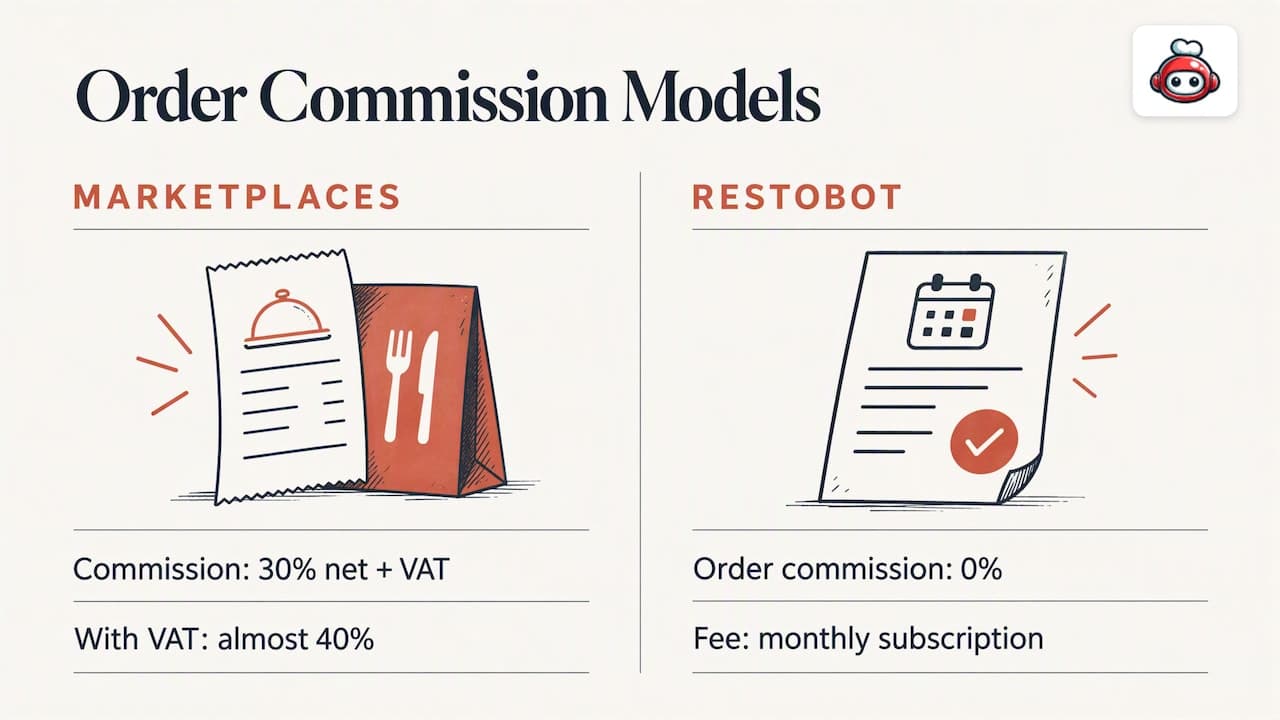
The restaurant platform behind this is the same one that handles menus, orders and bookings. Marketplaces such as Uber Eats, Glovo, Bolt Food, Wolt, Just Eat and Pyszne charge 30% of the net order value plus VAT, almost 40% in total. RESTOBOT charges 0% commission on orders. We charge only a monthly subscription. Tips are available on every plan, and our QR payments guide for managers shows how table payment fits in.
RESTOBOT plans at a glance
| Plan | Monthly | Yearly |
|---|---|---|
| LOYALTY | from €39 | €29 |
| MENU | from €69 | €59 |
| FULL | from €119 | €99 |
Prices are as published on our pricing page. A site can be created instantly and launched in one day.
Try it: a profile for you, a platform for your venue
If you are a waiter, bartender or barista, set up your tipping profile today. You do not need your employer to agree. If you manage a restaurant and want the whole system, with website, ordering, reservations, loyalty and tips together, look at the MENU and FULL plans.
How much should guests tip in Britain?
There is no fixed amount. Tipping in Britain is a custom and guests decide for themselves. The first thing to check on any bill is whether a service charge has already been added. If it has, many guests do not add more. If there is no service charge, guests leave what feels right for the service they had. A profile page lets them pick an amount without doing sums at the table.
One practical point: if you work somewhere that adds a service charge, a personal QR code is still your own choice to offer. Ask your manager how the venue treats it, so the guest isn't confused.
If a reader asks about tax on tips, the answer is short: taxes on tips are the worker's own responsibility.
FAQ
Can I make a tipping profile if my restaurant doesn't use RESTOBOT?
Yes. A worker can register alone, and the venue does not need to be on RESTOBOT. Tips are available on all plans. You keep the profile if you change jobs.
Does RESTOBOT take a commission on tips?
No. We take 0% on tips and 0% on orders. RESTOBOT charges only a monthly subscription for restaurants. The payment provider has its own terms, so read them when you connect your account.
Do guests need to download an app to leave a tip?
No. The guest scans your QR code or opens your link, and the page opens in the browser. They pick an amount, add a rating if they like, and pay.
Who decides when I get paid?
You do. You set the payout schedule in the payment provider you connect to your profile. Look at the options there before you choose.
What do guests see on my profile?
A public page with your name, photo, rating and comments. That is why it is worth keeping the details honest and up to date. Our guide to waiter ratings online explains what feedback shows.