

Fix your mobile menu and put ordering or booking one tap away. That single change delivers the fastest lift in both orders and reservations. Run three checks today: is your menu HTML instead of a PDF, is an order or book button visible without scrolling, and does your mobile page load fast enough to keep someone from bailing? The rest of this guide covers everything else, plus a launch checklist and a platform option that handles most of it automatically.
***
TL;DR:
>
- Ensuring your menu is in HTML with prices, dietary labels, and semantic headings improves searchability and readability on mobile devices. - Placing booking and order call-to-action buttons prominently on every page increases conversions and simplifies the customer journey. - Optimizing mobile load times by using WebP images and reducing third-party scripts boosts user experience and search rankings. - Maintaining an up-to-date Google Business Profile with correct hours, menu links, and schema markup helps your restaurant appear reliably in local searches. - Embedding your social media feeds and updating time-sensitive info directly on your site keeps content fresh and aligned with your online promotions.
***
Table of Contents
- Restaurant Website Best Practices That Actually Move the Needle
- Menu and Online Ordering: Structure, SEO, and Conversion
- Reservations and Booking UX: Make Booking One Tap Away
- Mobile Performance and Technical Basics
- Visuals, Content Hierarchy, and Photography That Convert
- Local Search and Discovery: Google Business Profile, Schema, and NAP
- Accessibility and Trust Signals That Reduce Friction
- Launch and Maintenance Checklist
- How an Integrated Platform Speeds Deployment and Protects Margins
- Integration With Social Media and Live Updates
- Security Best Practices for Online Ordering and Customer Data
- Tips for Crafting Engaging, SEO-Friendly Restaurant Content
- Publisher Perspective: Practical Trade-offs
- Get Your Restaurant Site Live Without the Build-It-Yourself Grind
- Sources
- FAQ
Restaurant Website Best Practices That Actually Move the Needle
Most restaurant sites try to do too much and end up doing the one job that matters poorly: getting someone from "hungry" to "ordered" in under 30 seconds. Before touching fonts or animations, get these fundamentals right.
- Menu access: a real HTML menu with prices and dietary labels, not a scanned PDF.
- Order and booking CTAs: visible on every page, not buried in a hamburger menu.
- Hours and location: current, consistent, and click-to-call on mobile.
- Photography: a handful of strong shots beats a gallery of mediocre ones.
- Reviews: recent, visible, ideally near the CTA itself.
- Basic analytics: enough to know where visitors drop off.
Avoid PDFs for anything customer-facing, CTAs hidden below three scrolls, autoplay video or music, and bloated third-party scripts that quietly wreck load times. If your budget or time is limited, fix the menu and the CTA first. Everything else is incremental; those two are foundational.
Menu and Online Ordering: Structure, SEO, and Conversion
An HTML menu instead of a PDF lets search engines index individual dishes, and it lets mobile users actually read the thing without pinching and zooming. Roughly 77% of diners check a menu online before deciding where to eat, according to Verlua's research, which means your menu page is often the first real impression your restaurant makes.
- Use semantic headings for each menu section (Appetizers, Entrees, Desserts) and mark up each dish name as its own heading or list item, so search engines and AI tools can surface specific dishes in results.
- List prices next to every item, and label dietary info (vegan, gluten-free, contains nuts) clearly rather than burying it in a footnote.
- Link each item, or at least each section, directly into your ordering flow so a customer can go from "that looks good" to checkout without hunting for a separate order page.
- If a PDF is unavoidable for a special event menu, put a mobile-first HTML summary above the fold and treat the PDF as a backup, not the primary experience.
Hidden menus are one of the most common reasons a decent restaurant loses online orders it should be winning.
Reservations and Booking UX: Make Booking One Tap Away
Booking should never require more than one deliberate tap from wherever the customer is on your site. Put the CTA in three places: the header, the hero section, and a sticky bar that follows mobile users as they scroll.
- Use an embedded booking widget only if it loads fast; a slow widget is worse than no widget.
- If embedding drags down performance, link out to a lightweight booking flow instead of forcing a heavy iframe onto every page.
- Send automated confirmation emails or texts immediately after booking.
- Make canceling or changing a reservation a two-click process, not a phone call during service hours.
Confirmation and easy changes do more for trust than any design flourish. A guest who can reschedule without calling is a guest who books again.
Mobile Performance and Technical Basics
Pro Tip: *Run your site through PageSpeed Insights, then load it on your own phone standing in your dining room's Wi-Fi dead zone. The tool tells you the score; your thumb tells you the truth.*
Google's Core Web Vitals set concrete targets: Largest Contentful Paint (LCP) at 2.5 seconds or under, Interaction to Next Paint (INP) at 200 milliseconds or under, and Cumulative Layout Shift (CLS) at 0.1 or under. Miss these by a wide margin and you lose both search ranking and patience from a hungry visitor.
Most restaurant sites blow their budget on a handful of predictable mistakes:
- Full-resolution JPEGs where WebP or AVIF would load in a fraction of the size.
- Missing width and height attributes on images, which causes layout shift as the page loads.
- Booking or ordering widgets that load synchronously and block everything else.
- Third-party scripts (chat widgets, tracking pixels) that nobody audited after the initial install.
Fix LCP and INP first. Modern guidance recommends mobile LCP under two to three seconds, and that number tracks directly with how many visitors complete an order instead of abandoning the cart.
Visuals, Content Hierarchy, and Photography That Convert
Photography sells food before the menu copy does. A signature-dish shoot refreshed each season keeps your hero section from looking stale, and it gives you new material for social posts without a second production.
- Put your best photo directly behind or beside the order CTA, not three scrolls away from it.
- Use
srcsetand responsive sizing so a phone downloads a phone-sized image, not a desktop-sized one. - Write real alt text describing the dish, not "image1.jpg" or a keyword dump. It helps accessibility and search visibility at the same time.
- Rotate seasonal specials into the hero rotation so returning visitors see something new.
Design hierarchy matters as much as the photos themselves: appetizing image, dish name, price, and an order button should sit close enough together that the eye doesn't have to hunt.
Local Search and Discovery: Google Business Profile, Schema, and NAP
A complete Google Business Profile with current hours, a working menu URL, and fresh photos is often the difference between showing up in "near me" searches and not showing up at all.
- Claim and fully complete your GBP listing, and update it the moment your hours change, especially around holidays.
- Add Restaurant schema markup (JSON-LD) covering your menu, hours, address, and reservation link, so search engines can pull structured data directly into results.
- Keep your name, address, and phone number (NAP) identical across your website, GBP, and every directory listing. Even small formatting differences confuse local ranking signals.
- If you run multiple locations, give each one its own page with neighborhood-specific title tags rather than one generic "Locations" page.
Accessibility and Trust Signals That Reduce Friction
Accessibility fixes double as conversion fixes. Set body text to 16 or 17 pixels minimum, keep contrast high enough to read in bright sunlight on a phone screen, write descriptive alt text, support keyboard navigation, and label every form field clearly.
- Feature two or three recent reviews right next to your order or reserve button.
- Pull short, specific quotes rather than generic five-star blurbs with no detail.
- Respond to reviews, good and bad, within a few days.
- Make review collection systematic: ask after the meal, not sporadically.
A visitor who sees a recent review while deciding whether to book trusts the decision more than one who sees nothing.
Launch and Maintenance Checklist
A pre-launch checklist catches the mistakes that quietly cost orders for months if nobody catches them early.
- Test menu display on at least three phone sizes, not just your own device.
- Walk through the entire reservation and checkout flow as a customer would, start to finish.
- Do a literal thumb-test: can you reach every CTA one-handed?
- Confirm click-to-call works and the map link opens the correct location.
- Weekly: respond to new reviews and resubmit any broken contact forms.
- Monthly: run a fresh PageSpeed report and fix whatever regressed.
- Quarterly: refresh photography and re-check your schema markup for accuracy.
Score each item pass or fail rather than agonizing over polish. Muntin Digital's checklist notes that small fixes to image weight and script order often outperform a full redesign, and that holds true here too.
How an Integrated Platform Speeds Deployment and Protects Margins
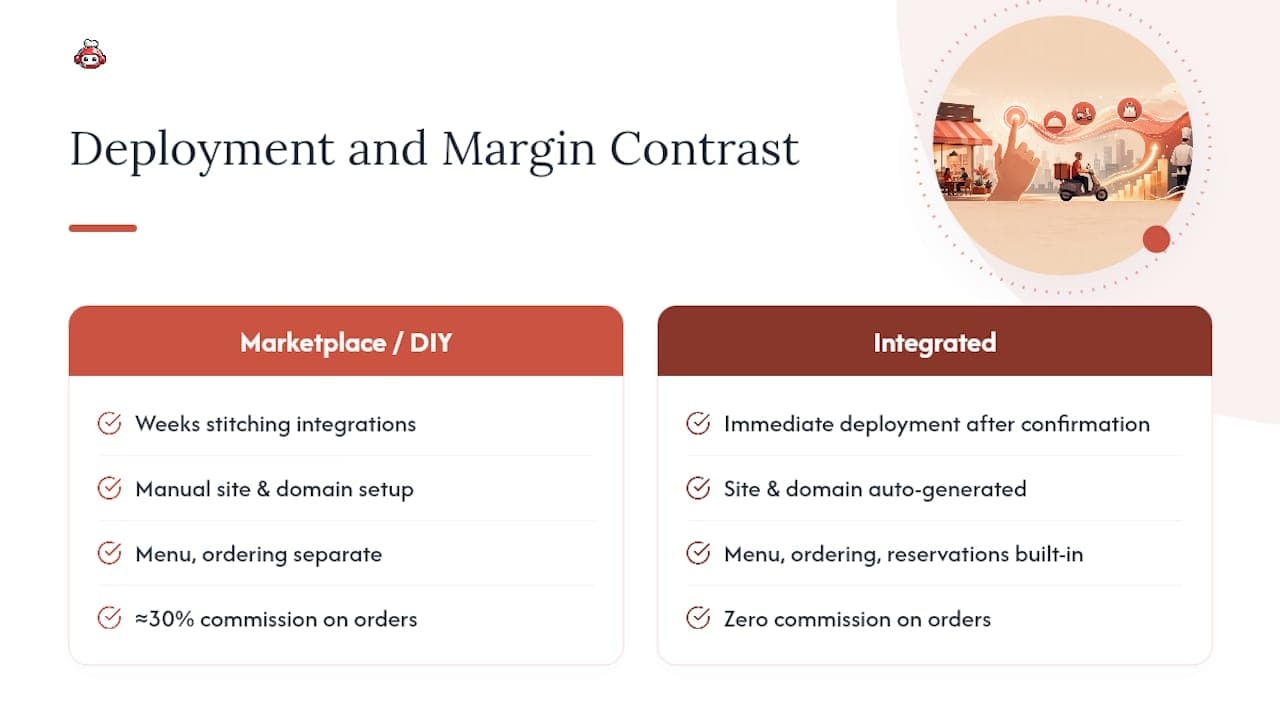
A restaurant that builds every piece separately, menu, ordering, reservations, loyalty, spends weeks stitching integrations together and often loses money to commission-based delivery apps along the way. Some integrated platforms take a different approach: once an application is confirmed, the site and domain generate automatically, with the menu, ordering, and reservation tools already built in. It charges zero commission on orders, unlike marketplace platforms that routinely take close to 30% before tax. Staff can also collect tips directly through digital tipping features at no commission, independent of whether the restaurant itself uses the platform. For owners weighing a DIY build against a faster path, that combination of speed and margin control is worth factoring into the decision.
Integration With Social Media and Live Updates
A restaurant website that never talks to your social accounts is doing double the work for half the payoff. If you post a lunch special on Instagram at 11 a.m., your website should reflect that same update without someone manually editing HTML.
Embed your Instagram feed directly on the homepage so seasonal photos refresh automatically instead of going stale. Link your Facebook events to any on-site calendar so a private event or live music night shows up in both places at once. If you run limited-time specials, treat social media as the announcement channel and your website as the place that closes the sale, meaning the special should link straight to an order button, not just a caption.
Live updates matter most for anything time-sensitive: a sold-out prix fixe, a weather-related closure, a last-minute reservation opening. A pinned banner on your homepage that you can update from your phone in under a minute beats a static "see our socials for updates" note that nobody clicks. Some platforms sync inventory or availability changes across the website and messaging channels automatically, which matters more than it sounds once you're mid-rush and don't have time to log into three separate dashboards.
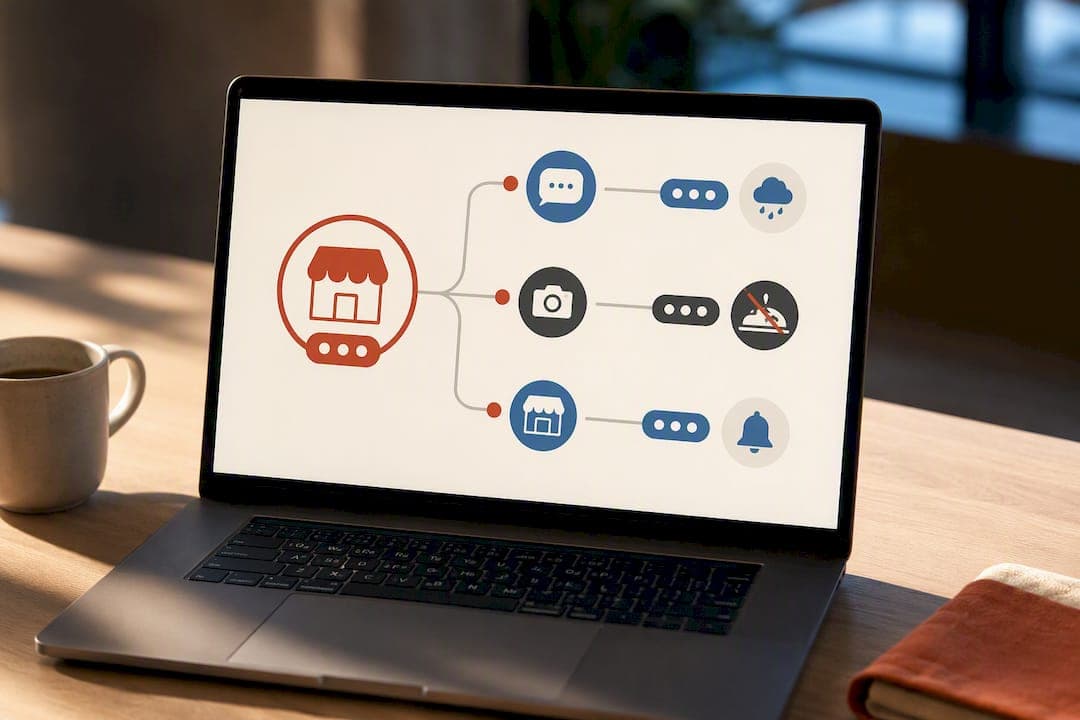
The goal isn't a follower count. It's making sure the version of your restaurant a customer sees on Instagram at 9 p.m. matches what they find on your website five minutes later.
Security Best Practices for Online Ordering and Customer Data
Every restaurant taking online payments is handling sensitive data, and treating that casually creates real financial and legal exposure. Start with the basics: your site needs a valid SSL certificate (the padlock in the browser bar) on every page, not just the checkout page, since browsers now flag entire sites as "not secure" when this is missing.
Payment processing should run through a PCI-compliant provider rather than storing card numbers on your own server. Most modern ordering platforms handle this automatically by tokenizing payment data, meaning your restaurant never actually touches or stores the raw card number. If you're evaluating a checkout provider, ask directly whether they're PCI-DSS compliant and where customer data physically lives.
A few practical habits reduce risk without slowing anyone down:
- Require strong, unique passwords for any staff accounts with dashboard access, and turn on two-factor authentication where it's offered.
- Limit who can see full customer records (name, phone, order history) to the staff who actually need it.
- Keep your CMS, plugins, and any third-party ordering widgets updated, since outdated software is the most common entry point for a breach.
- Have a clear, short privacy policy that states what data you collect and how long you keep it.
Customers notice security friction in the wrong direction too. A checkout that demands excessive personal information before completing a $12 order will lose that order. Collect what you need for the transaction and the receipt, nothing more.
Tips for Crafting Engaging, SEO-Friendly Restaurant Content
Generic restaurant copy ("delicious food in a warm atmosphere") tells search engines and readers nothing. Specificity is what ranks and what actually makes someone hungry.
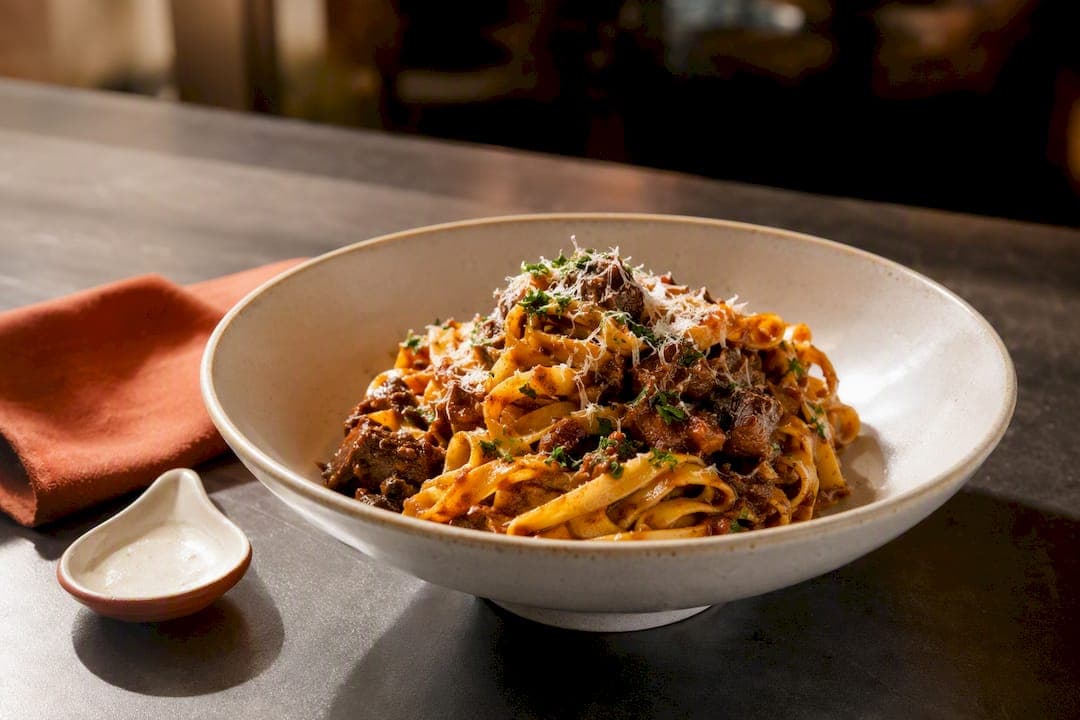
Write dish descriptions the way a good server would describe them out loud: where the ingredient came from, how it's prepared, what makes it different from the version down the street. "House-made tagliatelle with a 48-hour short rib ragu" does more work than "pasta with beef sauce," for a reader and for a search algorithm trying to match a specific query.
Build a few pages beyond the homepage and menu: a page about your chef or story, a page for private events, a neighborhood-specific landing page if you serve a distinct area. Each gives search engines another reasonable entry point and gives you room to naturally use location and cuisine-specific phrasing without stuffing keywords into menu copy where they don't belong.
Blog sparingly but with purpose. A seasonal ingredient spotlight, a note about a menu change, or a short post about a local event you're catering all give you fresh, indexable content without forcing you into a content calendar you'll abandon in six weeks. Update old posts rather than always writing new ones. A three-year-old post about your winter menu that still ranks well deserves a refresh, not abandonment.
Keep your restaurant's voice consistent across the menu, the About page, and social captions. A fine-dining tone that suddenly turns into casual slang on Instagram confuses the brand you're building.
Publisher Perspective: Practical Trade-offs
A custom build makes sense if you have a developer on staff and genuinely unusual operational needs. For most independents, a fast platform wins because the maintenance burden of a DIY site (security patches, plugin updates, widget audits) quietly eats the time you saved building it yourself. The trade-off is real: control versus upkeep, cost versus speed. If you remember nothing else from this guide, remember the priority order: menu visibility, one-tap ordering or booking, then speed. Everything else is refinement.
*— ADMIN*
Get Your Restaurant Site Live Without the Build-It-Yourself Grind
Most of what this guide recommends, an HTML menu instead of a PDF, visible order and booking CTAs, fast mobile load, current Google Business Profile data, comes built into some platforms by default rather than requiring a separate project to bolt on; you can also explore how to streamline your bookkeeping for small UK hospitality businesses to tie your online ordering revenue directly to operations more effectively. The site and domain may generate automatically once your application is confirmed, ordering and reservations integrated from day one, and some platforms take zero commission on orders, so revenue from every sale stays with your restaurant instead of feeding a delivery marketplace's cut. Staff can also collect tips directly with no commission taken, whether or not the restaurant itself uses the platform. If you're weighing how much of this checklist to build yourself versus hand off, it's worth evaluating RESTOBOT's platform directly and seeing how close it gets you to launch-ready in a single day.
Sources
FAQ
What Is the 30/30/30 Rule for Restaurants?
Treat any version you see as a rough budgeting heuristic, not a fixed industry standard.
What Are the 7 C's of a Website?
Definitions vary across marketing sources, but common versions include clarity, consistency, credibility, content, conversion, compatibility (mobile-friendliness), and contact information, all of which map directly onto restaurant site priorities like visible hours and clear ordering CTAs.
What Are the Five Golden Rules of a Website?
Most versions of this list emphasize simplicity, fast load times, mobile-friendly design, clear navigation, and a visible call to action, all of which line up with the mobile-first, order-focused approach this guide recommends for restaurant sites specifically.
What Are the Three C's in a Restaurant?
Industry usage typically points to consistency, cleanliness, and customer service as the three C's that define repeat business, and a restaurant's website should reflect all three through accurate hours, clear photos, and responsive support for online orders and reservations.
Do I Need a PDF Menu as a Backup?
You don't need one for everyday use. Keep your primary menu in HTML for search indexing and mobile readability, and reserve a PDF only for rare cases like a printable event menu, with an HTML summary above it.