

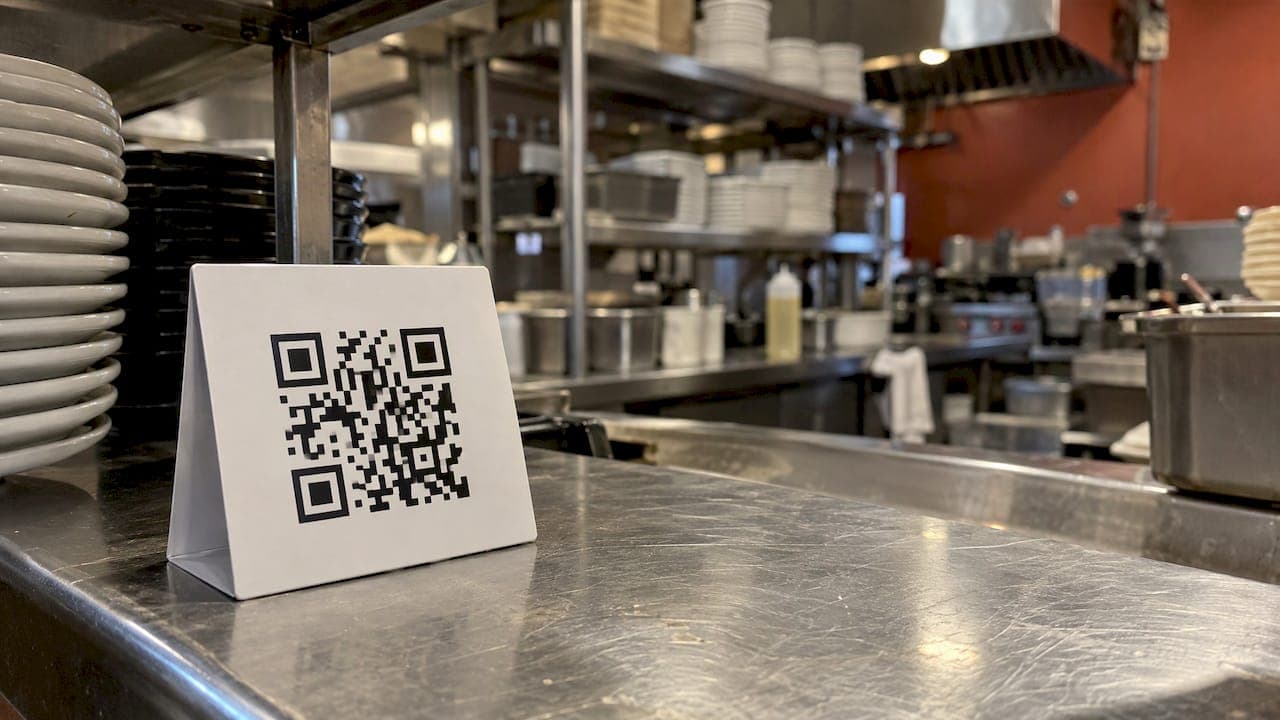
A tip link is a web address that opens your personal payment page. A guest scans a QR code or taps the link, chooses an amount and pays by card or phone wallet, and the money goes to you rather than into a till. With RESTOBOT you can create your own page on the online tips feature in minutes. It costs nothing to start, we take no commission, and you can do it even if your restaurant has never heard of us.
This guide explains what a tip link is, how the money travels, how to set one up, where to put the QR code and what to check before you hand it to guests.
TL;DR
- A tip link is a hosted page where a guest picks an amount and pays electronically. A QR code is simply the same link in a form guests can scan.
- With RESTOBOT, tips go straight to your own account. We charge no commission on them and the feature is available on every plan.
- You can register alone. Your venue does not need to use RESTOBOT.
- Your public profile carries a rating and comments from guests, so your reputation follows you, not the venue.
- You set your payout schedule in the payment provider, and your employer's own tips policy still matters.
Table of Contents
- What a tip link actually is
- Why waiters are moving to digital gratuities
- How the money gets to you
- How to set up your own tip link with RESTOBOT
- Where to put the QR code so guests actually use it
- What to check before you share the link
- Your reputation travels with you
- Perspective: why we built tips around the individual
- For restaurant owners: how this fits your venue
- Try it: RESTOBOT for workers and venues
- FAQ
- Sources
What a tip link actually is
Strip away the jargon and a tip link is a normal web page with one job: take a voluntary payment of an amount the guest chooses. Payment platforms already support this idea. Stripe's documentation, for example, describes a "customers choose what to pay" option that is meant for tipping and pay-what-you-want payments. The guest opens the page, types or picks a figure, and pays electronically.
The link has three useful properties for a waiter:
- It travels anywhere. You can put it on a QR code, a card, a menu insert, a name badge, a text message or a social media bio.
- It needs no app. Guests open it in their phone browser and pay with a card or a wallet such as Apple Pay or Google Pay. Nobody has to download anything or create an account at the table.
- It is tied to you. The page is yours, so the payment is aimed at the person who served the guest, not at the venue's general takings.
The QR code and the link are the same thing in two shapes. The code is for the table. The link is for everything else: a message to a regular, a note on your profile, a reminder after a private event.
Why waiters are moving to digital gratuities
Cash is shrinking. Many guests simply do not carry notes and coins, and they often assume that a card payment cannot include a gratuity for the person who served them. When the card machine offers only a service line on the bill, the guest may not know where that money goes. A personal link answers the question before it is asked: this is for me, the person who looked after you.
There are practical gains too:
- No more empty-handed good service. A guest who loved the evening but paid by card can still thank you on the way out, or the next morning.
- A record. Every digital payment leaves a trail you can look back on, which is easier than remembering what ended up in an apron pocket.
- A rating that is yours. When the page carries ratings and comments, a good run of reviews becomes something you can show a future employer.
None of this replaces cash for guests who prefer it. It gives the others a way to pay you that they otherwise lack.
How the money gets to you
The route depends on the service you choose, and this is the single most important thing to understand before you commit to one.
Some systems pay a personal wallet directly. Others collect everything into a venue pot and share it out later, according to the employer's rules. A direct payment reaches the recipient as it is received, while a pooled one may be distributed daily, weekly or monthly, depending on the arrangement.
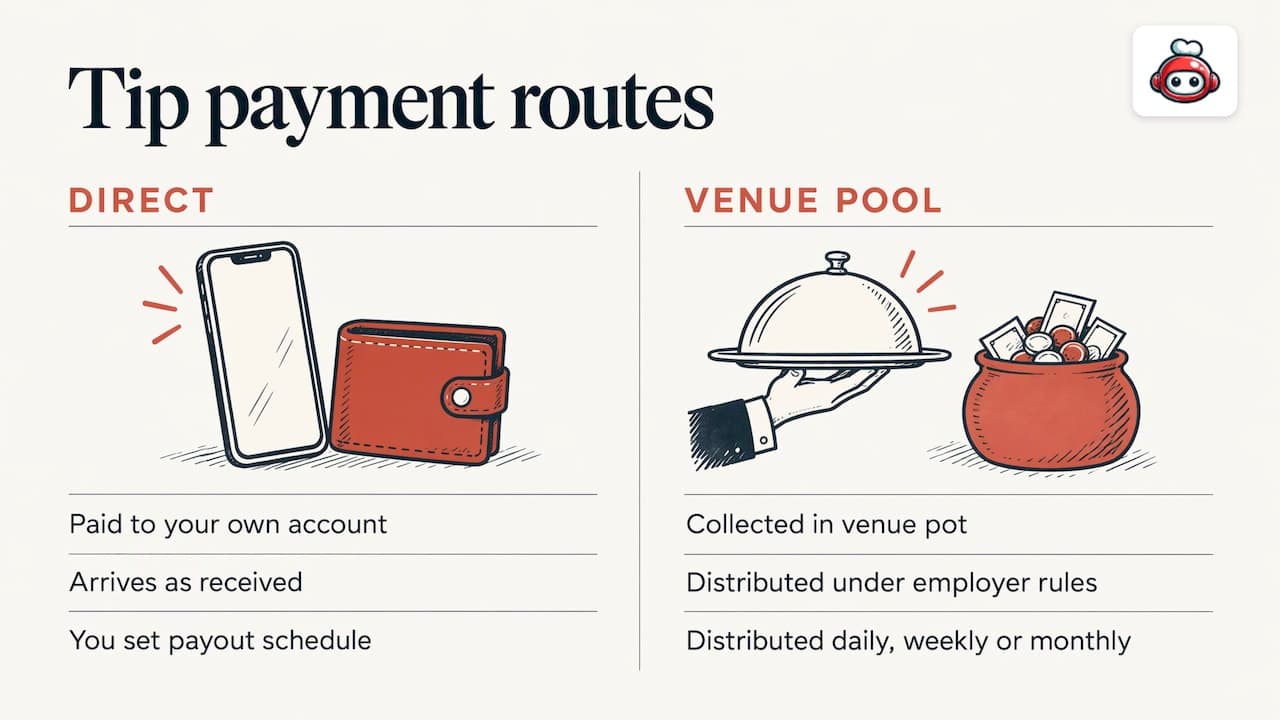
With RESTOBOT it is the direct model. Gratuities that guests leave through your personal tips profile go to your own account. We do not take a cut of them. You set the payout schedule yourself in the payment provider, so you decide whether you want money regularly or at a different rhythm.
For a deeper look at the route from guest to bank, our guide on getting tips to your bank walks through it step by step.
What other services charge
Fees vary a lot between providers. Some charge no monthly fee but apply a percentage platform fee to each gratuity plus card processing, and by default that cost can fall on the guest. Others take nothing. When you compare, look at three things: any monthly cost, any per-payment fee, and who pays it.
Our model is simple. We charge no commission on tips. Restaurants pay only a monthly subscription for the wider platform, and a worker's individual tips page is listed at 0 one-off.
How to set up your own tip link with RESTOBOT
The steps below are the same whether your restaurant uses RESTOBOT or not.
- Open the [tips page](https://www.restobot.pro/tips) and create your personal profile.
- Add your details. Use your first name and a clear photo if you want one. Guests tip people, so a face and a name help.
- Connect your payout details with the payment provider, where you also set your payout schedule.
- Get your link and QR code. Download the code and keep the link for messages and social media.
- Put the code where guests will see it (more on that below).
- Ask for ratings. Your public profile shows a rating and comments, so a guest who tips can also say how the service went.
If you would rather build a link from scratch with a general payment tool, the principle is the same: create a payment link with the pay-what-you-want setting, copy it to share by email, text or social media, and download its QR code, as Stripe's documentation explains. The difference is that a general payment link has no worker profile, no ratings and no comments. A dedicated tips profile adds all three.
Where to put the QR code so guests actually use it
A QR code that nobody sees earns nothing. These are the places that work in a restaurant, café or bar:
- On the bill folder or receipt. The guest is already thinking about paying, and the code is in hand.
- On a small card you give with the bill. A short line such as "Thank you, scan if you would like to leave something for me" is enough.
- On your badge or lanyard. Useful in busy venues, though a badge code must be big enough to scan from a short distance.
- On a table stand, if your manager agrees. Check first, because a venue may have its own rules on what goes on tables.
- In your message to regulars, as a plain link.
Keep the invitation light. You are not asking for anything, you are making it easy for someone who wants to say thank you.
A few habits that make guests tip
- Mention the card calmly when you bring the bill, not before the meal ends.
- Make sure the code is printed sharp and on a matt surface so phone cameras read it first time.
- Test your own code with your own phone regularly.
- Answer a good comment with a thank you in person next time you see the guest.
For design ideas and layout, see our guide to QR code tipping and how to set it up.
What to check before you share the link
A tip link is easy to create. A few checks make sure it works for you and does not cause trouble at work.
Ask your manager first
Some venues have their own policy on how gratuities are handled, and some employers are required to explain how they distribute electronic tips. In Ireland, for example, employers covered by the law must display their tips distribution policy and give employees a written statement of electronically distributed tips within 10 days of distribution. That is an Irish rule and not a universal one, but it shows why a short conversation with your manager is sensible: you should both know whether guests may use a personal code at your venue.
If your employer already collects gratuities through its own system, ask where a personal link fits. Many venues are happy for staff to hold a personal code for guests who want to thank an individual.
Check privacy and security
A good tipping service does not store guest card details on its own servers. Card data is normally held by the payment provider, and guests can usually choose to pay without leaving a name. Look for those two things on any service you consider. On our side, guests pay through the payment provider and do not need an account.
Taxes
Taxes on tips are the worker's own responsibility.
Keep your profile professional
Your rating and comments are public. Use a real first name, a friendly photo and a short line about you, such as the sections you work or the languages you speak. A profile that looks cared for gets more trust than a blank one.
Your reputation travels with you
Most review sites rate the restaurant. Few say anything about you. A public profile with a rating and guest comments flips that. Over a season you build something concrete: a record of how guests describe your service, in their words.
That helps in three situations:
- Changing jobs. You can show a new manager what guests say about you.
- Working at events or seasonal venues, where you may be new to the room and have no regulars yet.
- Moving between cities, because the profile belongs to you, not to a single employer.
The profile works even if your restaurant is not on RESTOBOT. You register alone, and the page and its rating are yours.
Perspective: why we built tips around the individual
We built the tips feature because we kept noticing the same gap. A guest wants to thank one person, and the payment system only knows about the venue. We think the fix is simple: give the worker their own page, their own account and their own rating.
>
That is why we take no commission on tips, why the money goes straight to the worker's account and why the worker, not us, sets the payout schedule in the payment provider. A thank you should arrive intact. It is also why we let workers register alone. A waiter should not have to wait for a manager to sign up to a platform before a guest can say thank you.
>
We also think a reputation should belong to the person who earned it. A public rating and guest comments tied to the individual are, in our view, the part of digital tipping that lasts longest. A rating you build stays with you from one job to the next.
>
Our restaurant platform follows the same idea from the other side: one subscription, no commission on orders and full control for the owner. The two products meet at the table, where a guest can order, pay and thank the person who served them.
>
*the author*
For restaurant owners: how this fits your venue
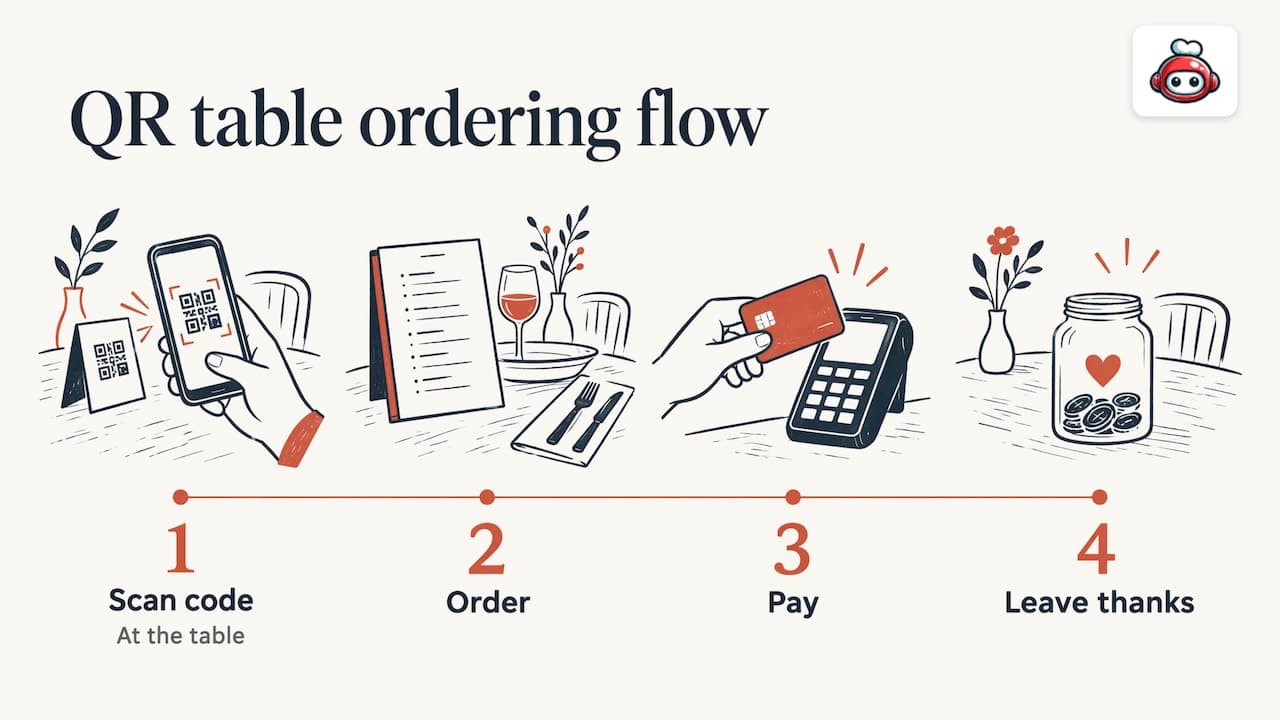
If you manage a venue, a personal tip link for each team member can sit alongside your own digital tools. Guests who scan a code at the table can order, pay and leave a thank you in one flow. Our guide to table ordering by QR code shows how the pieces connect, and the one on commission-free QR payments explains how a venue can take payment at the table without marketplace fees.
One point matters for staff morale: tips on our platform are available on all plans, so a venue does not need a higher tier for its team to use them. Talk with your team about how personal links and any venue policy will work together, then print the codes once everyone is clear.
Try it: RESTOBOT for workers and venues
If you are a waiter, bartender or barista, you can start with the free online tips profile: your own page, a QR code, a public rating and payouts to your own account, with no commission from us.
If you run a venue and want a website, online menu, ordering, reservations, loyalty and tips in one place, our plans are listed on the pricing page. Prices are published in euros: LOYALTY from €39 per month, MENU from €69 per month and FULL from €119 per month, or €29, €59 and €99 per year for the same plans. We charge a subscription only, with no commission on orders. You can have your site created instantly and launched within one day.
FAQ
Do I need my restaurant's permission to use a tip link?
No, you can register on your own, and the venue does not need to be on RESTOBOT. It is still sensible to tell your manager, because a venue may have its own policy about how gratuities are handled and where codes may be displayed.
Do guests need to download an app?
No. Guests open the link or scan the QR code in their phone browser and pay with a card or a supported phone wallet. They can leave a rating and a comment on your page at the same time.
When do I get the money?
Payments go to your own account, and you set the payout schedule in the payment provider. That means the timing is yours to choose within what the provider offers, not something your employer or we decide.
Does RESTOBOT take a cut of my tips?
No. We take no commission on tips. The worker's tips feature is listed at 0 one-off and is available on all plans. Card processing and payout terms are set by the payment provider, so read them when you connect your account.
What about taxes on what I receive?
Taxes on tips are the worker's own responsibility.