

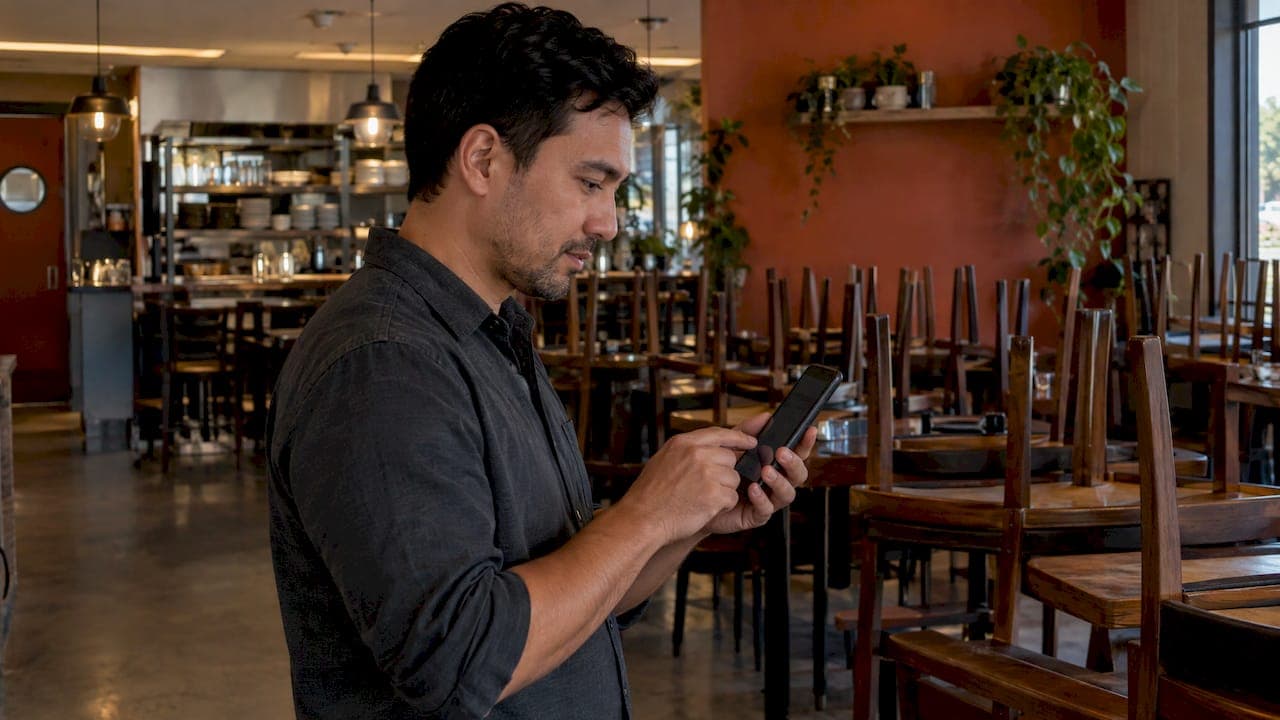
An online pre-order lets a guest choose and often pay for their food before they arrive, so the kitchen knows what is coming and the order is ready for a set time. To run it well you need four things: a menu built for ordering ahead, a time-slot rule that matches your kitchen, a clear policy on deposits and changes, and an order channel you own. This guide covers each, including large groups, events and the Christmas rush.
TL;DR
- A pre-order is an order placed ahead and scheduled for a specific time, for pickup, delivery or a table. It works for single takeaway orders and for 20-person group bookings.
- Set lead times by what your kitchen can prepare, not by what looks generous. Large platforms allow anything from a couple of hours to a couple of days ahead.
- For events and holidays, use a limited pre-order menu, a deposit or full prepayment, and a firm cut-off for changes.
- Marketplaces such as Uber Eats, Glovo, Bolt Food, Wolt, Just Eat and Pyszne charge 30% of the net order value plus VAT. Taking pre-orders on your own site and Telegram bot with RESTOBOT means 0% commission and a flat monthly subscription.
Table of Contents
- What an online pre-order is and how it works
- Why pre-orders help the kitchen and the till
- Setting up online pre-orders step by step
- Pre-orders for events and large groups
- Holiday pre-orders: Christmas, Easter and other peaks
- Payments, changes and cancellations
- Own your pre-orders or hand over 30%?
- Perspective
- Take pre-orders on your own channels with RESTOBOT
- FAQ
- Sources
What an online pre-order is and how it works
Pre-ordering means customers place food orders in advance through a website, app or phone, and the order can be scheduled for a specific time so the meal is ready when the customer arrives or the courier collects it. That is the whole idea. The detail lies in what you let guests pre-order, how far ahead, and what happens when plans change.
There are three common situations:
- Scheduled takeaway or delivery. A guest orders at 10am for 1pm collection. The kitchen sees the ticket at the right moment, not all at once.
- Pre-order with a table booking. A group chooses dishes when they book, so the kitchen can prep and the service runs faster.
- Special-occasion pre-orders. Set menus, festive boxes, cakes, catering trays, or limited batches that you must produce or buy in advance.
The benefit is the same each time: you turn unpredictable demand into a known list before service begins. That helps you buy the right amount of stock, staff the right shift and avoid a wall of tickets at 12:30.
Why pre-orders help the kitchen and the till
The evidence comes from several markets, so treat the numbers as indications rather than promises for your venue.
An Indonesian campus canteen study of a pre-order system reported average waiting time falling from 6.2 to 2.8 minutes, with order accuracy and stock accuracy both improving and more transactions per hour. A canteen is not a restaurant, but the mechanism is the same: orders arrive structured, with no shouting across a counter.
On the customer side, Ipsos data reported by NRN found that four in five mobile app users planned to order ahead again, with saving time, exclusive promotions and customising orders as the top motivators. Customising is worth noting: a good pre-order form lets guests say "no onions" in writing, which is more reliable than a phone call.
One caution from Intouch Insight's 2025 study: ordering ahead cut average time in the restaurant by 3.5 minutes, but mobile pickup customers were less likely to see an upsell offer than in-store customers. The fix is simple. Put add-ons (a drink, a side, a dessert) into the pre-order flow itself so they appear at checkout.
Setting up online pre-orders step by step
1. Build a pre-order menu, not a copy of the full menu
Not every dish survives a 40-minute wait. Fried items go soft, ice cream melts, a rare steak keeps cooking in the bag. Mark what is available for pre-order and, where needed, keep the rest in-house only. For groups, offer two or three set menus with a vegetarian option and an allergen note, not forty choices.
Write allergen information clearly on each item and ask guests for allergies at checkout in a dedicated field. Keep that field visible in the kitchen view as well, so it does not get lost in a general comments box.
2. Choose your lead times
Lead time is the minimum gap between ordering and collection, and it is your most important setting. Look at your real prep and busiest-hour capacity, then set it with a margin. For reference, Zomato's Indian 'Order Scheduling' feature, launched in October 2024, lets users schedule from 2 hours up to 2 days ahead and cancel until three minutes before the set time. That is a large-platform setup, not a rule, but it shows the useful shape: a short minimum, a limited maximum and a clear cancellation window.
A practical guide to lead times by order type:
| Order type | Typical lead-time logic | What to cap |
|---|---|---|
| Same-day takeaway | A few hours, based on prep time and queue | Orders per 15-minute slot |
| Next-day or multi-day pre-order | Cut-off the evening before, so you can buy stock | Total portions per day |
| Group or event pre-order | Several days before the booking, so numbers and choices are final | Group size and menu choices |
| Holiday or special menu | Cut-off set by your supplier deadlines | Total portions of the item |
The right numbers are yours to set. Start cautious and loosen after a few busy weeks, when you can see how long tickets really take.
3. Cap slots so the kitchen never drowns
A time slot with no cap is a promise you cannot keep. Limit the number of orders or items per slot, and keep a buffer when dine-in is also busy. When a slot fills, it simply disappears from the picker, and the guest chooses another one. Nobody is disappointed at the counter.
4. Decide how payment works
Pre-orders work best when paid in advance. Full prepayment suits takeaway, boxes and set menus. For table bookings with food choices, a deposit per head is common. As one example, a York restaurant's 2026 Christmas party menu asks for a per-head deposit for parties of twelve or more in December, with a final-numbers deadline two weeks before the booking. Copy the structure, a deposit tied to group size and a date after which numbers are locked, and set amounts that suit your own costs.
5. Send the order to the kitchen at the right time
A pre-order that sits in an inbox is worse than none. Orders should arrive on one screen, sorted by pickup time, alongside walk-in and delivery orders. Our guide to a restaurant order dashboard shows how to consolidate channels so scheduled tickets sit next to live ones, and the guide to POS integrations covers sending orders into the till.
6. Confirm, remind, collect
Send an immediate confirmation with the pickup time, the items and the cancellation cut-off. A reminder on the day cuts down on missed collections. At handover, check the name and the order, and the job is done.
Pre-orders for events and large groups
This is where pre-ordering pays most. A table of 14 that orders on the night ties up one section and slows every other table. The same group that has pre-ordered can be served in a predictable rhythm.
For groups and events, work through this list:
- Fix a group threshold. Decide the size at which pre-order is required or strongly encouraged, for example parties above eight or ten.
- Offer limited set menus. Two or three starters, mains and desserts, with a clear dietary option, reduce errors.
- Collect choices per guest. Ask the organiser to submit names against dishes, or send a link each guest fills in themselves. A shared spreadsheet is fragile.
- Take a deposit at booking. It protects stock and confirms commitment.
- Set a numbers deadline. After it, no reductions without losing the deposit, and a clear process for adding guests if capacity allows.
- Name one contact. Decide who at your venue owns each event, and tell the organiser.
Not all groups want to pre-order, and that is fine. The York menu above notes that it does not insist on pre-orders from parties, only offers it to those who prefer it. Making it optional but easy suits many venues, and a very busy night can make it a requirement.
For trays, platters and corporate lunches delivered or collected, see our guide to catering online ordering. If you prefer a plain flow for ordinary takeaway, order ahead for restaurants covers it end to end.
Holiday pre-orders: Christmas, Easter and other peaks
Holiday pre-ordering is a different job from daily takeaway. Demand is concentrated, the menu is fixed, and ingredients such as turkey, shellfish or special desserts are bought in bulk. Plan it like a campaign.
Start with the product. Choose a short festive menu or a few boxes you can cook well in volume. Price them clearly, with what is included.
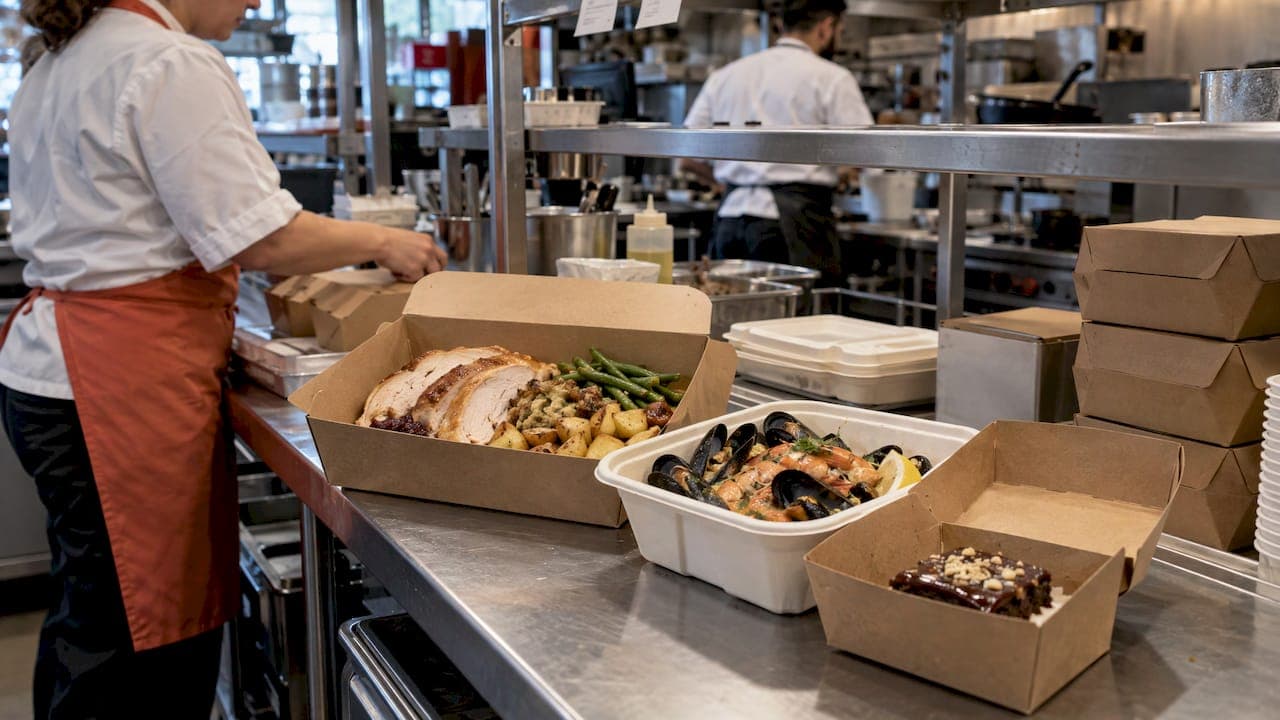
Fix the calendar before you open ordering. Work backwards from your busiest service dates. Set the last order date by your supplier deadlines, then add collection windows, which in the case of a Christmas menu might be limited to a few specific days. Publish the cut-off prominently, and put the same date in every confirmation.
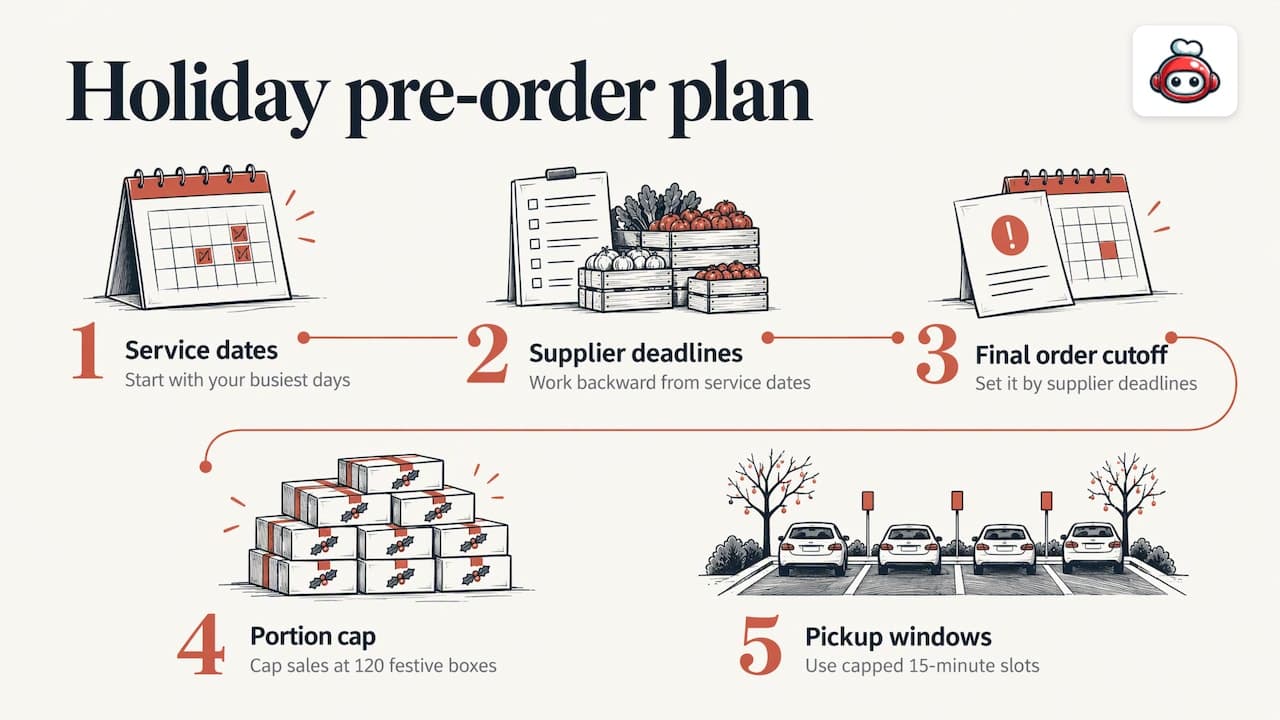
Cap total portions. If you can prepare 120 festive boxes, sell 120. A sold-out message builds urgency and protects quality.
Stagger collection. Short slots of 15 minutes, each with a capped number of orders, stop a car park or doorway turning into a queue.
Open early and tell people. Regulars should hear first. Send an email or a Telegram message when pre-orders open, and keep the link on your website and Google profile.
Bring them back. A guest who pre-ordered for Christmas has given you their details and a good experience. A digital loyalty card in Apple or Google Wallet gives them a reason to return in January, the quiet month.
Payments, changes and cancellations
Most pre-order disputes come from unclear expectations, not bad customers. Put your policy where guests will see it before they pay, and repeat it in the confirmation.
A workable policy covers five points:
- What is paid up front, full amount or deposit, and when the balance is due.
- Until when a guest may change or cancel, expressed as a time before pickup or a date before the event.
- What happens after the cut-off, for example the order is prepared regardless.
- How guests make changes, a link in the confirmation, a reply to a message, or a call.
- What you do if you cannot deliver, such as a sold-out item or an equipment failure, usually a swap or a refund.
Keep wording plain and short. If you are unsure how consumer rules apply to your particular products or events, ask a qualified adviser or your local trading standards office, since we do not give legal guidance.
Payment methods matter too. Guests expect cards and wallets, and some want alternatives. A pre-order flow that accepts several methods at checkout loses fewer carts.
Own your pre-orders or hand over 30%?
Pre-order is the most valuable kind of order for a restaurant: it is planned, prepaid and often large. It is also the kind you least want to give away a slice of. Uber Eats, Glovo, Bolt Food, Wolt, Just Eat, Pyszne and similar marketplaces charge 30% of the net order value plus VAT, which comes to almost 40% in total. On a large Christmas box order, that is a lot of margin.
Taking pre-orders directly means the guest data, the payment and the relationship are yours. If you also need couriers, you do not have to give up that control: our guides on delivery management software and third-party delivery integration show how to book couriers for your own orders. For a wider check on where money leaks, see fixing waste before buying tech.
If you want to automate reminders and follow-ups around your bookings, it helps to understand automation and scheduling tools for small businesses, since pre-order success depends on timely messages. And because most guests order from their phones, a fast, readable mobile-friendly ordering page is part of the job.
Perspective
We built RESTOBOT around a simple belief: the order should belong to the restaurant. Pre-orders make that belief concrete, because they are the orders with the most value and the most planning behind them.
>
In our view, restaurants should not need a developer or a long project to take them. That is why our platform gives you a site with an embedded menu, ordering on the website and in a Telegram bot, online payments and a dashboard where orders arrive in one place. Site creation is instant and launch takes one day.
>
We charge a monthly subscription and no commission on orders. Whether a guest orders one lunch or a table of twenty orders for a party, you keep the full amount, and you keep the guest relationship that goes with it.
>
*the author*
Take pre-orders on your own channels with RESTOBOT
RESTOBOT gives restaurants an ordering website with an embedded menu, ordering through the website and a Telegram bot, online payments, delivery coordination with third-party couriers such as Wolt Drive, and a real-time dashboard. There is 0% commission on orders, and you pay only a subscription: the MENU plan is from 69 EUR per month (59 EUR per year) and the FULL plan from 119 EUR per month (99 EUR per year). See the MENU and FULL plans for details.
Your team can also receive gratuities directly: online tips are available on all plans, and a worker can register alone even if the venue is not on RESTOBOT.
FAQ
How far ahead should I let customers pre-order?
Set a minimum based on your real preparation time and a maximum based on how far ahead you can plan stock and staff. Large platforms offer windows from a couple of hours to a couple of days, but your kitchen decides. Start cautious and adjust after a few weeks of data.
Do I need a deposit for group pre-orders?
A deposit per head, taken at booking, is a common way to protect stock and confirm commitment for larger parties. Pair it with a deadline for final numbers and state both clearly before payment.
Can I take holiday pre-orders without using a delivery marketplace?
Yes. Use your own website or Telegram bot, cap portions and collection slots, and set a cut-off tied to your supplier deadlines. That way you avoid the 30% of net order value plus VAT that marketplaces charge.
What should I do about taxes on tips from pre-orders?
Taxes on tips are the worker's own responsibility.